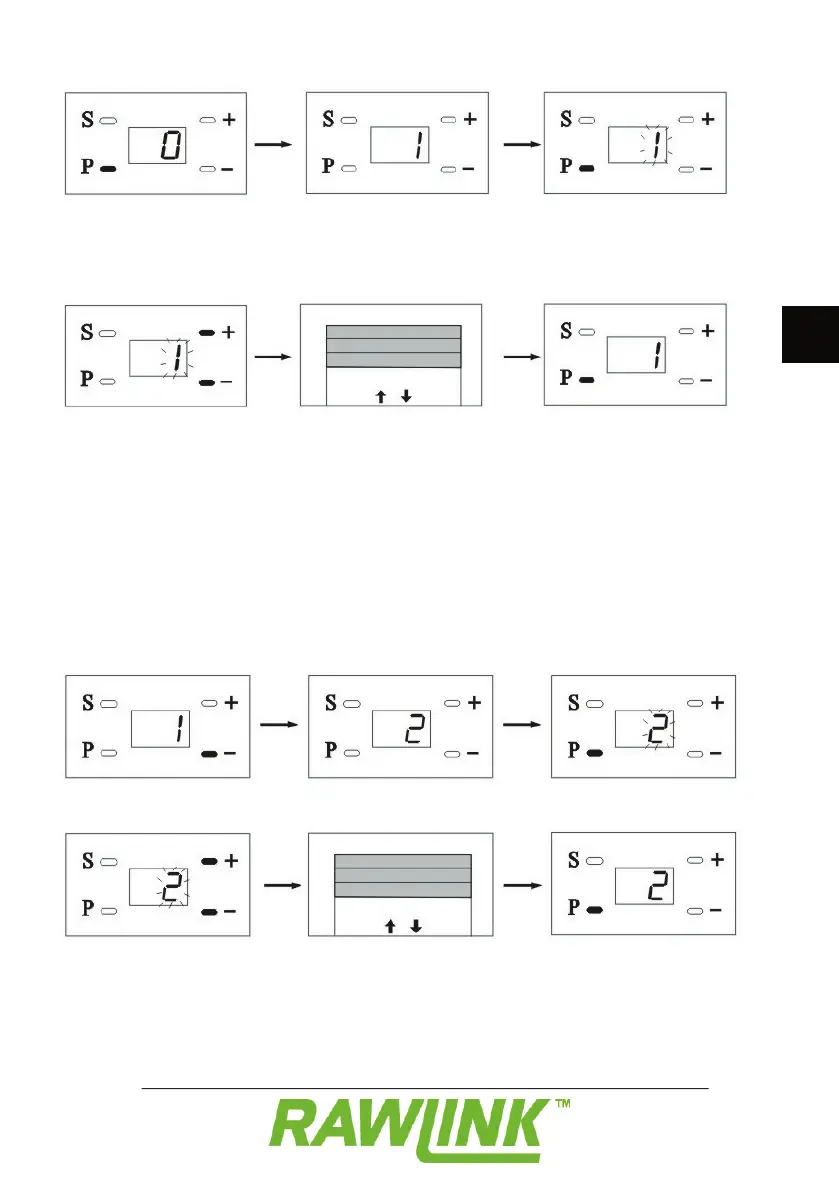
Hold the P button in for approximately 8
The door opener emits a sound, and “1”
appears on the display to indicate that you
Press the P button. “1” fl ashes on the display.
Press on the + and – buttons to raise or
Move the door forward until it is fully open.
Press on the P button to continue to the
If “F” appears in the display, it means the
motor unit is encountering too much
resistance. This may, for example, be due
to the door being too heavy, or the springs
Press the – button. “2” appears on the
Press on the P button. “2” fl ashes on the
display to indicate that you are in menu 2.
Press on the + and – buttons to raise or
lower the door. Move the door forward until
Press on the P button to continue to the


 To Next Page