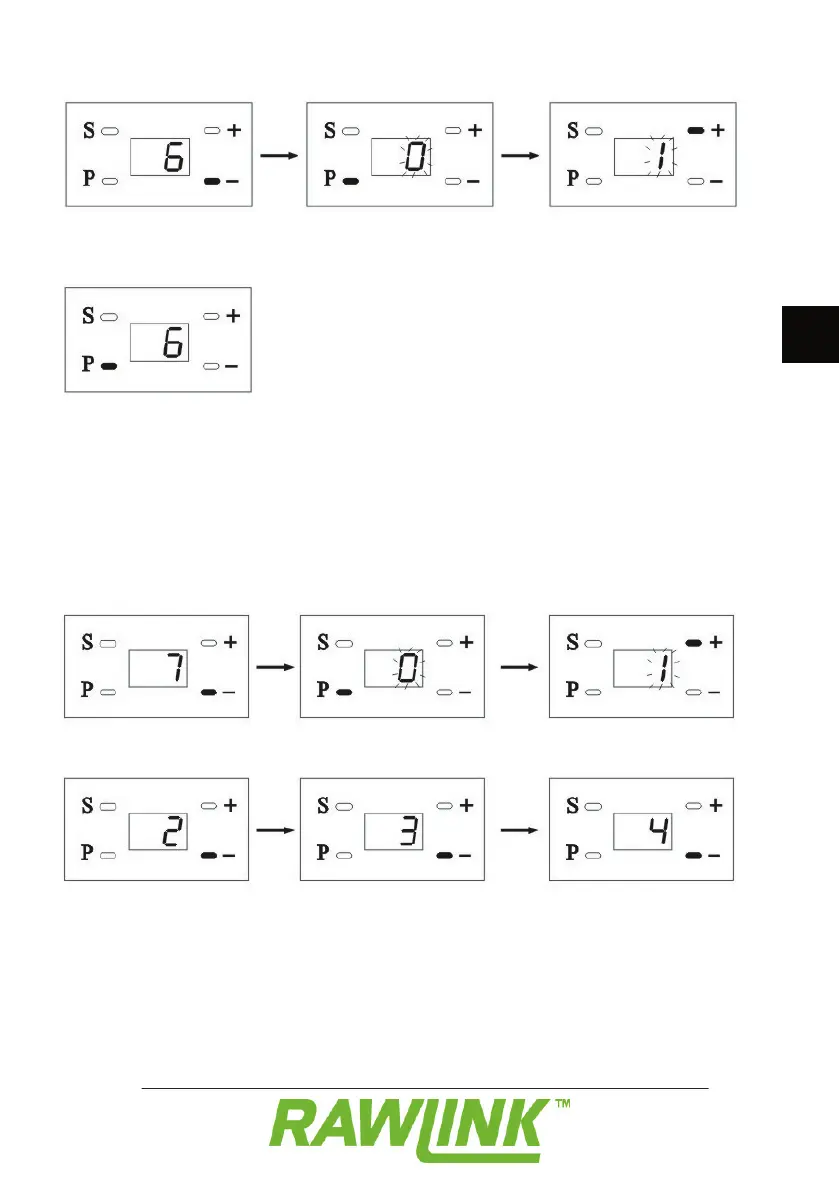
Press the – button. “6” appears on the
display to indicate that you are in menu 6.
Press on the P button. “0” fl ashes on the
display to indicate that the alarm function is
Press the + button to switch the alarm
function on. “1” fl ashes on the display.
Press the P button to save the setting.
Press the – button. “7” appears on the
display to indicate that you are in menu 7.
Press on the P button. “0” fl ashes on the
display to indicate that automatic closure is
Press the + button to switch automatic
closure on. “1” fl ashes on the display.
Press the – button to select how many 30-
second periods must elapse before the door
closes automatically. You can choose from
1 to 8, corresponding to a time period from
Press the P button to save the setting.


 To Next Page