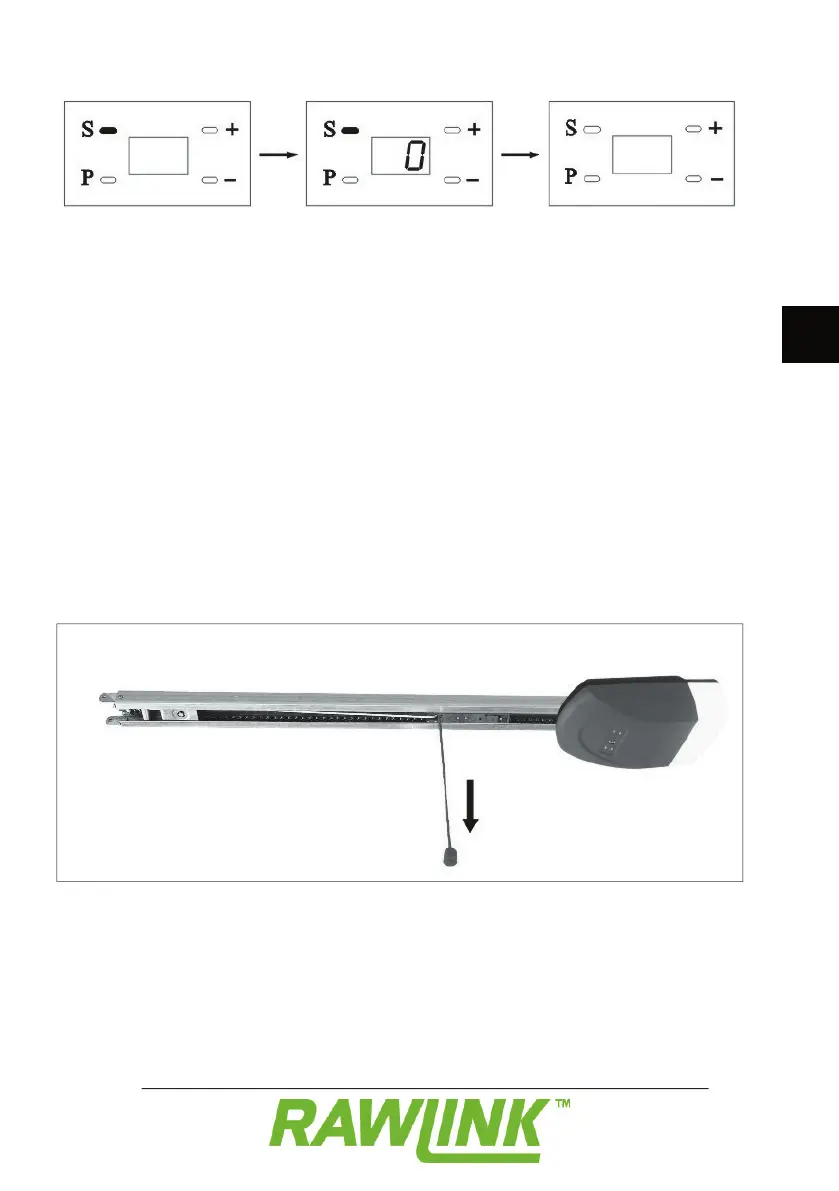
“0” appears on the display.
Release the S button when the display is
The remote control is now cancelled.
In the event of a power failure, you can
open or close the door manually. Pull the
cord that is attached to the rider in the rail
to release the brake. When the power comes
back on, you can use the door opener
Open and close the door by pressing the
button at the top of the remote control.
Switch the light on by pressing the button
at the bottom of the remote control.
If you have switched the alarm function
on, a signal will sound after a brief period
to remind you to close the door. Close the
door, or switch the alarm off on the remote


 To Next Page