16
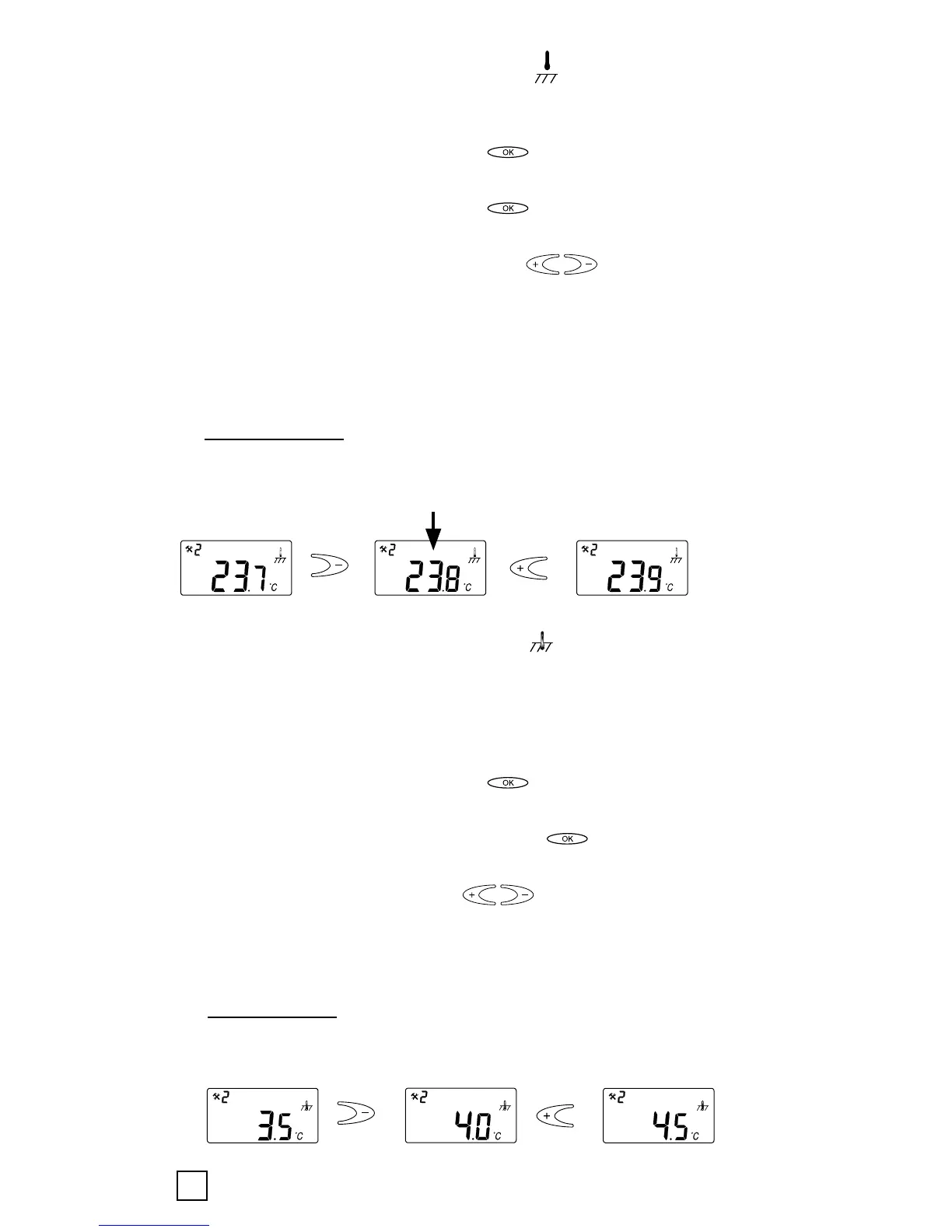
Calibration of room sensor mode < >:
In room sensor mode the internal sensor value is the same
as for the set value on the display.
Push the confirmation button < > in 6 sec. to enter the
Configuration mode.
Push the confirmation button < > to enter menu
number 2.
Change the temperature value via < > buttons to the
same value shown on the reference wall thermometer.
Push confirmation button several times (scroll through
Menu structure) for leaving the Configuration mode to
Normal mode
• Room sensor: Room temperature blinking and possibility
to adjust the room temperature with +/- keys.
Initial value to calibrate
Calibration of floor sensor mode <
>:
In floor sensor mode there is a default offset value of +4°C
between the infloor sensor value and the floorsurface value
(which is the set value on the display). The read-out value in
Menu 1 can be used for set value calibration.
Push the confirmation button < > in 6 sec. to enter the
Configuration mode.
Push again the confirmation button < > to enter menu
number 2.
Change the offset value via < > buttons so that the
set temperature value will be approx. the same value shown
on the reference floor surface thermometer.
• Floor sensor: the user can adjust the difference between
the temperature inside the floor and the room temperature.
Offset = Floor temperature – Room temperature


 To Next Page