EasyManua.ls Logo

Raymarine CP470 - User Manual

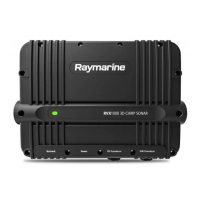
Raymarine CP470
102 pages
Print Icon
To Next Page IconTo Next Page
Loading...
© 2018 Raymarine UK Limited
87349-2Document number:
05-2018Date:
English (en-US)
Installation instructions
CP370 / 470 / 570

Table of Contents

Questions and Answers

  • K
    Katie HaydenAug 22, 2025
    What causes no depth reading on my Raymarine Sonar?
    • A
      Angela CampbellAug 22, 2025
      If your Raymarine Sonar is not showing a depth reading or has lost bottom lock, check the following: * Transducer location: Verify that the transducer has been installed according to the provided instructions. * Transducer angle: Adjust the transducer angle if it's too great, as the beam might be missing the bottom. * Transducer kicked-up: If the transducer has a kick-up mechanism, ensure it hasn't been activated by hitting an object.
  • C
    colestanleyAug 25, 2025
    What to do if my Raymarine Sonar transducer is damaged or fouled?
    • K
      Keith RamirezAug 26, 2025
      Check the condition of the transducer ensuring it is not damaged and is free from debris / fouling.
  • M
    Megan CaseyAug 27, 2025
    What to do if vessel speed too high for Raymarine CP470 Sonar?
    • K
      Katherine YoungAug 27, 2025
      Slow vessel speed and recheck.
  • M
    michaelhillAug 30, 2025
    What to do if bottom too shallow or too deep for Raymarine Sonar?
    • J
      Joseph KnoxAug 31, 2025
      The bottom depth may be outside of the transducers depth range, move vessel to shallower or deeper waters as relevant and recheck.
  • S
    Steve JohnsonSep 2, 2025
    Why is my Raymarine CP470 Sonar not showing data on the multifunction display?
    • X
      xburtonSep 2, 2025
      The Raymarine Sonar data may not be available on the multifunction display due to several reasons: a unit power supply fault (check the unit power supply and cables); a SeaTalkhs / RayNet network problem (ensure the unit is correctly connected to a Raymarine network SeaTalkhs switch or crossover coupler, check the status of the Raymarine network switch, and inspect SeaTalkhs/ RayNet cables for damage); or a software mismatch between equipment.
  • O
    osinghSep 5, 2025
    What to do if my Raymarine Sonar depth readings or image are problematic?
    • S
      sylvia60Sep 5, 2025
      If you're experiencing issues with depth readings or the sonar image on your Raymarine Sonar, consider the following: Ensure that the gain or frequency settings are appropriate for the current conditions. Check the voltage from the power supply, as a low voltage can affect the unit's transmitting power. Inspect the power, transducer, and all other cables to the unit, ensuring they are properly connected and free from damage. Verify that the transducer is correctly mounted and clean, and if you have a transom-mount transducer, check that it hasn't kicked up. Adjust scroll speed. Fish arches are not displayed if the vessel is stationary, fish will appear on the display as straight lines. High vessel speed: turbulence around the transducer may be confusing the unit.
  • M
    Mr. Mark SpencerSep 7, 2025
    What to do if the LED on my Raymarine CP470 Sonar indicates a transducer is disconnected?
    • M
      Mark JohnsonSep 7, 2025
      Ensure the transducer cable and connections are secure and free from damage. Power cycle the unit to recover transducer information. Also, ensure the network is powered and that the network cable and connections are secure and free from damage. Ensure power cable and connections are secure and free from damage and that the power supply cabling is consistent with recommendations. If combined with a voltage warning, check the power supply and cables.
  • M
    Melissa HigginsSep 12, 2025
    Why is my Raymarine CP470 giving an incorrect speed reading?
    • W
      wcollinsSep 12, 2025
      An incorrect speed reading from your Raymarine Sonar could be due to a dirty paddle wheel (check that the paddle wheel is clean), no speed offset set (add speed offset), or incorrect calibration (re-calibrate equipment).
  • M
    Mary GarrettSep 13, 2025
    What to do if the LED indicates unit overheating in Raymarine CP470 Sonar?
    • P
      patrickmillerSep 13, 2025
      Ensure the installation environment is within recommendations and the unit will recover when the temperature falls within specifications.
  • J
    jacob20Nov 15, 2025
    Why is the scrolling image not being displayed on my Raymarine CP470 Sonar?
    • J
      James KirbyNov 16, 2025
      The scrolling image may not be displayed on your Raymarine Sonar for several reasons: * Sonar may be disabled: Enable Ping from the Sonar app’s sounder tab: Menu > Settings > Sounder > Ping. * Incorrect transducer selected: Check that the correct transducer is selected in the Sonar app’s Transducer tab: Menu > Settings > Transducer > Ping. * Damaged cables: Check the transducer cable connector, power supply cable, and vessel's battery voltage for damage or corrosion. Replace if necessary. * Damaged or fouled transducer: Ensure the transducer is not damaged and is free from debris/fouling. Clean or replace as needed. * Wrong transducer fitted: Ensure that the transducer is compatible with your system. * External sonar module: SeaTalkhs / RayNet network problem: Check that the u...

Summary

Important Information and Guidelines

Certified Installation

Raymarine recommends certified installation by an approved installer for enhanced product warranty benefits.

Installation Planning and Requirements

Warnings and Cautions

Emphasizes reading and understanding all warnings and cautions in Chapter 1 before proceeding.

Cables, Connections, and Mounting

Power Connection

Details requirements and methods for connecting power to the sonar module.

System Checks and Troubleshooting

Initial Power On Test

Checks the unit's LED status and Fishfinder application after powering on.

Sonar Troubleshooting

Information on diagnosing and correcting common sonar problems.

LED Indication Status

Table detailing LED codes, status, and user actions for various error and warning conditions.

Technical Specifications

CP370 Technical Specification

Covers dimensions, weight, power, environmental ratings, sonar capabilities, and conformance.

CP470 Technical Specification

Covers dimensions, weight, power, environmental ratings, CHIRP sonar capabilities, and conformance.

Raymarine CP470 Specifications

General IconGeneral
BrandRaymarine
ModelCP470
CategorySonar
LanguageEnglish

Related product manuals