EasyManua.ls Logo

Raymarine Element 7 HV - User Manual

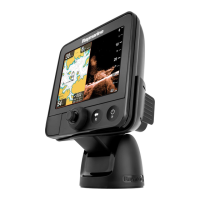
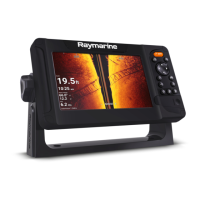
Raymarine Element 7 HV
82 pages
Print Icon
To Next Page IconTo Next Page
Loading...
© 2019 Raymarine UK Limited
87360-1Document number:
01-2019Date:
English (en-US)
Installation instructions
ELEMENT

Table of Contents

Questions and Answers

  • A
    Anne GarciaAug 15, 2025
    What to do if my Raymarine Element 7 HV Sonar says 'No transducer connected'?
    • M
      Misty WarrenAug 15, 2025
      If your Raymarine Sonar displays a 'No transducer connected' message, here's what to check: 1. Ensure a transducer is connected and reboot the display. 2. Verify the correct transducer type was selected during the initial start-up wizard by selecting a sonar channel via the Menu button. 3. Inspect connectors and cabling for damage. Look for bent or broken transducer connector pins on the back of the display. Ensure the transducer cable connector is correctly oriented, fully inserted into the display connector, and locked. Check for signs of damage or corrosion on the transducer cabling and connectors, replacing if necessary.
  • S
    Scott FullerAug 18, 2025
    Why won't my Raymarine Element 7 HV turn on or keeps turning off?
    • M
      Mr. Shane HarveyAug 18, 2025
      There are several reasons why your Raymarine Sonar might not be turning on or keeps turning off: * A fuse may be blown or a breaker tripped. Check the condition of the relevant fuses and breakers and their connections; replace them if needed. * The power supply cable or connections may be poor, damaged, or insecure. Ensure the power cable connector is correctly oriented, fully inserted into the display connector, and locked in position. * The power may be incorrectly connected. Make sure the installation instructions have been followed.
  • J
    Joseph VelazquezAug 21, 2025
    How to fix Raymarine Element 7 HV Sonar that cannot connect to the network?
    • M
      Meghan CampbellAug 22, 2025
      If your Raymarine Sonar cannot connect to the network, consider the following: * Ensure you are trying to connect to the correct Wi-Fi network; the Wi-Fi network’s name can be found in the router’s settings. * Verify you are using the correct password; the Wi-Fi network’s password can be found in the router’s settings. * Bulkheads, decks, and other heavy structures can degrade or block the Wi-Fi signal. Try repositioning the display and, if possible, the router, so the structure is removed from the direct line of sight between the devices. * Interference may be caused by other Wi-Fi enabled or older Bluetooth enabled devices. If possible, change the Wi-Fi Channel that your router is using and retry the connection.
  • K
    Kathleen GlassAug 25, 2025
    Why is the scrolling image on my Raymarine Sonar not displaying or intermittent?
    • L
      lonnie96Aug 25, 2025
      If the scrolling image on your Raymarine Sonar is not displaying or is intermittent, check the following: * Inspect connectors and cabling for damage. Look for bent or broken transducer connector pins on the back of the display. Ensure the transducer cable connector is correctly oriented and fully inserted into the display connector and locked. Check the condition of the transducer cabling and connectors for signs of damage or corrosion, and replace if necessary. * Check the condition of the transducer, ensuring it is not damaged and is free from debris/fouling; clean or replace as necessary. * Ensure the connected transducer is compatible with your system.
  • K
    Karen ThompsonAug 28, 2025
    How to troubleshoot no depth reading or lost bottom lock on Raymarine Sonar?
    • J
      James MurilloAug 28, 2025
      If you're experiencing no depth reading or a lost bottom lock on your Raymarine Sonar, consider these possible causes: * Check that the transducer has been installed according to the instructions provided with it. * If the transducer angle is too great, the beam can miss the bottom. Adjust the transducer angle and recheck. * If the transducer has a kick-up mechanism, verify that it hasn't kicked up due to hitting an object. * Inspect the transducer for damage or fouling, cleaning or replacing it as necessary.
  • T
    Tracey ColemanAug 31, 2025
    Why is my Raymarine Element 7 HV connection so slow or keeps dropping out?
    • D
      Diana SmithAug 31, 2025
      A slow or frequently dropped connection on your Raymarine Sonar could be due to: * Wi-Fi performance degrading over distance. Move the display closer to the router. * Interference from other Wi-Fi or older Bluetooth devices. Try changing the Wi-Fi channel on your router and retry the connection. * Interference from devices on other vessels. Change the Wi-Fi channel on your router and retry the connection.
  • H
    hansonkaitlinSep 4, 2025
    What to do if Raymarine Element 7 HV will not start up (restart loop)?
    • F
      franklin94Sep 4, 2025
      If your Raymarine Sonar is stuck in a restart loop, it may be due to software corruption. Try downloading and installing the latest software from the Raymarine website. On display products, as a last resort, attempt to perform a ‘Power on Reset’. Be aware that this will delete all settings / presets and user data (such as waypoints and tracks), and revert the unit back to factory defaults.
  • S
    Sandra MurphySep 7, 2025
    Why can't my Raymarine Element 7 HV find the router network?
    • D
      Dr. James WrightSep 7, 2025
      If your Raymarine Sonar cannot find the router network, consider the following: * Ensure the router is broadcasting and within range of your display. If necessary, move the router and display closer together, then turn the display’s Wi-Fi off and back on again. * Make sure Wi-Fi is enabled on the display. * There may be a router problem. If possible, power cycle the router and then turn the display’s Wi-Fi off and back on again. * The device may not be broadcasting. If possible, enable broadcasting in the router’s settings. * The router’s Wi-Fi network may be incompatible. The Display’s Wi-Fi can only connect to 2.4 GHz networks.
  • W
    webbtammySep 12, 2025
    Why does my Raymarine Sonar display a “No Fix” status or keeps losing position?
    • R
      Rebecca JohnsonSep 12, 2025
      The “No Fix” status icon on your Raymarine Sonar, or a display that keeps losing position, may be due to: * Your geographic location or prevailing conditions preventing a satellite fix. Check periodically to see if a fix is obtained in better conditions or another geographic location. * The display being in a poor location. Ensure the display has an unobstructed view of the sky.

Summary

Chapter 1 Important information

Chapter 2 Document and product information

Product overview

Description of Element™ HV displays, features, and supported sonar channels.

Chapter 3 Installation

Selecting a location

Guidance on choosing a location considering ventilation, mounting surface, and interference.

Chapter 4 Connections

Power connection

How to connect the power cable to a 12V DC power supply and fuse requirements.

Chapter 6 Troubleshooting

Power up troubleshooting

Diagnosing and resolving issues when the product does not turn on or restarts.

Sonar troubleshooting

Problems with sonar display, depth readings, and image quality.

Chapter 7 Technical support

Chapter 8 Technical specification

Element technical specification

Detailed specifications for Element™ 7, 9, and 12 displays including power, LCD, and connections.

Raymarine Element 7 HV Specifications

General IconGeneral
Display Size7 inches
Resolution800 x 480 pixels
Waterproof RatingIPX6 and IPX7
Sonar TypeHyperVision, DownVision, SideVision, RealVision 3D, CHIRP
GPSBuilt-in GPS
ConnectivityWi-Fi, Bluetooth, NMEA2000
Mounting TypeBracket Mount, Flush Mount

Related product manuals