EasyManua.ls Logo

Raymarine RVX1000 - User Manual

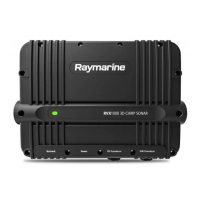
Raymarine RVX1000
108 pages
Print Icon
To Next Page IconTo Next Page
Loading...
© 2018 Raymarine UK Limited
87349-2Document number:
05-2018Date:
English (en-US)
Installation instructions
RVX1000

Table of Contents

Questions and Answers

  • B
    brian97Aug 20, 2025
    Why does my Raymarine RVX1000 Sonar have a poor image?
    • A
      Anthony BeardAug 20, 2025
      If you're experiencing a poor or problematic image on your Raymarine Sonar, try increasing your vessel speed, as stationary vessels can display fish as straight lines. If the scrolling is paused or set too low, unpause or increase the sonar scrolling speed. Also, check and adjust the sensitivity settings or perform a Sonar reset. Damaged cables can also cause this issue; inspect the unit's connector for broken or bent pins, ensure the cable connector is fully inserted and locked, and check for any signs of damage or corrosion. Verify the vessel’s battery voltage and check the condition of the battery terminals and power supply cables.
  • I
    Isaac MillerAug 22, 2025
    What to do if my Raymarine RVX1000 has no depth reading?
    • R
      rstewartAug 22, 2025
      To resolve a 'no depth reading' or 'lost bottom lock' issue with your Raymarine Sonar, first check that the transducer has been installed according to the provided instructions. If the transducer angle is too great, adjust it and recheck. Also, if the transducer has a kick-up mechanism, ensure it hasn't kicked up after hitting an object.
  • B
    Bonnie WilkinsAug 26, 2025
    How to check transducer location for Raymarine RVX1000?
    • T
      tiffanybarnesAug 26, 2025
      If your Raymarine Sonar transducer location is causing issues, check that the transducer has been installed according to the provided instructions. If it's a transom mount, ensure it's not mounted too high, and that the transducer face is fully submerged when planing and turning.
  • M
    Monica AndersonAug 28, 2025
    What to do if Raymarine RVX1000 transducer kicked-up?
    • E
      Erin GilbertAug 28, 2025
      If the transducer on your Raymarine Sonar has a kick-up mechanism, check that it has not kicked up due to hitting an object.
  • A
    Andrew RodriguezAug 31, 2025
    How to check power source of Raymarine RVX1000 Sonar?
    • F
      floyddanielAug 31, 2025
      If you suspect the power source is insufficient for your Raymarine Sonar, use a multi-meter to check the power supply voltage as close to the unit as possible under load to determine the actual voltage when current is flowing. Refer to your product’s technical specification for power supply requirements.
  • S
    Samuel SavageSep 2, 2025
    How to check for a damaged or fouled transducer on Raymarine RVX1000?
    • K
      Kaitlin MarksSep 2, 2025
      If you suspect the transducer on your Raymarine Sonar is damaged or fouled, check its condition to ensure it is not damaged and is free from debris or fouling.
  • C
    christian62Sep 5, 2025
    How to troubleshoot damaged cables on Raymarine RVX1000?
    • Y
      yleeSep 5, 2025
      If you suspect damaged cables are affecting your Raymarine Sonar, check the unit’s connector for broken or bent pins. Ensure the cable connector is fully inserted and locked. Inspect the cable and connectors for signs of damage or corrosion. With the unit turned on, try flexing the power cable near the display connector to see if this causes the unit to reboot or lose power. Check the vessel’s battery voltage, the condition of the battery terminals, and power supply cables. Finally, under load, use a multi-meter to check for high voltage drop across all connectors and fuses.
  • R
    Robert SimpsonSep 8, 2025
    Why is vessel speed too high for Raymarine RVX1000 Sonar?
    • J
      joseph97Sep 8, 2025
      If the vessel speed is too high for your Raymarine Sonar, slow the vessel speed and recheck.
  • J
    James WestSep 12, 2025
    What to do if bottom is too shallow or too deep for Raymarine RVX1000?
    • C
      colton20Sep 12, 2025
      If the bottom is too shallow or too deep for your Raymarine Sonar, the bottom depth may be outside of the transducer's depth range. Move the vessel to shallower or deeper waters as relevant and recheck.
  • D
    David CollinsSep 13, 2025
    How to check damaged transducer cable of Raymarine RVX1000?
    • D
      Deborah DonovanSep 14, 2025
      Check that the transducer cable and connection is free from damage and that the connections are secure and free from corrosion.

Summary

Important Information

Certified Installation

Recommends certified installation by Raymarine for enhanced warranty benefits.

Document and Product Information

Planning the Installation

Installation Checklist

A step-by-step checklist to ensure all installation activities are covered.

Compatible Transducers List

Lists all compatible transducers that can be connected to the RVX1000 sonar module.

Cables and Connections

Power Connection Guide

Detailed instructions and requirements for connecting the RVX1000 to the vessel's power supply.

Transducer Connection Types

Information on connecting various types of transducers to the RVX1000 sonar module.

Mounting the Unit

Mounting Instructions

Step-by-step instructions for mounting the RVX1000 unit securely.

System Checks and Troubleshooting

Troubleshooting Common Issues

Common problems, causes, and corrective actions for installation and operation issues.

Technical Specifications

Raymarine RVX1000 Specifications

General IconGeneral
Frequency50/200 kHz
Waterproof StandardIPX6
Sonar CompatibilityRaymarine
DisplayRequires compatible Raymarine MFD
Transducer CompatibilityRaymarine
Voltage12V
Operating Temperature-25°C to +55°C (-13°F to 131°F)
Storage Temperature-30°C to 70°C
ConnectionsEthernet

Related product manuals