6.8SelectingNMEA0183orSeaTalk
ng
connection
Thetypeofconnectioninusemustbeselected(i.e.SeaT alk
ng
orNMEA0183).
1.PressandreleasetheDSCMenubutton.
Themainmenuisdisplayed.
2.SelectConnection.
3.SelectInterface.
4.Selecttherequiredconnection:
i.SelectNMEA2000ifyouareconnectedtoanetworkor
deviceusingtheSeaT alk
ng
connector,or
ii.SelectNMEA0183ifyouareconnectedtoadeviceusing
theNMEA0183connection.
5.ForNMEA0183connectiononaradiothathasabuiltinAIS
receiver,selecttherequiredbaudrate,eitherSTDSpeed
orHighSpeed.
6.9Regionalprogramming
Thefrequencybandoftheproductcanbechangedandmustbe
settotheregiontheproductwillbeusedin.
Theregionsavailableare:
•USA
•International
•Canada
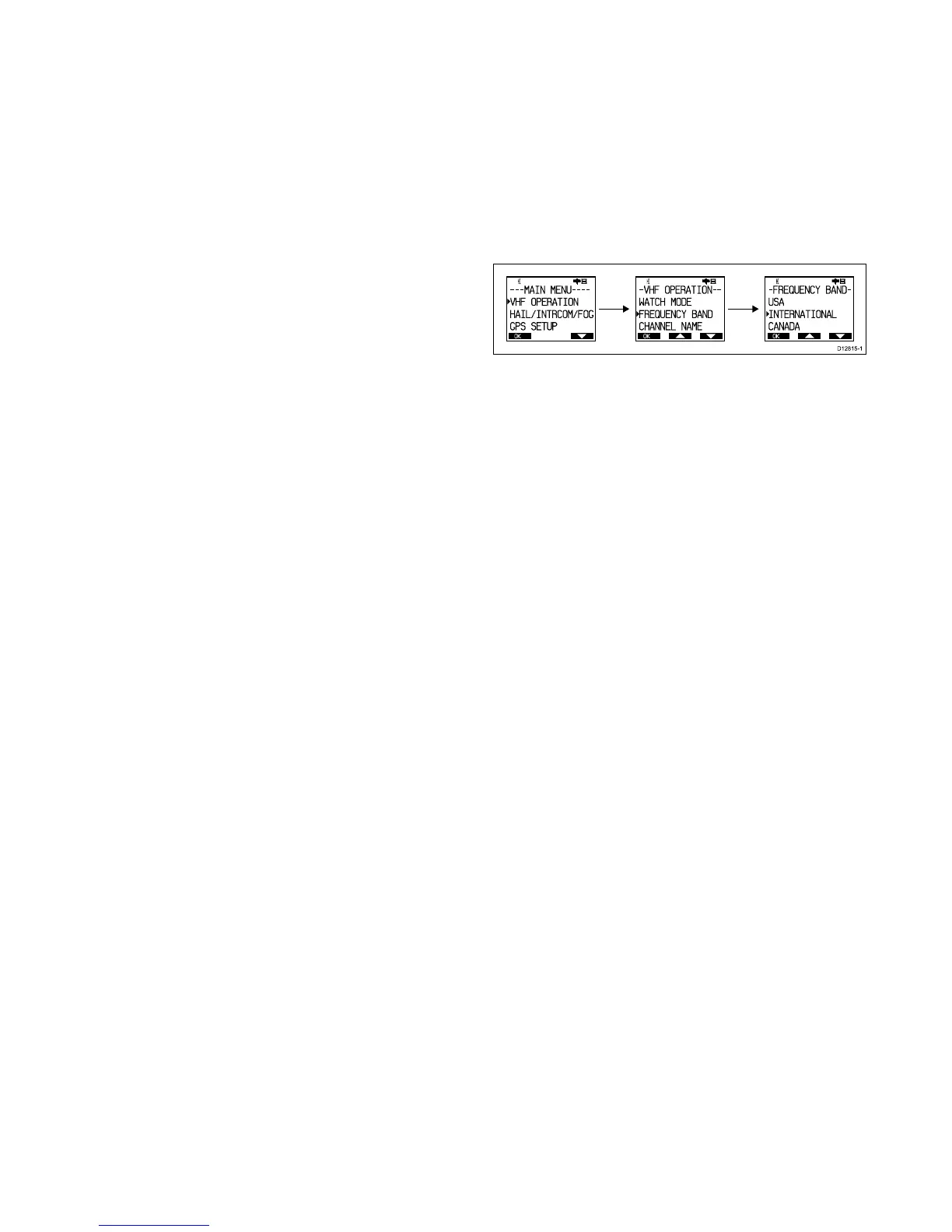
Changingthefrequencyband
BeforeusingtheproducttomakeDSCorothercallsyoumust
setthefrequencybandtotherelevantregion.
FromtheMainmenu:
1.SelectVHFOPERATION.
2.SelectFREQUENCYBAND.
Thelistofavailableregionsisdisplayed:
•USA
•International
•Canada
3.Selecttherelevantregion.
Theselectedregioniconwillbedisplayedonthetopleftof
theLCDscreen.
•USA=USA
•INT=International
•CAN=Canada
Gettingstarted
37



 To Next Page
 Loading...




