CONTENTS
GENERAL
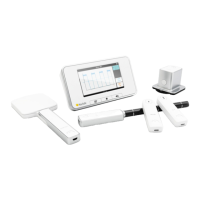
About the X2 system
Navigate the base unit
View measurement
Access archived measurements
Change parameter view
Analyze waveforms
Connect the base unit to a computer
Connect to computer using Bluetooth
Upgrade the base unit software
Charge the battery
Use the flexi stand
Setting: Screen brightness
Setting: Speaker volume
Setting: Time and date
Final disposal of the system
Regulatory information
R/F SENSOR
Measure with R/F Sensor
R/F: Measurement definitions
R/F: Sensor specifications
Setting: Units
Setting: Stop delay
Setting: Ignore prepulses
MAM SENSOR
Measure with MAM Sensor
Mo/Rh kV with MAM sensor
W/Al scanning with MAM sensor
MAM: Measurement definitions
MAM: Sensor specifications
Setting: Units
Setting: Stop delay
Setting: Ignore prepulses
CT SENSOR
Measure with CT Sensor
Measure kVp on CT
CT: Measurement definitions
CT: Sensor specifications
Setting: Units
Setting: Stop delay
LIGHT SENSOR
Measure with Light Sensor
Light: Measurement definitions
Light: Sensor specifications
Setting: Units
SURVEY SENSOR
Measure with Survey Sensor
Zero adjust
Survey: Measurement definitions
Survey: Sensor specifications
Setting: Trig mode
Setting: Units
Setting: Stop delay
MAS
Measure mAs
mAs: Measurement definitions
Setting: Stop delay
Setting: Ignore prepulses


 To Next Page