SETTING: STOP DELAY
The stop delay setting defines for how long the instrument will wait for more radiation to include in the same
measurement.
Use a longer stop delay when using a phantom and a slow rotation rate, to prevent that an axial scan will be cut
into two measurements.
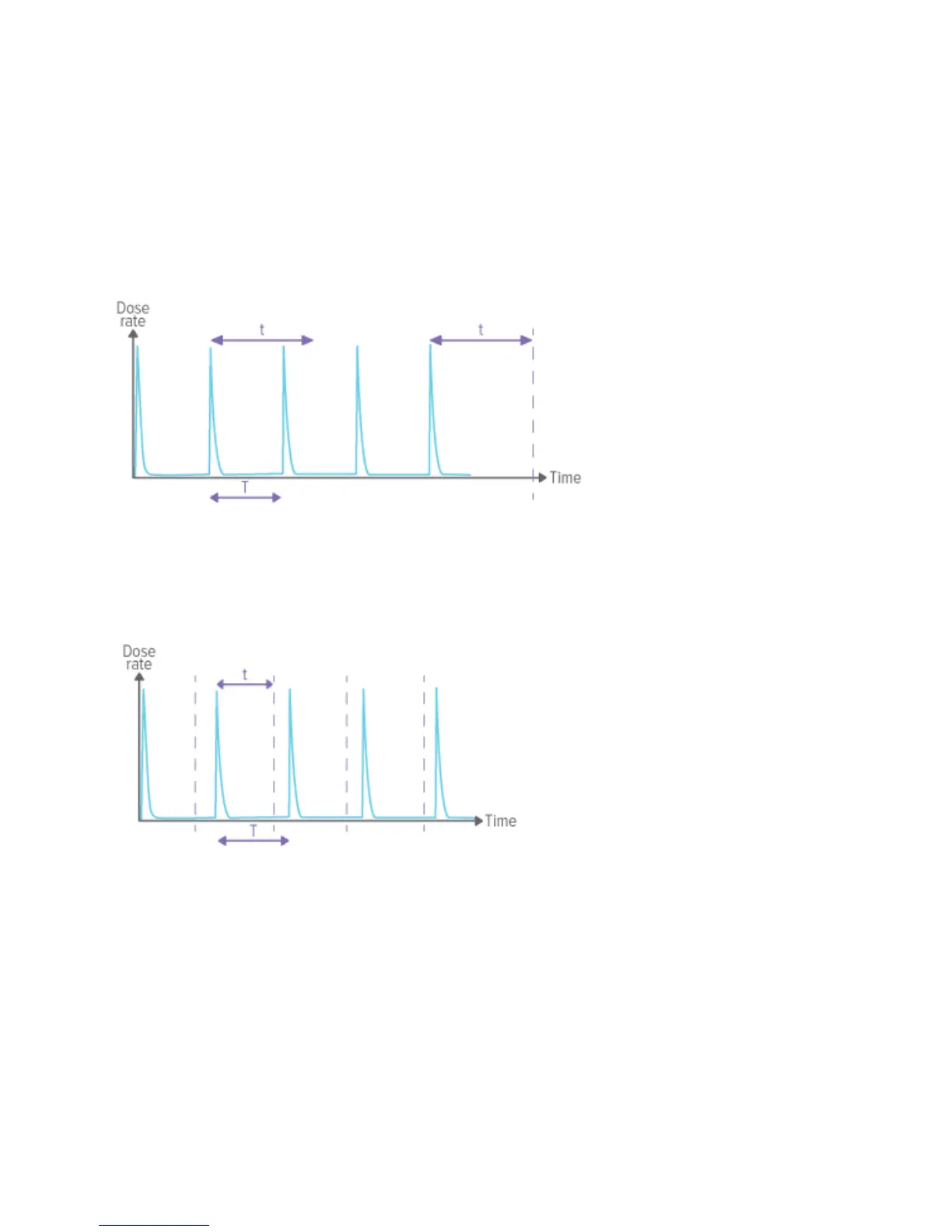
Stop delay (t) setting longer than the time between pulses (t>T), will result in one long measurement. Note that you
have to wait as long as the stop delay setting (t) after the last exposure before the measurement ends and values
will be displayed.
Stop delay setting (t) shorter than the time between pulses (t<T), will result in many short measurements (one for
each pulse).


 To Next Page