Reminders
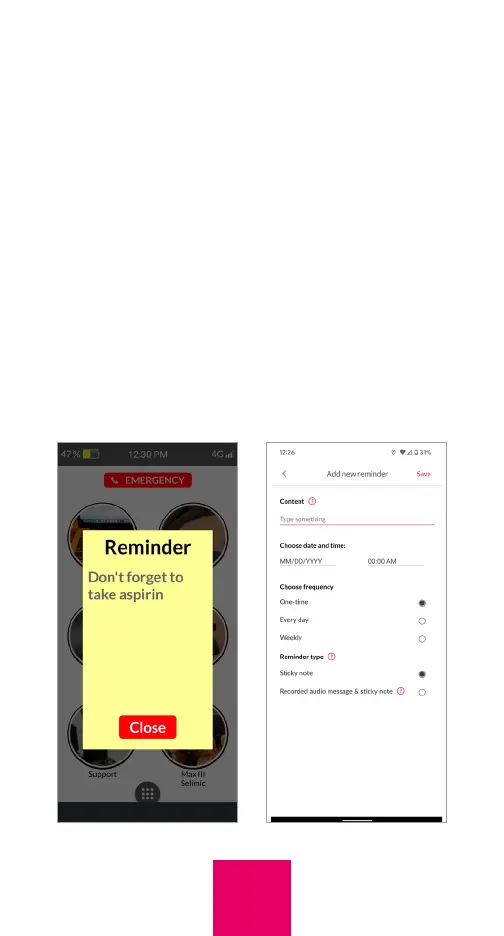
You can send the user reminders in the form
of 1) a sticky note, or 2) a sticky note and an
audio message. To set up reminders, tap on
“Reminders” within the More tab. Tap the “+”
symbol and add the reminder content, set
the date and time, and select the frequency.
Next, tap on “Set reminder method” and
select whether you just want the user to
receive a sticky note with a written message
or the sticky note AND an audio message.
If you select audio message you will need
35



 To Next Page