EasyManua.ls Logo

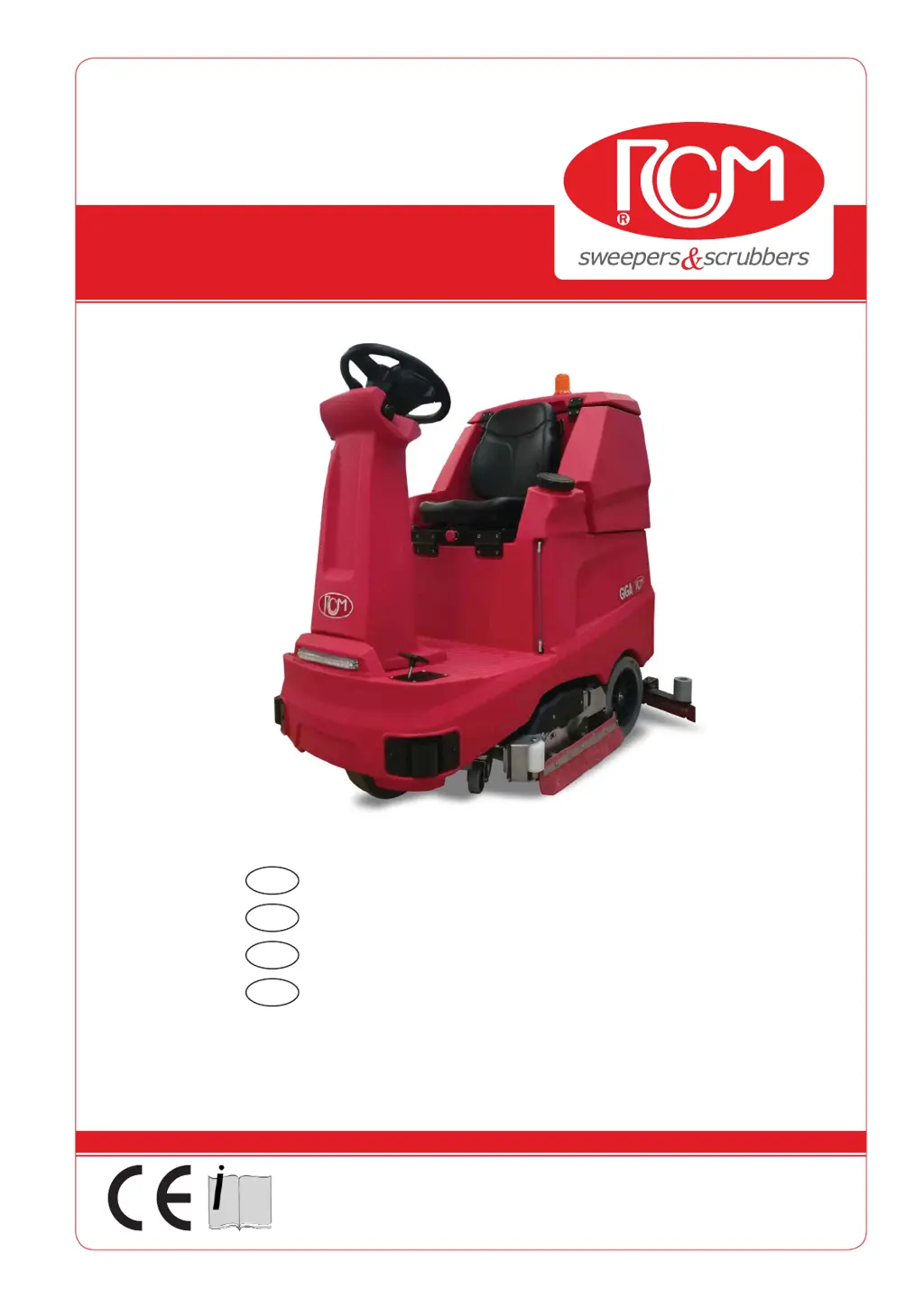
RCm GIGA 702R - User Manual

Default Icon
86 pages
Print Icon
To Next Page IconTo Next Page
Loading...
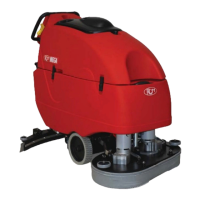
GIGA
33.GI.101 - GIGA 702R
33.GI.102 - GIGA 802
33.GI.103 - GIGA 902
5/2020 Rev.01
RCM S.p.A.
via Tiraboschi, 4 - 41043 Casinalbo - Modena - Italia
Tel. +39 059 515 311 - Fax +39 059 510 783
www.rcm.it - info@rcm.it
MANUALE D’USO E MANUTENZIONE
ITA
INSTRUCTION AND MAINTENANCE HANDBOOK
EN
MANUEL D’UTILISATION ET D’ENTRETIEN
FR
HANDLEIDING VOOR GEBRUIK EN ONDERHOUD
NL

Table of Contents

Questions and Answers

Summary

Preliminary Information

General Information

Identification Data

Machine identification details on the summary plate.

Requests for Assistance

Information required for effective machine assistance requests.

Spare Parts

Guidelines for using original spare parts for better operation.

General Safety Standards

Standards to Follow During Operation

Maintenance Standards

Machine Handling and Transport

Packaged Machine Handling

Procedures for handling the machine when it is packed on a pallet.

Unpacking the Machine

Step-by-step instructions for safely unpacking the machine.

Lifting the Machine

Procedures for safely lifting the machine using approved equipment.

Transporting the Machine

Important points to verify when transporting the machine.

Technical Features

Performance

Key performance metrics like hourly capacity and width.

Brushes

Details on brush type, position, pressure, speed, and diameter.

Squeegee

Information on squeegee type, vacuum, and width.

Electric Motors

Specifications for drive, brush rotation, and vacuum motors.

Batteries

Details on battery types, dimensions, and autonomy.

Machine Weight

Weight variations based on operator, battery, and tank status.

Controls and Components

Steering Wheel and Control Dashboard

Controls on the steering wheel and the dashboard.

Control Panel Overview

Machine control buttons and information display.

Emergency Stop Button

Emergency stop button to halt all machine functions immediately.

Using the Scrubber

Necessary Precautions

Essential safety measures and precautions before operating the scrubber.

Scrubber Commissioning

Key steps for preparing and starting the scrubber.

Water Loading and Washing Phase

Water Loading

Procedure for filling the solution tank with water and detergent.

Detergent Selection

Guidance on selecting the appropriate detergent for floor cleaning.

Operating Modes

STANDARD OPERATING MODE

Step-by-step guide for the standard washing mode operation.

GO GREEN OPERATING MODE

Steps to activate the energy-saving "GO GREEN" mode.

MY GIGA OPERATING MODE

Steps to activate the customizable "MY GIGA" operating mode.

Accessory and Parameter Management Dealer Level

Main Settings

Configuration options including model selection, deter-saver, and hourmeter reset.

Battery Management and Alarms

Battery Discharge Percentage and Alarm Thresholds

Details on battery discharge levels triggering operational alarms.

End of Washing Phase

Water Draining and Cleaning

Recovery Tank Draining and Cleaning

Procedure for draining and cleaning the dirty water recovery tank.

Solution Tank and Filter Cleaning

Procedures for draining the solution tank and cleaning the water filter.

Maintenance

Brush Maintenance

Procedures for accessing, checking, and replacing disc and roller brushes.

Squeegee Maintenance

Procedures for adjusting and cleaning the squeegee for optimal performance.

Vacuum Motor Maintenance

Checks and maintenance for the vacuum motor and its carbon brushes.

Drive System

Steering

Braking System

Disabling the Electric Brake

Procedure to deactivate the electric brake for manual machine movement.

Electrical System

Battery Installation

Instructions for installing or replacing machine batteries.

On-board Battery Charger

Information and charging procedures for the optional on-board battery charger.

DIPSWITCH Configuration

Guide to configuring DIPSWITCH settings for battery charging.

Alarms Diagnostics

Control Unit Alarm List

Comprehensive list of control unit alarms, causes, and descriptions.

Periodic Checks and Maintenance

Control and Maintenance Operations Table

Table detailing periodic checks and maintenance tasks based on operating hours.

Troubleshooting

Squeegee Issues

Solutions for when the squeegee does not dry or operate correctly.

Cleaning Performance Issues

Addresses problems affecting the machine's cleaning effectiveness.

Machine Startup Problems

Troubleshooting steps for when the machine fails to start or move.

Machine Does Not Move

Diagnosing and resolving problems that prevent machine movement.

Machine Demolition

RCm GIGA 702R Specifications

General IconGeneral
BrandRCm
ModelGIGA 702R
CategoryScrubber
LanguageEnglish

Related product manuals