6
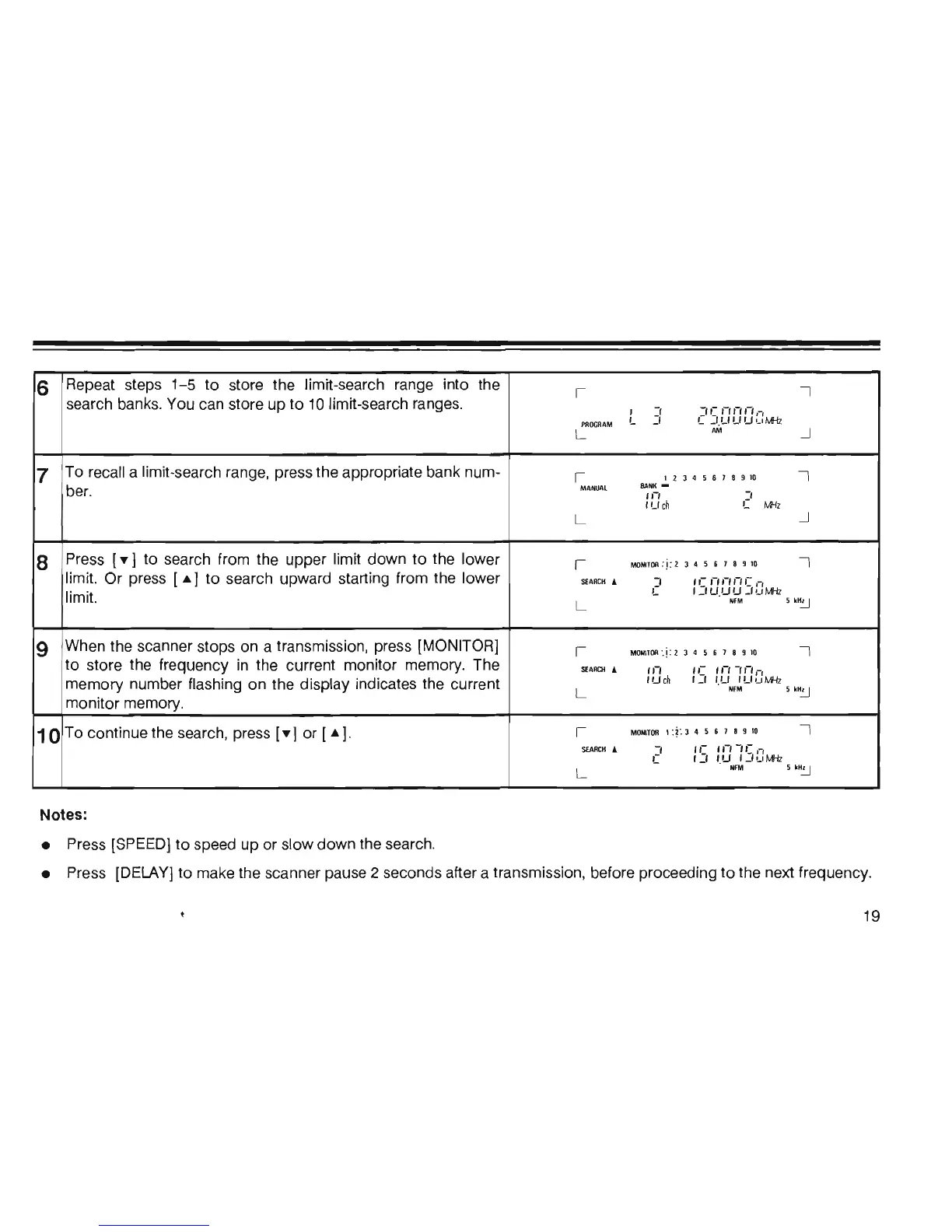
Repeat steps 1-5 to
store the limit-search
range into
the
I
I
search banks. You can store
up
to
10
limit-search ranges.
,
-,
:Ie
'-''-''-',-,
PROGRAM
L
:1
L
_I
Lf Lf Lf
L'
M-fz
L
AM
--.J
7
To
recall a limit-search range, press the appropriate bank num-
I
12345618910
I
ber.
MANUAL
BANK
-
,,-,
:'
I Lf
cn
L
M1z
L
--.J
8
Press
[y]
to
search from the upper limit
down
to the lower
I
MONlTOR:j:2
J
45618910
I
limit. Or press
[.]
to search upward starting from the lower
SEARCH
....
J
,e
'-',-,,-,e
,-,
limit.
L
1
_I
LfIJ
Lf
_1,_,
Mil
L
NFM
5
kH~
9
When the scanner stops on a transmission, press [MONITOR]
I
MONITOR
'
,j
: 2 3 4 5 6 1 8
910
I
to
store the frequency in the current monitor memory. The
SI:ARrn
...
,,-,
,,-
1'-'
-"-,,-,
memory number flashing on the display indicates the current
1 Lf
cn
1:1
I.Lf I Lf '-'
11Hz
L
NFM
5
kH~
monitor memory.
10
To continue the search, press
[Y]
or
[.]
.
I
MONITOR
1
:*
',
3 4 5 6 7 8 9
10
I
SEARCH
&
:1
, e
,,,
-II:
"
L
I
_I
I.LI 1 J
,_,
Mil
L
NFM
5
kH~
Notes:
• Press [SPEED]
to
speed up
or
slow down the search.
• Press [DELAY]
to
make the scanner pause 2 seconds after a transmission, before proceeding
to
the next frequency.
19













 To Next Page