Limit-Search Memory
When you change your scanner's mode from limit search to manual, program, scan, direct search, and so on, your scanner
retains the last frequency before you change the mode. Your scanner resumes the search from that frequency when you
change the mode to limit search again.
Note: You can change the upper
or
lower limit frequency without affecting the memorized frequency if the frequency is
within the new limit range. If the frequency is out of the new limit range, the search starts from the new upper
or
lower limit
frequency.
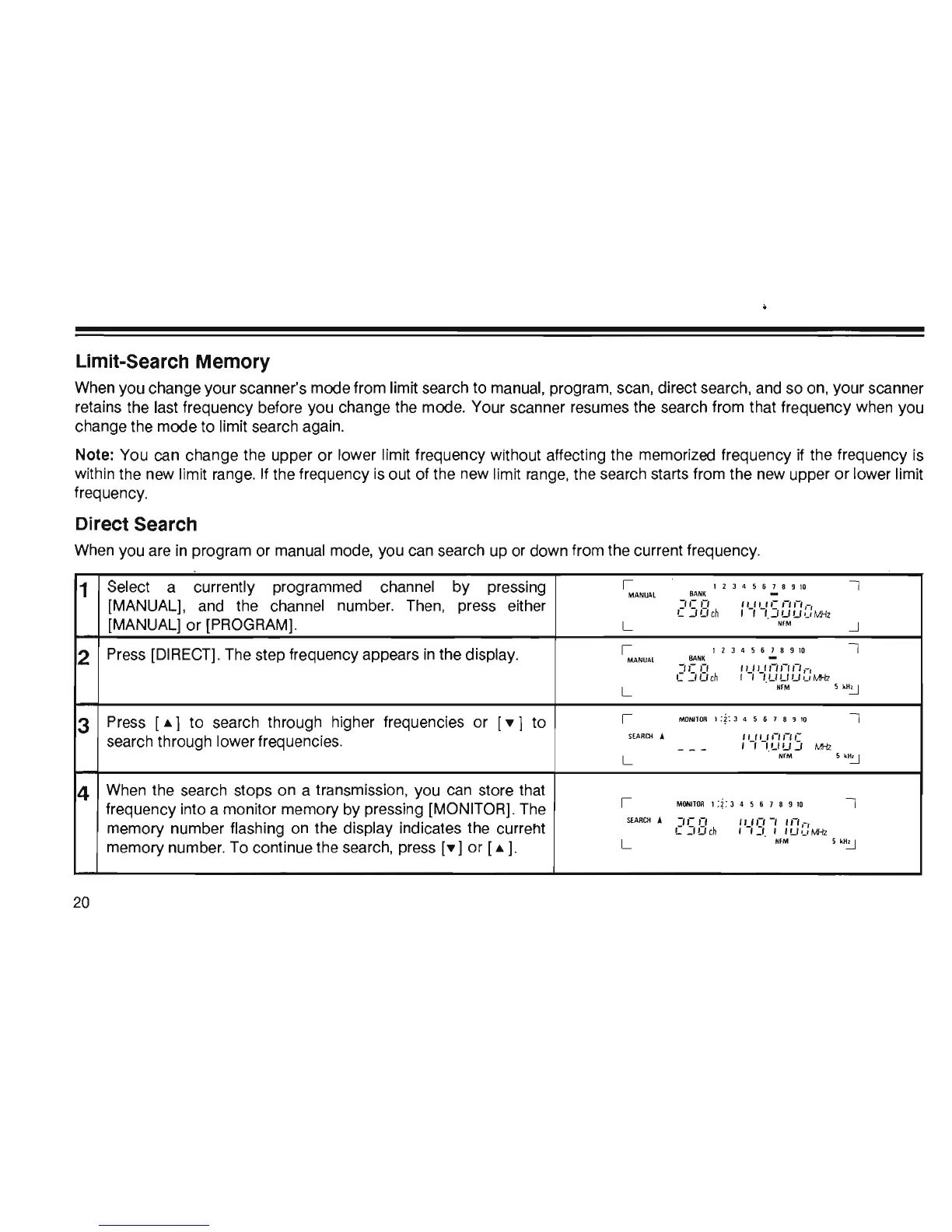
Direct Search
When you are
in
program or manual mode, you can search up or down from the current frequency.
1
Select
a
currently programmed
channel
by
pressing
I
12
J 4 5 6 7 8 9
10
I
MANUAL
BANK
[MANUAL],
and
the
channel
number. Then, press either
['5E1ch
',_'ue
'-"-',-,
I I 1.
_IUW'-'
MHz
[MANUALj
or
[PROGRAMj.
L
NIM
-.J
2
Press [DIRECTj. The step frequency appears
in
the display.
I
1 2 J 4 5 6 7 8 9
10
I
MA
NU
AL
BANK
-,,-,-,
',_'u'-"-"-'
,-,
C
':IO
ch
, ,
/.UUW,-,
M-Iz
L
NI
M
5
'".:.J
3
Press [A 1 to search through higher frequencies
or
[~J
to
I
M
ONI
T
OR
1
:?:
J 4
56789
10
I
search through lower frequencies.
SEA
R
Cll
A
:
'-:
'-:e:
e:
5
- - -
MHz
L
NFM
5 '
".:.J
4
When the search stops on a transmission, you can store that
I
MONITOR
1;~
:
3 4 5 6 7 8 9
10
I
frequency into a monitor memory by pressing [MONITORj. The
memory number flashing on the display indicates the curreht
SlARCH
..
['5E1ch
"_'0
-,
''-',-,
, I_I. , 'U,-,M-Iz
memory number. To continue the search, press
[~j
or
[A
j.
L
NfM
H~
20













 To Next Page