EasyManua.ls Logo

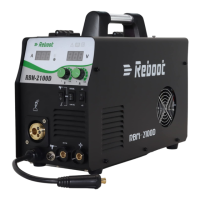
Reboot RBM2100 - User Manual

Reboot RBM2100
38 pages
Go to English
Print Icon
To Next Page IconTo Next Page
Loading...
1
Operation Manual
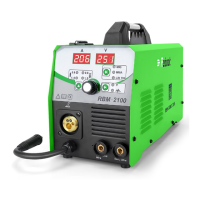
RBM2100 MIG Welding Machine

Table of Contents

Questions and Answers

  • S
    sherri87Aug 6, 2025
    How to fix Reboot Welding System with meter showing, fan working, but no welding output?
    • N
      nicholas68Aug 6, 2025
      If your Reboot Welding System's meter is showing and the fan is working normally, but there's no welding output, begin by checking all the sockets in the machine to ensure they are well-connected. Also, inspect the output terminal joint for any open circuits or poor connections. Another potential cause is a broken control cable on the torch or a damaged switch. If these checks don't resolve the issue, the control circuit may be damaged, and you should contact dealers.
  • A
    Amanda PollardAug 15, 2025
    What to do if Reboot Welding System shows no meter, fan doesn't rotate, and no welding output?
    • V
      Vanessa NewmanAug 15, 2025
      If your Reboot Welding System shows nothing on the meter, the fan isn't rotating, and there's no welding output, first, ensure the power switch is turned on. Next, verify that the input cable is receiving power. If these steps don't resolve the issue, it's possible the three-phase commute bridge is damaged, or there's a malfunction in the supplementary power source on the control board, in which case you should contact dealers.
  • R
    rallenAug 27, 2025
    Why Reboot Welding System shows abnormal indicator lights?
    • J
      Jennifer TuckerAug 27, 2025
      If your Reboot Welding System's meter is displaying, the fan is working, but the indicator lights are abnormal, it could be due to over-current protection. Try turning off the power switch and restarting the machine after the abnormal indicator light has winked. Alternatively, it may be overheating protection; in this case, wait approximately 2-3 minutes for the machine to reset without turning off the power switch. If neither of these resolves the issue, there might be a malfunction in the inverter circuit, and you should contact dealers.

Summary

Product Brief Introduction

Technical Parameters

Technical specifications of the RBM2100 MIG welding machine.

Accessories List

List of included accessories with the RBM2100 welding machine.

Installation Instruction

Welding Wire Installation Steps

Step-by-step guide for installing welding wire into the machine.

MIG Torch and TIG Torch Explosive Chart

Exploded view diagram for MIG and TIG torches, not standard accessories.

Gas Shielded Welding Installation

Instructions for setting up gas shielded welding processes.

Operating Instructions

Operation Panel Interface

Description of the controls and displays on the welding machine's operation panel.

Welding Operation Instruction

Detailed instructions for performing various welding operations.

Polarity Conversion Joint

Information on how to convert polarity for different welding applications.

Welding Environment and Safety

Guidelines for safe welding practices and suitable working environments.

Welding Problems and Solution

Common welding issues and their respective solutions.

Trouble Shooting and Error Checking

Service GUARANTEE

Reboot RBM2100 Specifications

General IconGeneral
BrandReboot
ModelRBM2100
CategoryWelding System
LanguageEnglish

Related product manuals