EasyManua.ls Logo

Reboot RBM1350 - User Manual

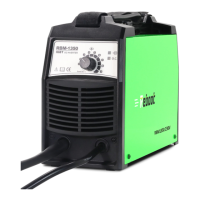
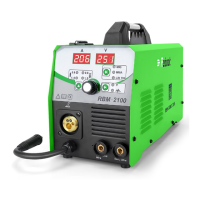
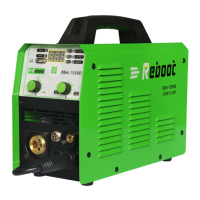
Reboot RBM1350
16 pages
Print Icon
To Next Page IconTo Next Page
Loading...
Version Number: RBM-1350 20210712A2
1
Operation Manual
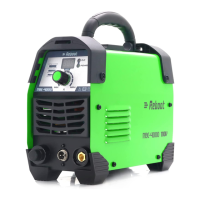
RBM1350(MIG135E) welding machines adopts the latest pulse width modulation (PWM) technology and
insulated gate bipolar transistor (IGBT) power module, which can change work frequency to medium frequency so as
to replace the traditional Transistor transformer with the medium frequency transformer. its characterized with
portable, small size, light weight, low consumption and etc. It is also an intelligent and easy-to-operate welding
machine with MIG gasless. It has the characteristics of strong welding performance and diversified usage scenarios.
It can be used in gasless conditions, and the welding effect is excellentIt has very little spatter during welding. It is
highly praised by welding enthusiasts. It is also very friendly to beginners in welding and can quickly get started.
Part 1: Machine Introduction
1. Power indicator
Power on, this light will be on.
2. Fault light
When the welding load is overloaded and the output current of the machine is too large, this light will be on. This situation is
normal and the machine can be restored; when there is damage inside the machine, this light will be on. In this case, the
machine is abnormal and requires maintenance
3. Adjust the value knob
Turn on the powerClockwise rotate to enlarge the current, and anti-clockwise rotate to reduce the current.
4. MIG Welding torch connector
5. Positive Terminal
Connect the ground wire
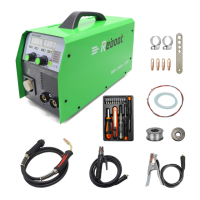
Part 2: Introduction to the product and configuration list
Question and Answer IconNeed help?

Do you have a question about the Reboot RBM1350 and is the answer not in the manual?

Summary

Part 1: Machine Introduction

Machine Components Overview

Details of the power indicator, fault light, adjusting knob, MIG torch connector, and positive terminal.

Part 2: Product and Configuration List

Part 3: Simple Test for Powering On

Part 4: Technical Specifications

Part 5: Machine Operation Guidance

Safety Tips and MIG Mode Operation

Connect MIG Gun and Ground Clamp

Procedure for connecting the MIG welding gun and ground clamp.

Installation

Steps for machine installation before operation.

Panel Layout and Operation Instructions

Power Indicator and Adjusting Knob

Explanation of the power indicator, abnormal indicator, and adjusting knob functionality.

Stand-by and Power On Sequence

Procedure for putting the machine in standby and powering it on.

Wire Inchiong and Welding Value Setting

Star Wire Inching

Procedure for inching the welding wire through the feeder system.

Set the Welding Value

How to adjust the welding current and interpret abnormal indicators.

Wire Spool and Power Connection

Install Wire Spool

Steps to install the correct wire spool for flux-cored welding.

Feed Wire and Set Pressure

How to feed wire and adjust the pressure knob for optimal performance.

Connect to Input Power

Instructions for safely connecting the machine to the input power supply.

Welding Wire Replacement and Gun Parts

Initiate Arc and Replace Welding Wire

Steps to start welding and replace worn welding wire.

Wearing Parts of Welding Gun

Identification of common wearing parts for the welding gun.

Notes and Welding Environment

Possible Problems and Troubleshooting

Common issues encountered and initial steps for resolution.

Welding Environment and Safety

Guidelines for safe working surroundings and environmental conditions.

Safety Norms and Performance Issues

Never Overload or Overvoltage

Warnings against overloading the machine and exceeding voltage limits.

Welding Problems and Resolution

Troubleshooting common welding problems like arc starting difficulty and unstable current.

Part 6 Daily Maintenance and Checking

Daily Maintenance Procedures

Routine maintenance tasks for keeping the welding machine in good condition.

Welding Torch Daily Checking

Checking procedures for the welding torch to ensure proper function and prevent issues.

Cable Checking Procedures

Part 7: Trouble Shooting and Fault Finding

Part 8: Welding Parameter Settings

Reboot RBM1350 Specifications

General IconGeneral
ModelRBM1350
CategoryWelding System
BrandReboot
Input Frequency50/60Hz
Efficiency85%
Power Factor0.93
Insulation ClassF
Welding MethodTIG
Rated Duty Cycle60%
Input Voltage220V
Protection ClassIP21
Cooling MethodFan Cooled

Related product manuals