18
5. Rip Fence Assembly - cont.
5.8 Fitting the Rear Fence Rail- Fig. 5.7
Locate rear fence rail onto the table and fix with two hex. socket screws for
the main table and two hex. bolt, washers and nuts for the table extension.
Fence Rail
Fig. 5.4
T-Slot
Fig. 5.7
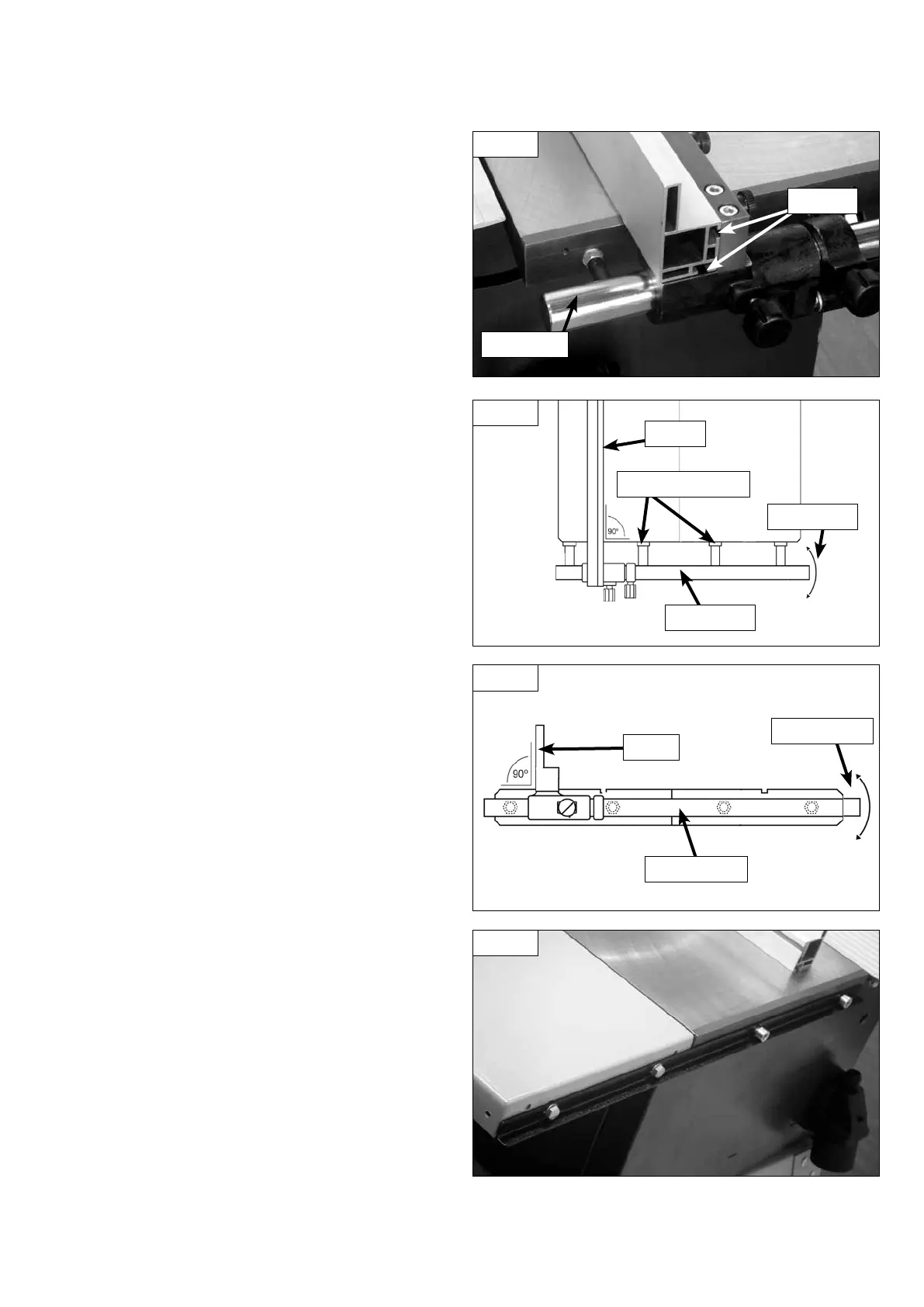
5.5 Fitting the Rip Fence
Now simply slide the rip fence on to the fence carrier and tighten the
holding fixtures. Screw in the lock knob to secure the position of the fence
on the rail Fig 5.4. The fence can be used in the upright position as shown
or the fence can be attached to the carrier using the other "T" slot giving a
lower profile fence for use when making bevelled cuts with the blade tilted
or when working with small workpieces.
Fence Rail
Fence
Movement
Adjustment Nuts
Adjustment
Fig. 5.5
5.7 Fence Alignment 2 - Fig.5.6
Check that the fence is 90º to the table using a suitable square. If no
adjustment is needed fully tighten the fence bar nuts. If adjustment is
required this is achieved by raising or lowering either side of the fence rail
until the fence itself is 90º to the table. Once set at 90º fully tighten the
fence bar nuts.
Fig. 5.6
Fence Rail
Fence
5.6 Fence Alignment 1 - Fig. 5.5
Align the fence assembly in or out until parallel with the side of the blade
by turning the adjustment nuts and the fence bolts accordingly. If the
fixing nuts have been tightened, these will need slackening off before this
adjustment can be made.


 To Next Page