
 Need help?
Do you have a question about the Record BDE-D and is the answer not in the manual?
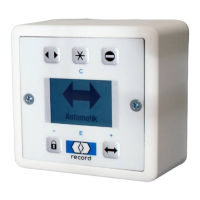
The BDE-D electronic control unit is a convenient input/output unit for control and programming of record door openers.
Details regarding the name, article number, and version of the document are provided.
Specifications for the BDE-D electronic control unit, including voltage, load, dimensions, and temperature range.
Useful advice and information to ensure correct and efficient workflow of the system.
Specific details which are essential for trouble-free operation of the system.
Against a potential hazardous situation that can lead to minor personal injury and property damage.
Against a latent hazardous situation that can lead to severe injuries or death and substantial property damage.
Against an imminent hazardous situation that can lead to severe injury or death.
Against an imminent or latent hazardous situation that could lead to electric shock and cause serious injury or death.
Details about the keypad, navigation information, menu aid, and menu lines.
Information on the LCD display, status displays, operation mode, main menu title, and slider control.
Description of DIP-switch settings, CAN bus terminal board, and external service lock terminal board.
Instructions for connecting the control unit via CAN-bus using a twisted-pair cable.
Explanation of DIP-switch settings (S1-1, S1-2) for CAN termination and BDE selection.
Detailed wiring diagram showing connections between BDE-D, STM/STG, and control units.
Explanation of key functions for operation modes like Automatic, Hold-open, One-way, and Locked.
Details on special functions including reduced opening width, parameter access, and system restarts.
Instructions for navigating menus, selecting items, adjusting values, and exiting menus.
Automatic return to the standard screen after 3 minutes of inactivity.
Warning about potential impairment of function due to inappropriate modification of settings.
Key sequence for end customers or operators to access parameters.
Explanation of how parameters are indicated and displayed, including slider control examples.
Overview of operation modes for STA sliding doors: Automatic, Hold open, One-way, Manual, Locked, Reduced width.
Overview of operation modes for DFA swing doors: Automatic, Hold open, One-way, Manual, Locked.
Procedure for restarting the control unit using key sequences and checking reset status.
Procedure for restarting the BDE-D hardware, including connection to the control unit.
Steps for locking and unlocking the SSK, including selecting the locked mode.
How to check parameter effects and release an opening while editing.
How to read out system information, such as software version, from the standard screen.
Guide to browsing through various information screens like software and service centre details.
Accessing and viewing maintenance data, including motor current and error logs.
How current operational faults are displayed on the standard screen, including numbering for multiple faults.
How to switch between faults on Master and Slave drives and browse fault screens.
Procedure for locking and unlocking the control unit using the keypad and displayed symbols.
How to activate the electronic control lock by opening a connection between J2/1-2.
Example of how to access and adjust the closing speed parameter using slider controls.
Steps for navigating menus, selecting parameters like Closing Speed, and adjusting values.
Steps for when there is no display after connecting to the STG, including cable and configuration checks.
Solutions for unreadable displays, such as adjusting contrast or checking parameter values.
Steps to resolve issues with unknown or inexistent parameters in the STG.
 General
| Brand | Record |
|---|---|
| Model | BDE-D |
| Category | Control Unit |
| Language | English |

 To Next Page

