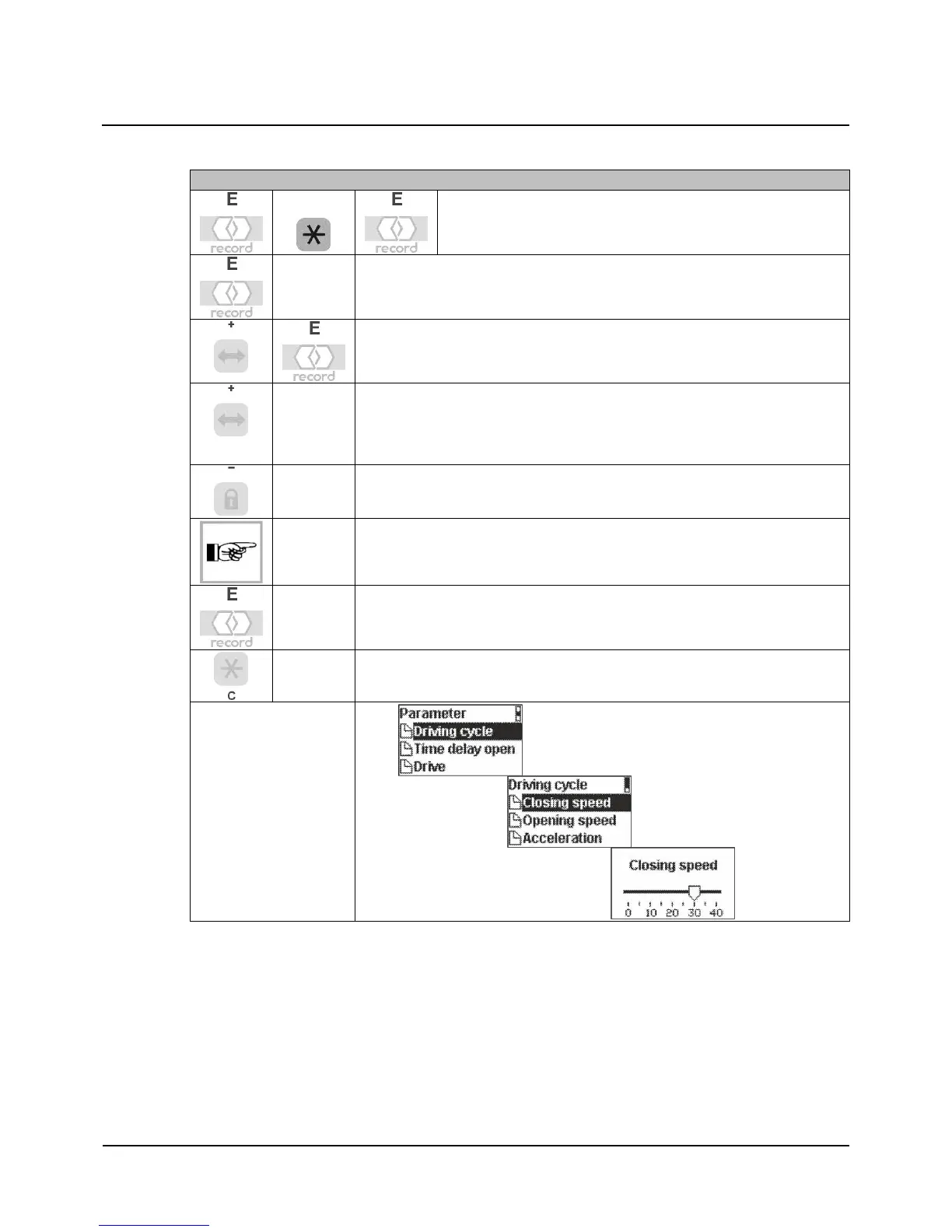
Parameter with slider controls
12
102-903109272 V1.0 14/ 14
Parameter with slider controls
Closin
speed example
Access to the parameter at end customer level
In the Driving cycle menu, select the Closing speed menu item, and confirm
Select the desired speed in the Closing speed menu item
Increasing the speed
0 = minimum
40 = maximum
Decreasing the speed
Hold the key down for continuous scrolling
Confirm the entry and save it in the STG
Exit the menu item
12


 To Next Page