7 Malfunctions
24 / 34 BAL_DFA_70_EN_1V0_REC_102-127109270
7 Malfunctions
7.1 Status displays
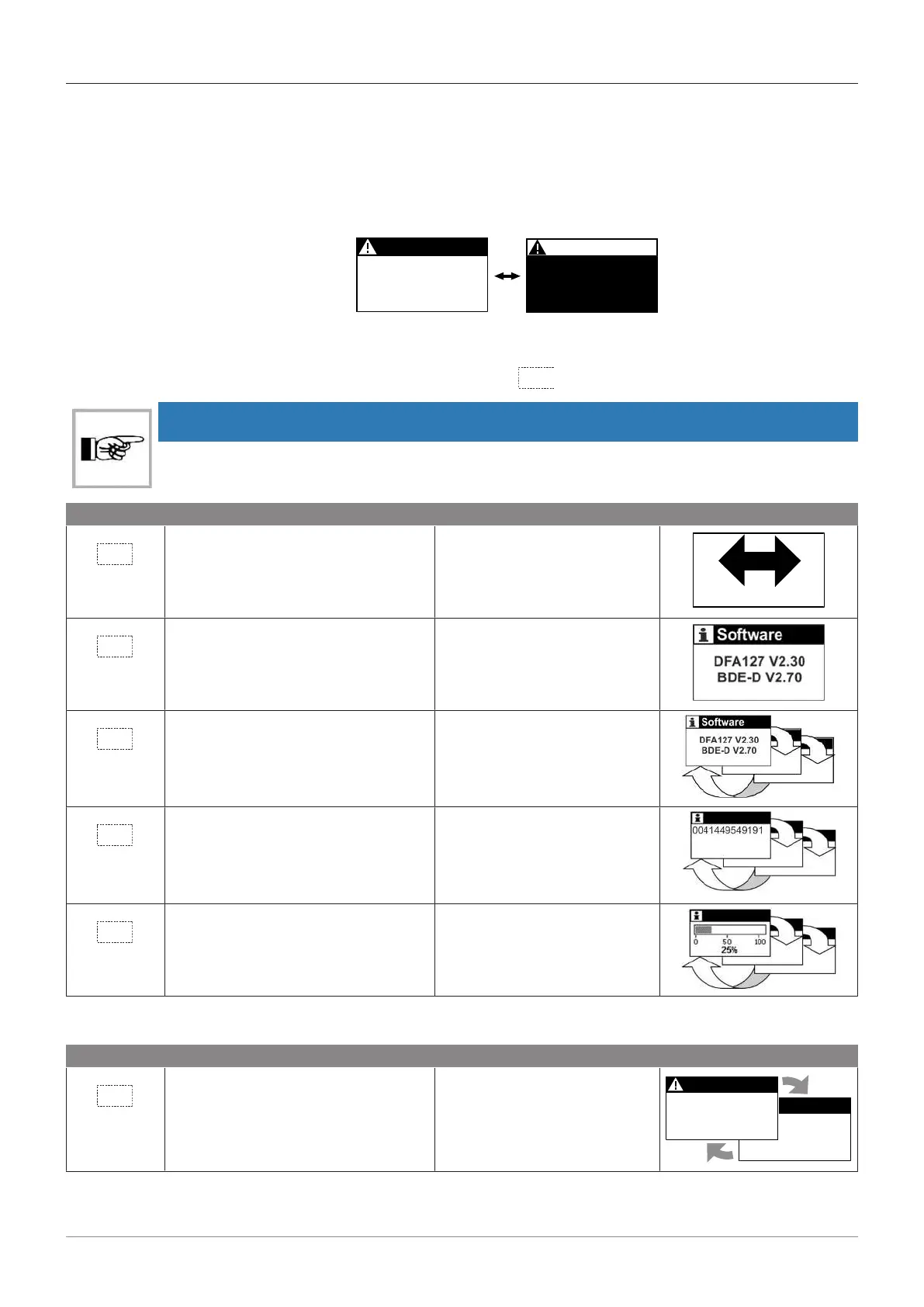
Malfunctions are shown on the LCD display. If there is a malfunction, the display switches between
the operating mode level to the error display / light and dark as shown in the following figure.
Every 2 seconds the backlight changes flashing between black and white.
AKI > active
3
AKI > active
3
Status displays with a "W" are warnings for which no switching of the fault output relay takes place.
The status can be cleared/reset by pressing the key
for 5 seconds. This restarts the control unit.
NOTICE
Phone number and maintenance are only displayed if this has been activated by the Service
department.
Button Operation Function Display on LCD
Press button 1 x Return to the main menu for 4
seconds
Press button for 2 seconds Information about the drive
system e.g. software version
Press button 1 x Scroll through the information
Press button 1 x Scroll through the information
Service Center
Last malfunction 37
Motor current
Press button 1 x Scroll through the information
Multiple malfunctions can be displayed, e.g. 1 / 2. If there are multiple malfunctions, they are
numbered as follows.
Button Operation Function Display on LCD
Press button 1 x Scroll through the malfunction
displays
AKI > active
Temp. motor 1
38 master
AKI > active
1/2
2/2
The return to the main view is done by keystroke or automatically after 20 seconds.



 To Next Page