14 Chapter 4. Locking Down the Desktop: Disabling GNOME Desktop Features
4.2. Disabling [Ctrl]-[Alt]-[Delete]
To prevent the key sequence [Ctrl]-[Alt]-[Delete] from rebooting the computer and from displaying
the Log Out dialog, you must make configuration changes at both the window manager level and at
the system level.
4.2.1. Window Manager Configuration
Setting the following gconf keys will prevent [Ctrl]-[Alt]-[Delete] from displaying the Log Out dia-
log.
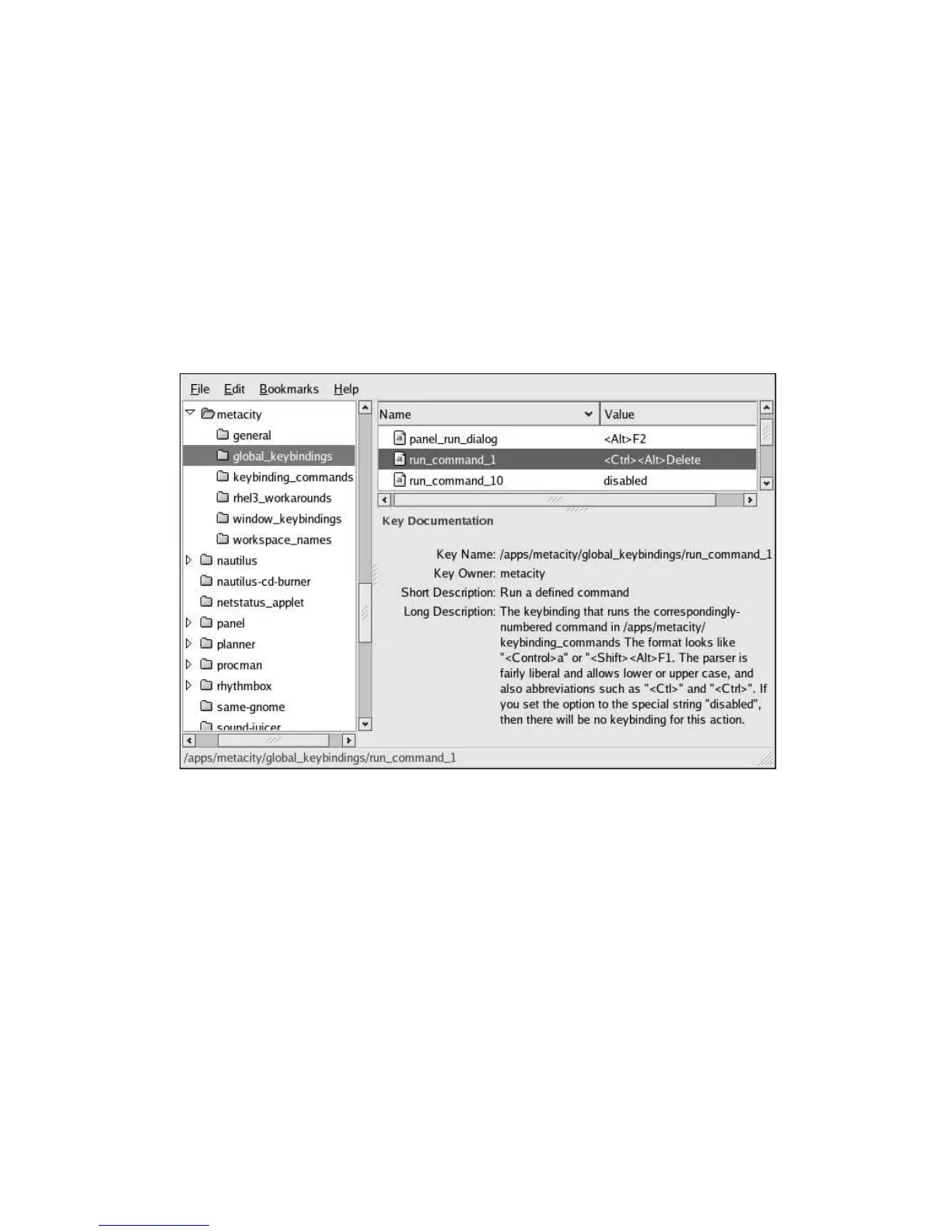
1. Note in Figure 4-2 that the default global keybinding for [Ctrl]-[Alt]-[Delete] is attached to the
gconf key run_command_1.
Figure 4-2. Default Metacity Action for [Ctrl]-[Alt]-[Delete]
2. To change the window manager’s interpretation of [Ctrl]-[Alt]-[Delete], change the
run_command_1 key value from gnome-session-save --kill to something
benign as shown in Figure 4-3. (Note that the appropriate key to change is
/apps/metacity/keybinding_commands/command_1.)



 To Next Page