Operation
10 Owner’s Guide – Redback Smart Inverter – v1.4
Use Smart Load Control (optional hardware is needed)
Redback’s Smart Load Control feature enables you to make the best of your generated energy by only running your large loads
(such as a pool pump or hot water system) when there is excess solar energy available.
Smart Load Control is a sophisticated system that aims to:
• Run the load using only excess PV energy.
• Avoid switching the load excessively (e.g., when a small cloud passes in front of the sun).
• Optionally, the system will ensure that the load runs for a nominated number of hours each day. This is useful for
equipment like pool pumps or hot water systems which require a minimum daily run-time.
The Smart Load Control feature is available for compatible Redback SI-series Smart Inverters and requires that a relay is
connected and controlled by the existing SI inverter energy meter. The relay switches the large load on and off.
The Smart Load Control can be over-ridden using Portal ON/OFF or scheduling commands or bypassed completely using an
optional hardware switch.
Contact your installer to install or configure Smart Load Control and associated hardware that suits your needs.
Monitor performance
Redback offers two choices for monitoring the energy performance of your household.
8.3.1 MYREDBACK APP
MyRedback provides a simple, up-to-date view of what’s happening at your place – it’s great for
quickly checking the energy flow at home. MyRedback is available for Android 7 or higher and iOS
12.1 or higher. Use the app to:
• Check your home energy usage.
• Reconnect your system to the internet.
• Review your system settings- but you’ll need to contact your installer if changes are
required.
8.3.2 REDBACK PORTAL
The Redback portal portal.redbacktech.com offers all the features of the MyRedback app plus a comprehensive history of your
system’s performance, much greater detail about your system, and direct access to support documents.
DASHBOARD
The dashboard view provides an overview of your system:
• Energy consumption trends
• Power demand
• Power being bought or exported
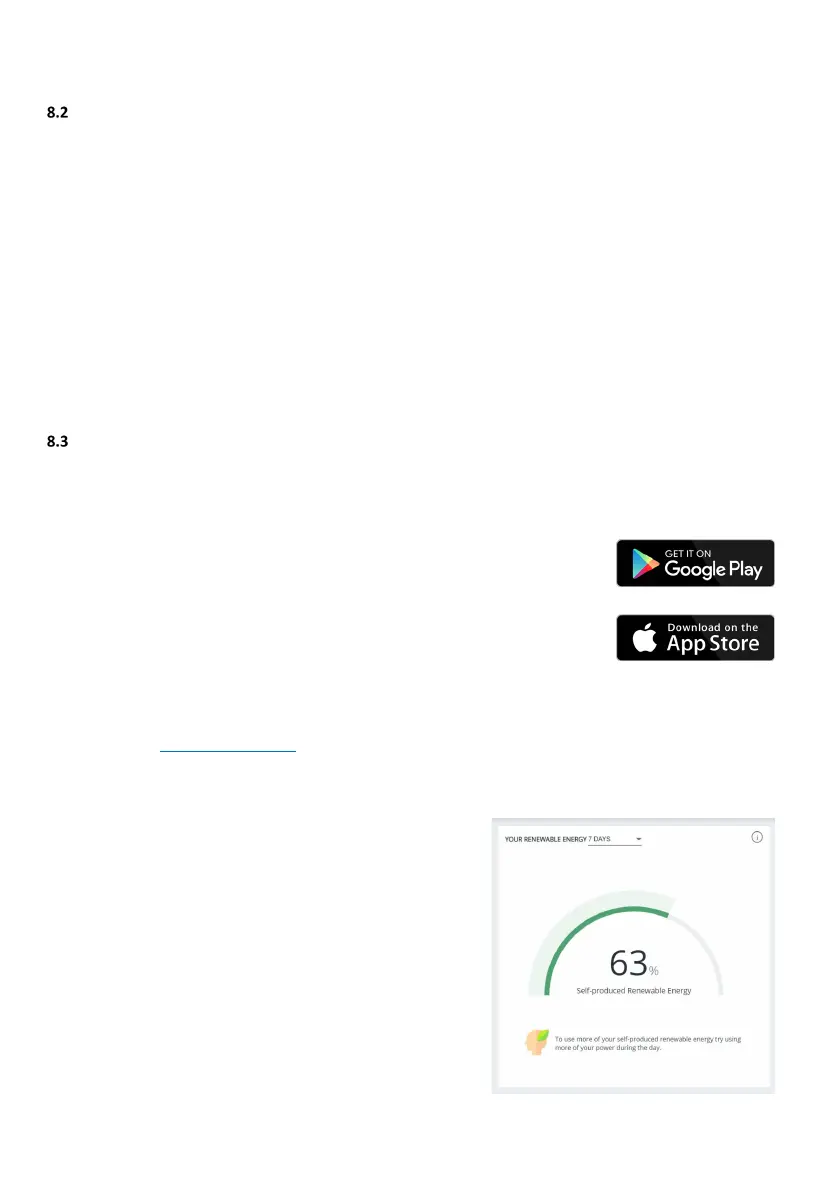
If nothing else, you should view the Renewable Energy Meter regularly; it
shows the system’s impact on your energy consumption during the past 7,
30 or 90 days. If it falls below 60%, it is worth reviewing your usage habits
or your system size and settings.



 To Next Page