Redback Technologies
Owner’s Guide – Redback ST10000 and BE14000-HV - v 1.6 13
Monitor performance
Redback offers two choices for monitoring the energy performance of your household.
7.2.1 MYREDBACK APP
MYRedback provides a simple, up-to-date view of what’s happening at your place – it’s great for
quickly checking the energy flow at home. MYRedback is available for Android 7 or higher and iOS
12.1 or higher. Use the app to:
• Check your home energy usage.
• Reconnect your system to the internet.
• Review your system settings- but you’ll need to contact your installer if changes are
required.
7.2.2 REDBACK PORTAL
The Redback portal portal.redbacktech.com offers all the features of the MYRedback app plus a comprehensive history of your
systems performance, much greater detail about your system, and direct access to support documents.
DASHBOARD
The dashboard view provides an overview of your system:
• Energy consumption trends
• Power demand
• Power being bought or exported
• Power from solar
• Power to/from batteries
• Stored energy
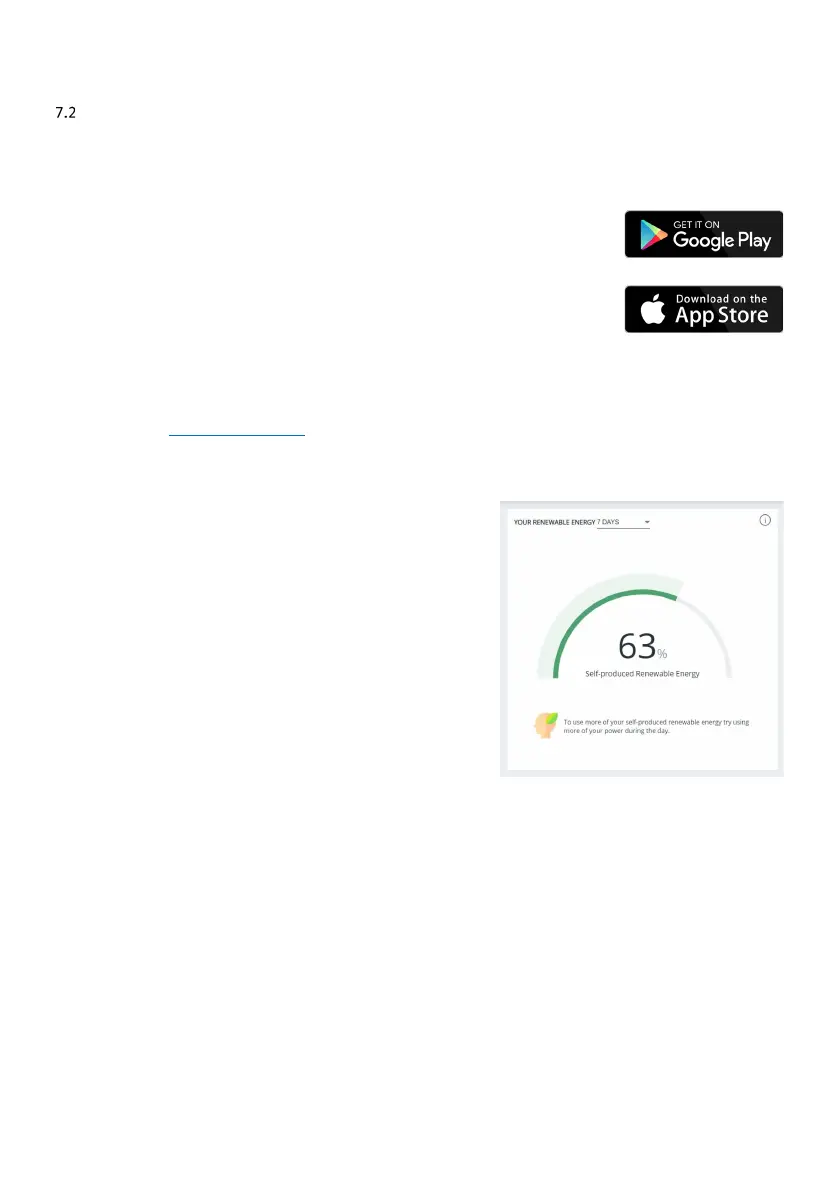
If nothing else, you should view the Renewable Energy Meter regularly; it
shows the system’s impact on your energy consumption during the past 7,
30 or 90 days. If it falls below 60%, it’s worth reviewing your usage habits or
your system size and settings.



 To Next Page