14
syncing two bases (optional)
A Sync Cord is included with the base. Not available on Queen or Full size bases.
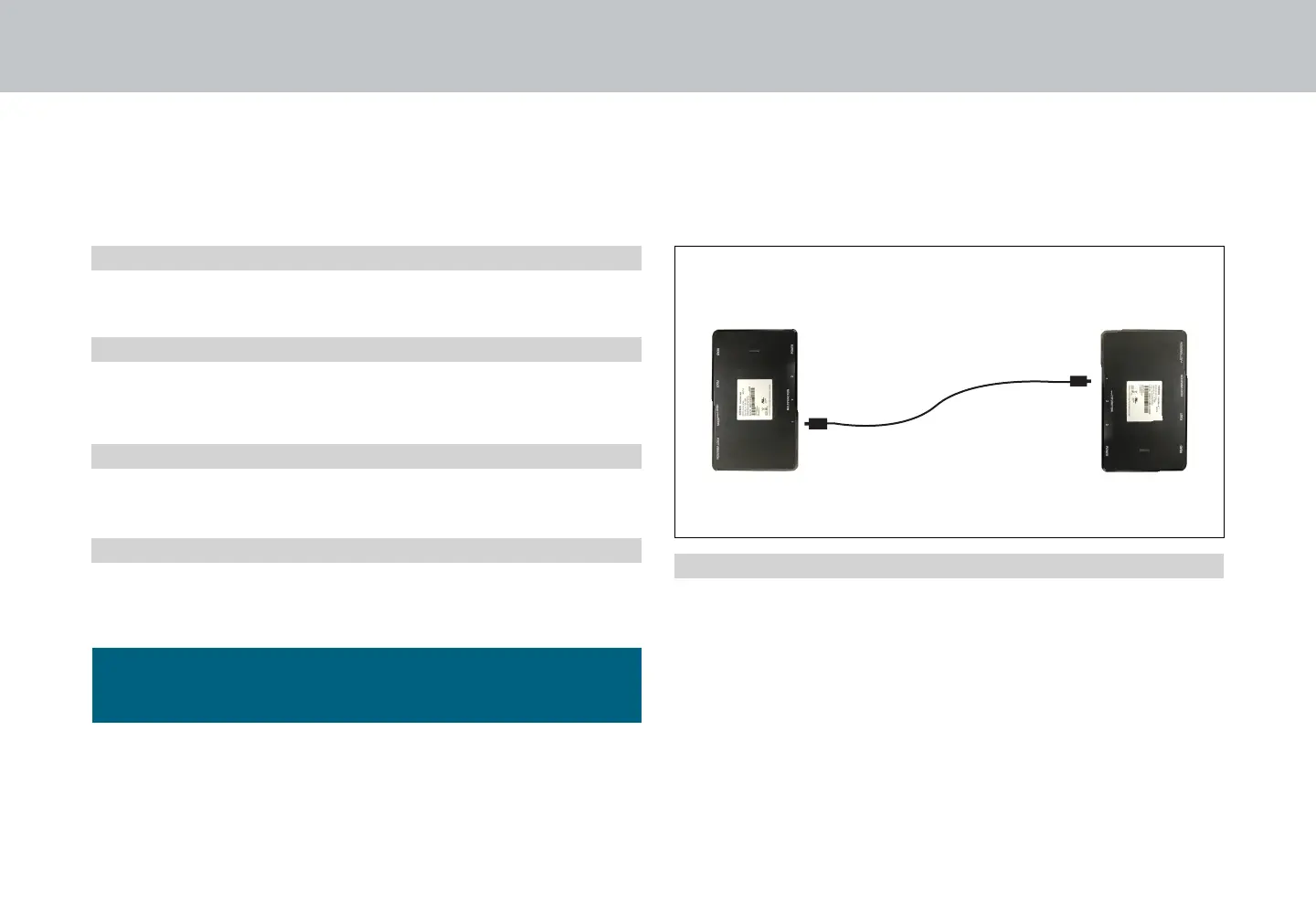
The Sync Cord connects the two control boxes to a single remote for the synchronization of two bases.
If bases become mismatched, pressing the FLAT button will
re-sync the mechanical positions.
PERFORMANCE NOTES
Sync Cord
Control Box 1
Control Box 2
The system is now linked. Buttons pressed on either
remote will control both bases simultaneously.
Unplug bases from power source.
Connect the Sync Cord to the Multifunction port of each
Control Box.
Plug bases back into the power source.
Check to ensure all cords are securely attached. Both
remotes will now operate both bases simultaneously.
STEP 1
STEP 2
STEP 3
STEP 4


 To Next Page