20
SPECIFICATIONS
AUDIO SECTION
Power supply voltage (negative ground) ……………….……….12V DC (10V-18V)
Standby Current…...……………………..…………..…………………………20mA
Max Current Consumption……….……………………….……….….……….....10A
Speaker impedance …………………….……………….……4-8 Ohms per channel
Maximum Pre-output Voltage……….…........................................2.0Vrms/10k ohms
POWER OUTPUT
Continuous Output into 4, @1KHz at 10 % THD …………..…...……4 x 25Watts
Maximum Power Output (Volume control Maximum)……….…...50W×4 (at 1kHz)
FM TUNER
Range …………………………………………………..….(USA) 87.5 – 107.9 MHz
(EUR) 87.50 – 108.00 MHz
Usable Sensitivity (S/N = 30dB)…………………………...7.34dBf.(0.6uV/75ohms)
Signal to noise ratio ………………………………….………………...58dB (Mono)
Stereo separation (@ 1K Hz) ………………………….……..……………..…42 dB
AM TUNER
Range …………………………………………………..….…(USA)530 – 1,710 kHz
(EUR) 522 – 1,620 kHz
Usable Sensitivity (S/N = 20dB)………………………..………....23dBuV (14.4uV)
Signal to noise ratio (LEVEL60dbuV)…….………………...………………... 60 dB
WEATHER BAND TUNER
Range …………………………………………………..…….162.400 –162.550MHz
Usable Sensitivity (S/N = 20dB)……………………..………………0.7uV(-9dBuV)
Signal to noise ratio (LEVEL40dbuV)…….…………………...……………….42dB
CD/PLAYER
Signal/Noise Ratio (1kHz)……………………………………………………..120dB
Frequency Response (+/- 1dB)………………………………10 – 20,000Hz (+/-1dB)
Total Harmonic Distortion (1kHz)…………………………...less than 0.20% (1Khz)
MP3 decoding format……………………………………MPEG-1 & 2 Audio layer 3
WMA decoding format………………………………….Ver. 7, 7.1,8,9 (2ch audio)
(Windows Media Player)
BLUETOOTH®
Version……………………………………………………...Bluetooth® 2.0 Certified
Frequency Range………………………………………………….2.402 – 2.480 GHz
Output power……………………………………………………………+4dBm Max
Profiles supported ………………………..HFP 1.5, A2DP 1.2, AVRCP 1.0, & PBAP
5
8) CALL Button
Press this button to Place or Answer an incoming call when successfully paired using
the Hands Free Profile on a Bluetooth® enabled phone. Press this button to transfer
the call from the radio to the phone and vise versa.
9) END Button
Press this button to END a call when successfully paired using the Hands Free Profile
on a Bluetooth® enabled phone. Press this button to quickly disconnect a paired
device from the radio when in BT PHONE mode.
10) DISP Button
Press this button to change between Clock and Mode Information display.
Setting the Time:
With the radio’s BLUE power light ON, press and hold this button until the hour
display begins to flash. Rotate Volume/Select Knob to adjust the hour. Press the DISP
button again, and the minute display will flash. Rotate VOL/SEL Knob to adjust the
minute. Press either the DISP or VOL/SEL button to save the time on the LCD.
11) Mode Button
Press this button to navigate between modes:
TUNER—WB—CD—BT PHONE—BT MUSIC (if paired)—AUX1—AUX2.
12) Internal Bluetooth® Microphone
Internal Microphone for Hands Free Bluetooth calling.
13) Reset Switch
In the unlikely event that the radio is not operating correctly, press the RESET button
to restart the operating system of the radio.
14) Front AUX 1 Input Jack
The unit is equipped with a front panel 3.5mm auxiliary input (AUX 1) so you can
connect your external portable audio player or portable satellite radio receiver. A
second REAR (AUX 2) RCA jack is also included on the rear of the radio.
15) Disc EJECT button
With the radio ON, press this button to EJECT the Compact Disc from the radio.
16) Disc Slot
Insert a Compact Disc label side up here. The radio will switch modes and begin
playback after the file is loaded.
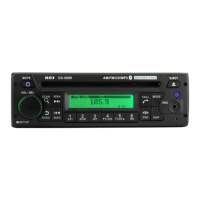
17) Dot Matrix Display
LED Dot Matrix display shows the radios operational information.
*It may be necessary to adjust the volume level of your portable devise to achieve an
optimal volume level.


 To Next Page
 Loading...