EasyManua.ls Logo

REI CD-5000 - User Manual

REI CD-5000
12 pages
Print Icon
To Next Page IconTo Next Page
Loading...
24
Radio Engineering Industries, Inc.
www.radioeng.com
Rev 0.1 Date: 12-22-14
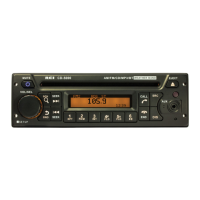
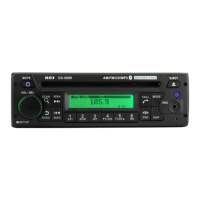
Heavy Duty AM/FM/CD Stereo Weather Band Radio, USB iPod® Control
and Charging, Bluetooth® Hands Free Calling and Wireless Audio
Streaming, Front/Rear Auxiliary Inputs and built in PA
Installation/ Operation Manual
50W x 4 CD-5000

Questions and Answers

  • J
    Jeremy CummingsAug 16, 2025
    Why is there no sound coming from my REI CD-5000?
    • G
      gregorygriffinAug 16, 2025
      If your REI Car Receiver is not producing any sound, there are several potential causes: * The speakers may not be properly connected to the harness. * There might be bad splices in the speaker wires. * The speakers could be shorted to the chassis ground. * The speaker load may not be within the 4-8 ? range. To troubleshoot, connect the speakers correctly to the harness, inspect all spliced wires, confirm that the speakers are not shorted to the chassis, verify the total speaker impedance, and check the volume level.
  • I
    Ian CaseyAug 19, 2025
    How to fix a REI CD-5000 that cannot tune radio stations?
    • J
      Jennifer NunezAug 19, 2025
      If the REI Car Receiver is not tuning into radio stations, ensure the antenna cable is securely connected. The signal strength might be too weak, or the radio could be using incorrect frequency steps. Connect the antenna cable and check the frequency spacing in the radio’s SERVICE menu.
  • H
    hogandylanAug 22, 2025
    Why is the audio distorted or low on my REI CD-5000?
    • L
      Lauren HesterAug 22, 2025
      If the REI Car Receiver's audio is distorted or low, the source audio level may be too weak or overdriven, or the bitrate of the audio file may be too large. Try adjusting the volume level of the auxiliary source and changing the sample frequency or bitrate of the file.
  • M
    Michele HendersonAug 26, 2025
    What to do if the REI CD-5000 Car Receiver LCD Display says MIC and front controls are locked?
    • D
      David LaneAug 26, 2025
      If the REI Car Receiver displays 'MIC' and the front controls are locked, it indicates that the PA system has been triggered. To resolve this, disconnect the microphone, ensure it is correctly connected (pinning and type), or try replacing the microphone. You may also need to reset the unit.
  • K
    Kelsey HardyAug 28, 2025
    What to do if REI CD-5000 Car Receiver backlighting is on, but there is no LCD display?
    • D
      David LewisAug 28, 2025
      If your REI Car Receiver's backlighting is on but there's no LCD display, it could be due to no power to the BATTERY wire or a blown 10A main fuse. Check for both ACC & BATTERY voltage with a multi-meter and inspect all fuses.
  • P
    Patrick EllisAug 31, 2025
    Why doesn't my REI Car Receiver charge my device?
    • K
      Kelly ReillyAug 31, 2025
      If the REI Car Receiver does not charge your device, it may require more current than the USB port can provide. Unplug the device and try again. The USB port cannot support more than 5V/500mA.
  • A
    Andrew PrinceSep 3, 2025
    What to do if the REI CD-5000 Car Receiver does NOT respond to the front buttons?
    • L
      Laura CollierSep 3, 2025
      If the REI Car Receiver does not respond to the front buttons, it indicates an operational error has occurred. Reset the unit from the front panel.
  • D
    Darius CruzSep 6, 2025
    Why does my iPod® screen display 'loading' for a long period of time on my REI CD-5000?
    • J
      johnweaverSep 6, 2025
      If the REI Car Receiver displays 'loading' for a long time when an iPod® is connected, the device may not be supported. While the radio supports many iPod® models, compatibility isn't guaranteed. Wait for the iPod® to load or reconnect the 30-pin plug. If it continues to load, the device is either unsupported or has a low battery. Consider using the AUX input or a Bluetooth® connection instead.
  • T
    Thomas OdomSep 9, 2025
    Why is the Public Address not audible over speakers on my REI CD-5000?
    • Z
      Zachary ScottSep 9, 2025
      If the Public Address (PA) system on your REI Car Receiver is not audible over the speakers, check the PA settings in the radio’s menu to ensure they are correct. Also, verify that the microphone is properly connected with the correct pinning and is the appropriate type. Turn up the volume on the microphone or radio when the LCD display’s MIC. The microphone itself may also be defective.
  • J
    Jeff JamesSep 12, 2025
    What to do if USB media is not playing or says loading on my REI CD-5000?
    • A
      April GriffinSep 12, 2025
      If your REI Car Receiver is not playing USB media or displays 'loading', the media file type may be incorrect. Convert the files to a usable format. Refer to the file requirements section of the manual for compatible formats.

Summary

Controls and Indicators

Radio Operation

Basic Button and Knob Functions

Details the operation of basic buttons and the volume/select knob for power, tuning, and setup.

Troubleshooting Guide

Common Operational Issues

Lists common problems, their causes, and solutions for issues like no sound, no display, and audio distortion.

Connectivity and Charging Issues

Provides solutions for problems related to USB media playback, device charging, and connectivity errors.

Installation and Mounting

Electrical Connections

Wiring Diagram

Provides a detailed wiring diagram for connecting the radio and speakers correctly.

Bluetooth Device Pairing

Guides users through the process of pairing a new Bluetooth device with the radio unit.

Bluetooth Operations

REI CD-5000 Specifications

General IconGeneral
CD PlayerYes
BluetoothNo
Display TypeLCD
Remote ControlYes
Power Output50W x 4
MP3 PlaybackYes
USB PortYes
Auxiliary InputYes

Related product manuals