8
Radio Broadcast Data System
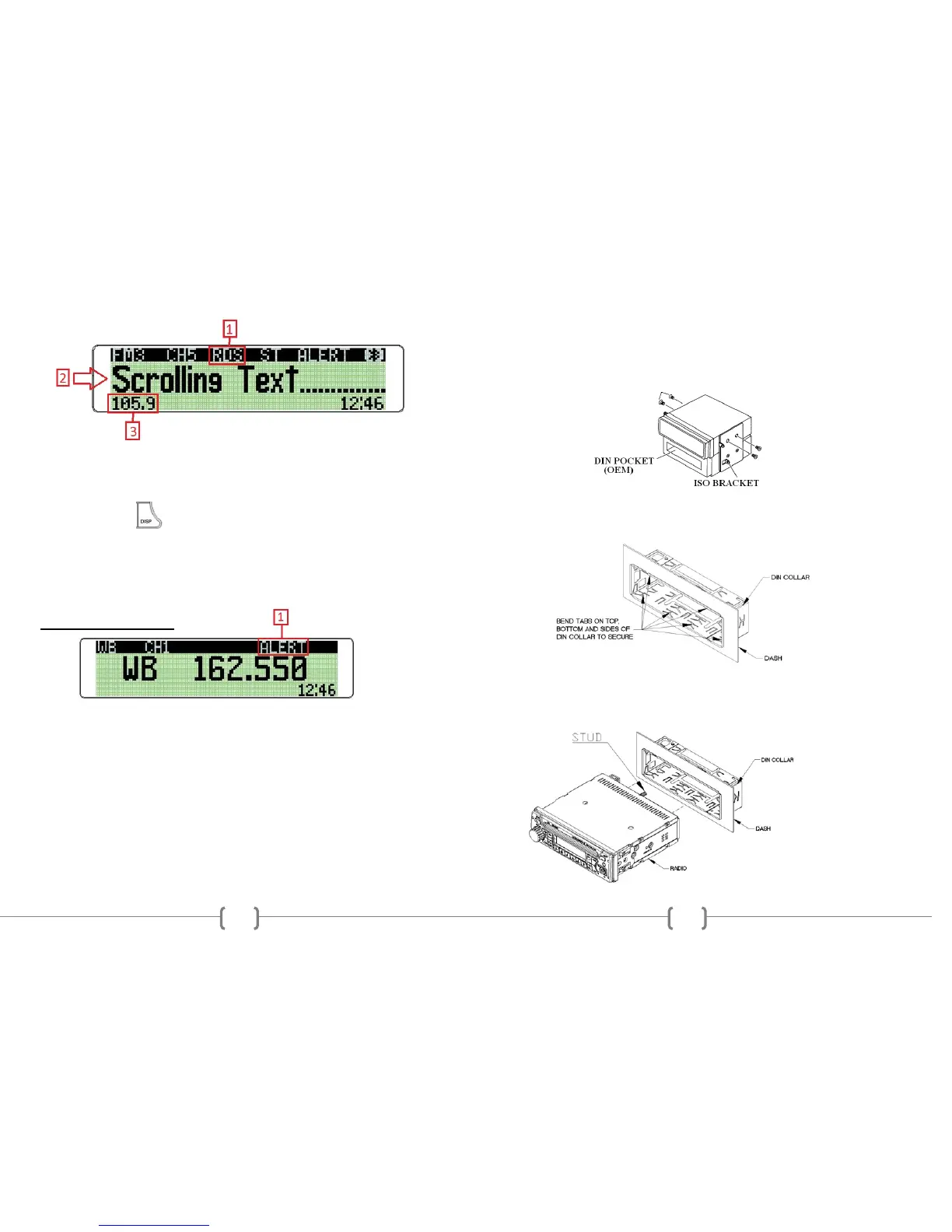
1. RDS Display Indication
When RDS is set to ON in the MENU, FM station’s receiving RDS data will
display this indicator.
2. RDS Text Information
Press the radios button to choose a preferred display option.
RT (Radio Text)
Information such as the title and artist of the currently playing song.
PS (Programe Service)
Information such as the call letters or station identity name.
3. FM Frequency Display
Displays the alternate location of the FM frequency when RDS is set to ON.
WEATHER BAND ALERT
1. Weather Band ALERT Status Indication
When Weather Band alert is set to ON, ALERT is displayed in the LCD window. The
National Weather Service will send a 1050 Hz tone alarm before most warning and
many watch messages are broadcast. The tone will activate and switch to the alert
frequency even if the audio is turned off. After the alert message has completed, the
radio will return to the previous mode.
17
ISO INSTALLATION
1. For installations that do NOT require the use of the DIN collar. The radio has
threaded holes in the chassis side panels for ISO mount applications. If necessary, four
M5x10mm screws are included with the hardware pack to assist you.
INSTALLING THE RADIO
1. Place the DIN collar into the dash opening. Bend the tabs outward as shown on
the drawing below to lock into place.
2. Pass the harness and antenna cable through the DIN collar, and connect to the
back of the radio. Verify clearance; then gently insert the radio into the DIN Collar
until both spring clips are locked into place.


 To Next Page