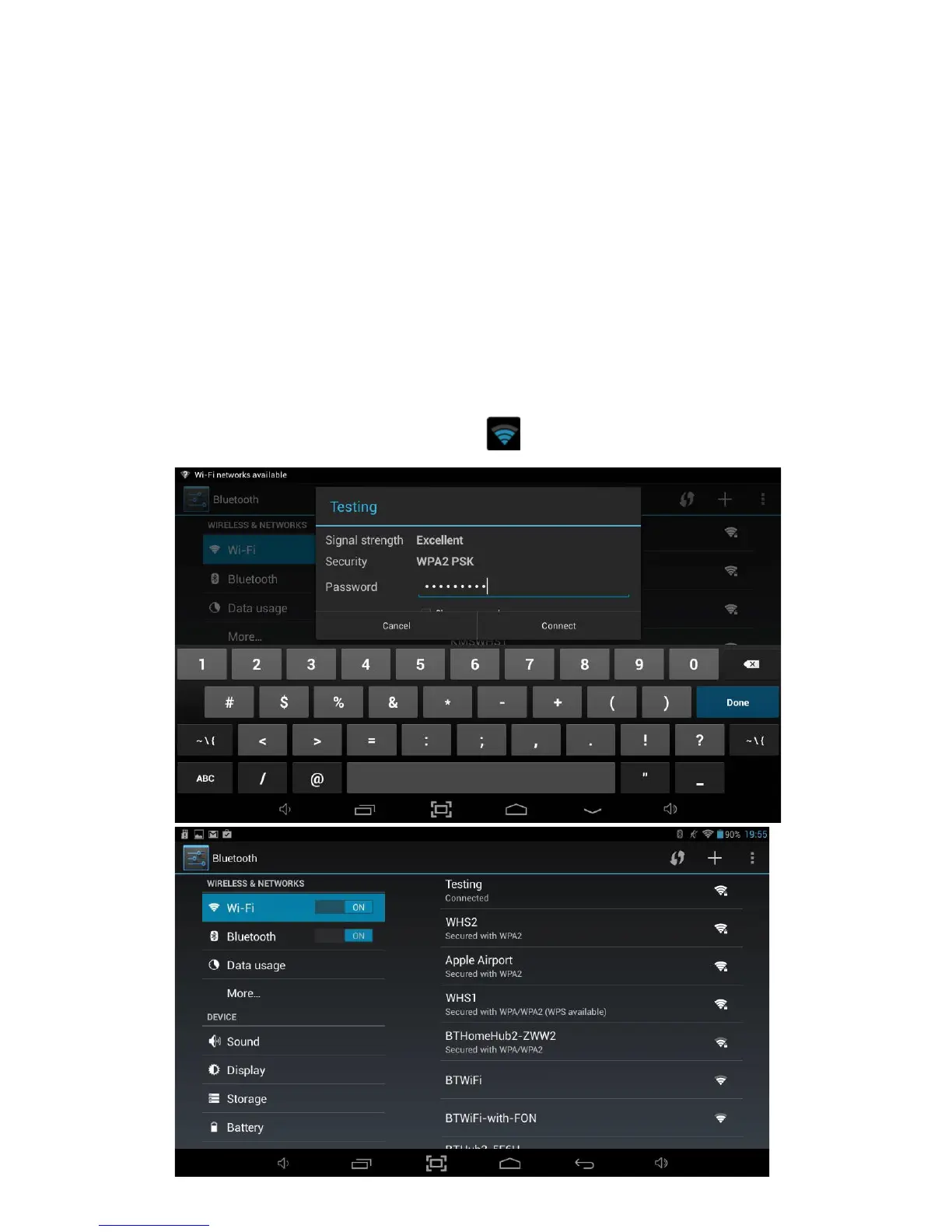
3. Find the right network and select it by touching the entry. If the network is secured,
you are prompted to enter a password. Make sure you enter the correct password,
otherwise the Tablet will not be able to connect to the network.
Where can the correct password be found?
If you are connecting to a Wireless Network which is provided by a router which
has been supplied by BT, Sky etc. then the password will be printed on a sticker on
the unit. Please ensure that you enter any letters using the correct case. Uppercase
letters must be entered in uppercase and lowercase letters must be lowercase.
If the router doesn’t have a sticker showing the password, you will have to ask
whoever setup the wireless network to provide you with the correct password to
connect to the network.
Once finished, the Tablet will now be connected to the network. Once
connected, you will see the wireless icon in the status bar.



 To Next Page