7.5 Sleep Mode
During normal operation of the Tablet, press the power button once, to set the device
into sleep mode. The screen will turn off, but the device will be in a state of
readiness to be used at any time. To wake the device up again, press the power button
to resume normal operation. When the Tablet is not in use, you can use this
function in order to conserve the battery.
7.6 Configuring the Wallpaper (Android desktop only)
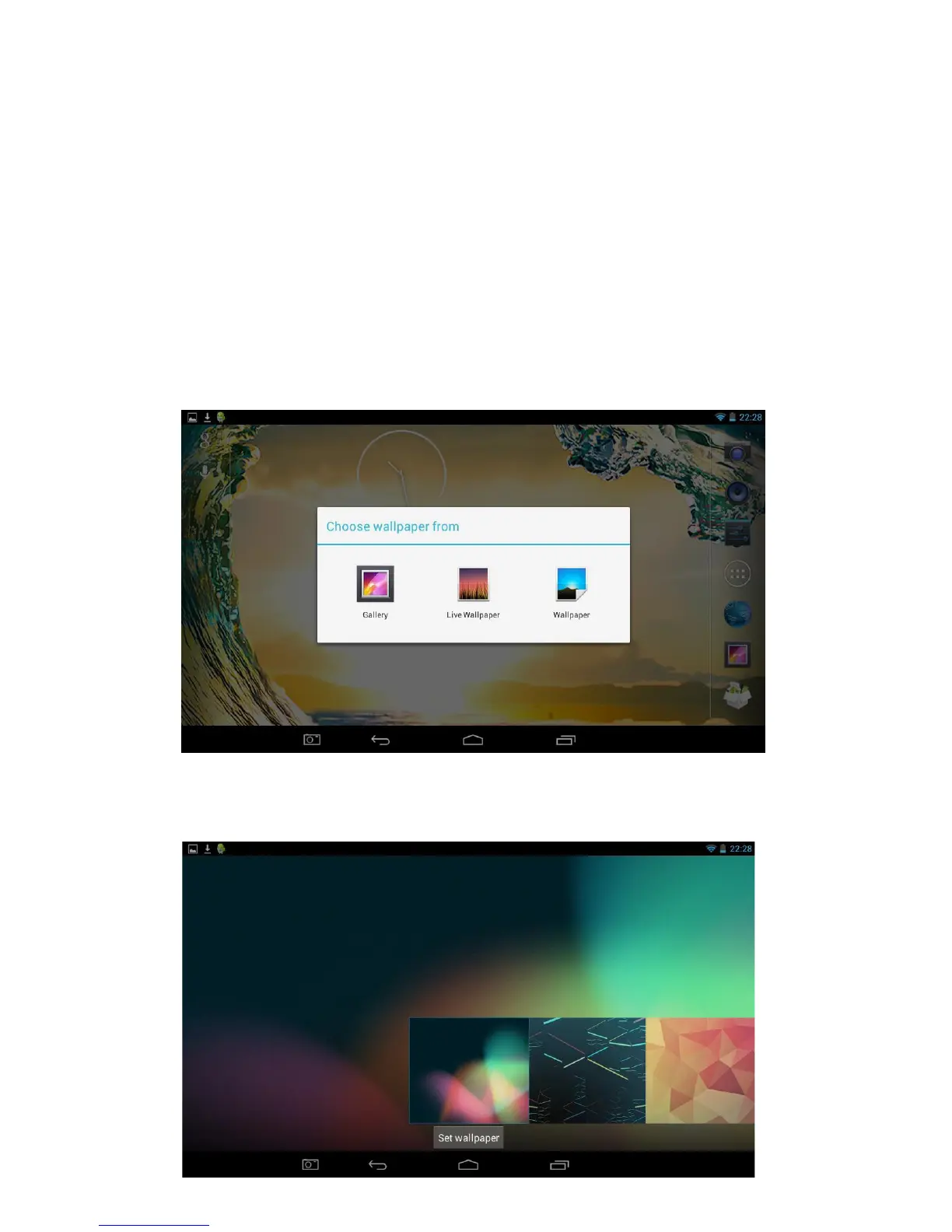
To change the Wallpaper on the Tablet, press one finger on any empty area of the
desktop and after a few seconds the Choose wallpaper from pop-up will appear.
Selecting Gallery, Live Wallpapers or Wallpapers will allow you to select from a
number of different options available as shown below.
Once you have chosen the wallpaper you would like, press the Set wallpaper button as
shown below.



 To Next Page