2.80
ENG_UD61070_2
Caméra 360° (HJB - Renault)
360° CAMERA (8/9)
Limitation of the system operation
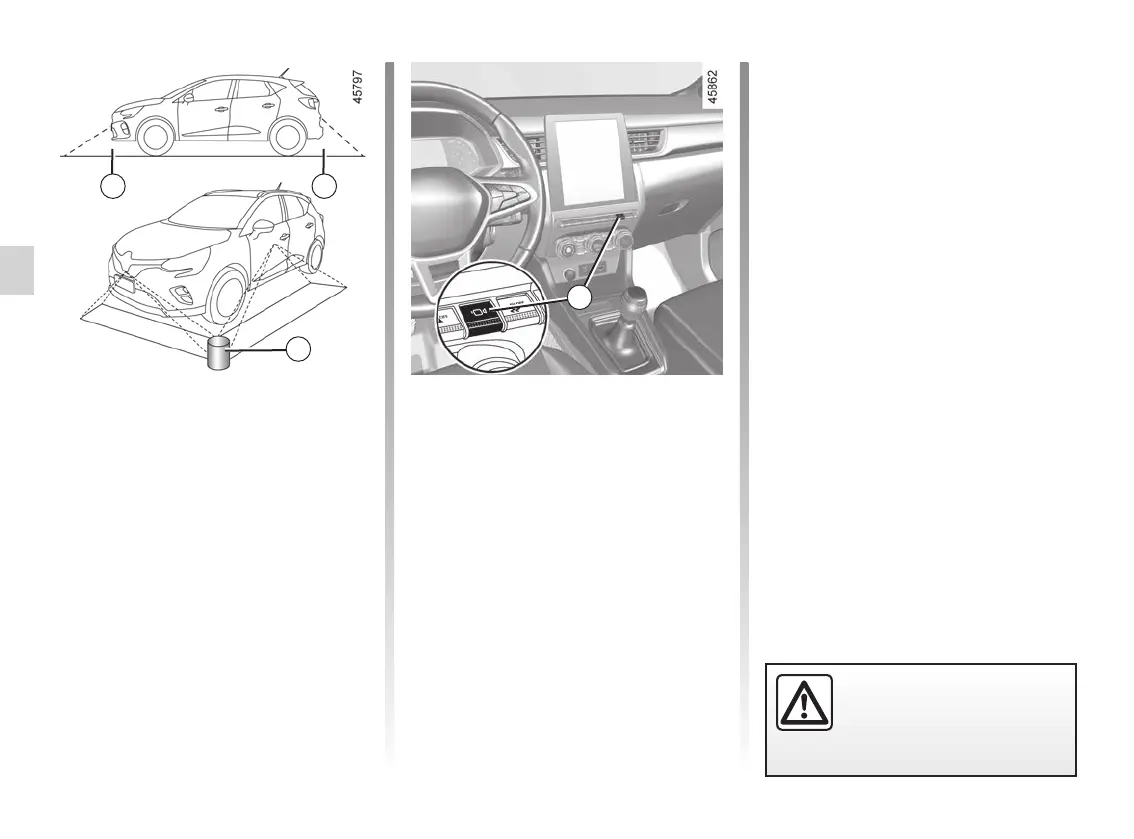
The system is unable to display objects
located in certain areas.
In the front or rear view mode, the
system cannot be used to view an
object in area L.
In bird’s eye view mode, the system
cannot be used to view a large object in
area M (near the edge of the displayed
area).
J
14
Adjusting the display
With the ignition on, press the 14 switch
or move the selection lever to position
R (on an automatic gearbox) or to re-
verse gear (on a manual gearbox) in
order to use the feature.
The function displays different views on
the screen according to the gear lever
position.
Depending on the vehicle, you can
select the “bird’s eye view” or “front side
view on the passenger side”.
For safety reasons, carry
out any adjustments when
the vehicle is not being
driven.
L L
M














 To Next Page