2.124
ENG_UD77558_1
Assistant autoroute et trafic (HJB - Renault)
MOTORWAY AND TRAFFIC ASSISTANT (8/16)
Once the conditions are met, the func-
tion again directs the vehicle to the
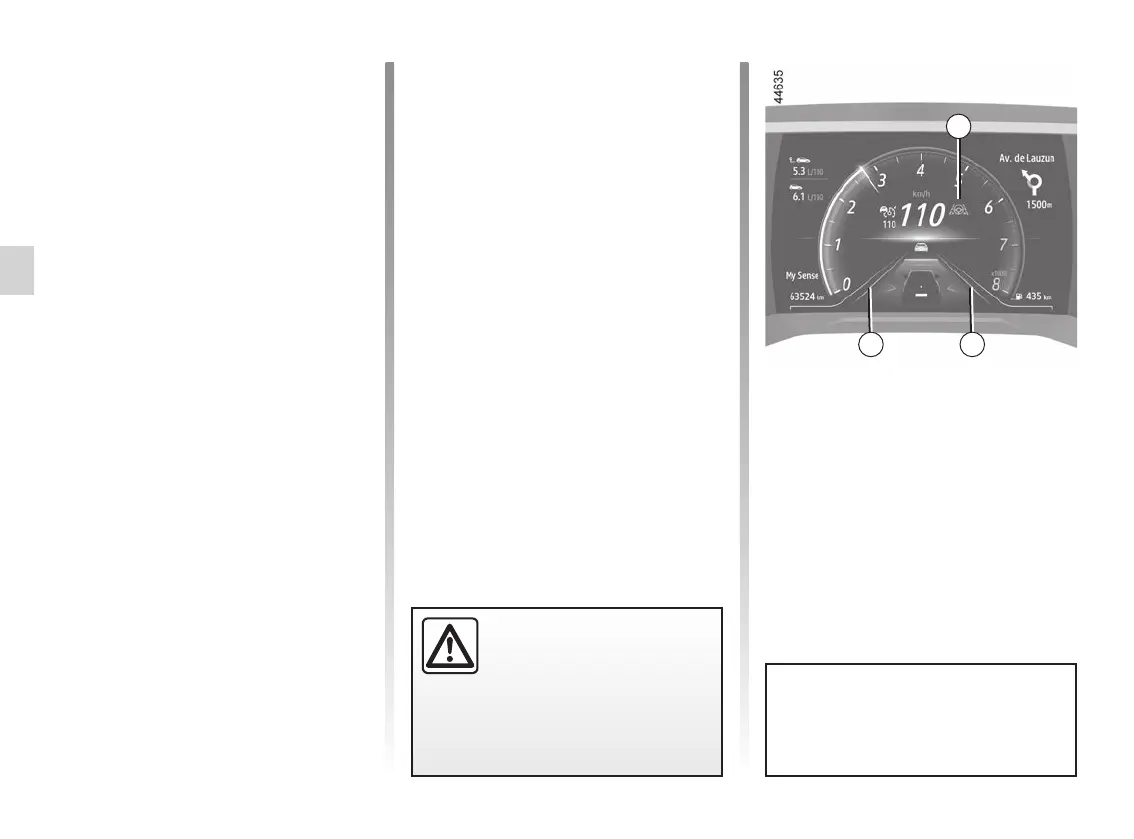
centre of the lane. The 15 warn-
ing light and left-hand and right-hand
line indicators 17 are displayed in green
on the instrument panel.
Certain actions carried out by the driver
also suspend the “Lane Centring” func-
tion:
– activating the indicators;
– too much force is used when han-
dling the steering wheel.
Standby of the function is confirmed by
the 15
warning light and the left-
hand and right-hand line indicators 17
appearing in grey on the instrument
panel.
You can affect the vehicle trajec-
tory at any point by turning the
steering wheel.
“Lane Centring” function on
standby
The “Lane Centring” function is put on
standby automatically when:
– the Stop and Go adaptive cruise con-
trol is put on standby ➥ 2.103;
– the system no longer detects the
lines or only one line is detected in
your lane;
– the lane is too narrow or too wide;
– the system does not detect any
hands on the steering wheel;
– the bend is too sharp;
– the vehicle speed is over approxi-
mately 99 mph (160 km/h);
– the vehicle speed is below approx-
imately 37 mph (60 km/h), without
any vehicle in front;
– the vehicle touches or breaches a
line;
– the system is temporarily disrupted
(for example: camera obscured by
dirt, mud, snow,condensation, etc.).
Important: you should keep
your feet near the pedals
and your hands on the
steering wheel at all times
to prepare for any event.
1717
15














 To Next Page