2.159
ENG_UD77257_2
Boîte de vitesses automatique Levier Mécanique (HJB - Renault)
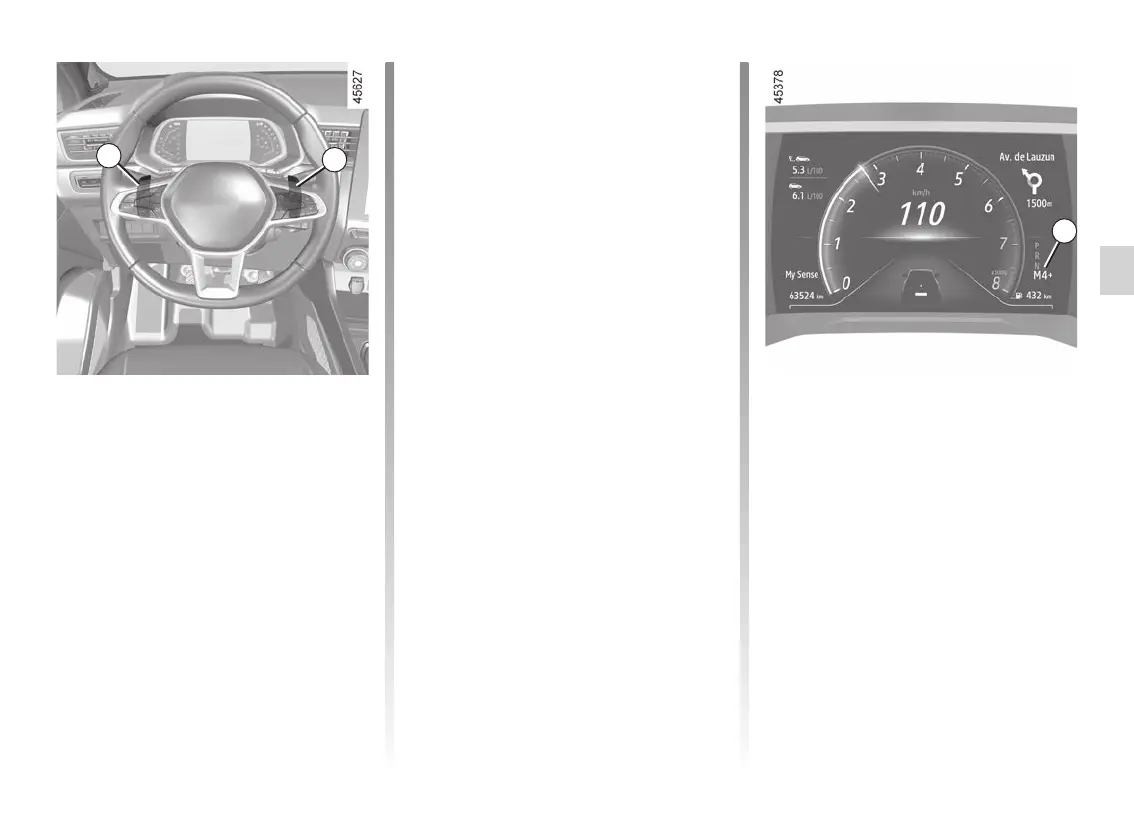
Driving in manual mode
When driving in position D you can
switch to manual driving mode using
paddles 5 and 6 on the steering wheel.
Depending on the vehicle, two manual
driving modes are available:
– the “temporary” manual mode
can be used to force gear shifting by
briefly pressing one of the two pad-
dles. the driving mode D and the
gear engaged appear on the instru-
ment panel.
Note: the gearbox returns to auto-
matic mode D automatically if the
gear engaged is not optimal or if the
paddles have not been used for a
certain length of time.
– permanent manual mode is ac-
tivated by pressing and holding
either of the paddles. Driving mode
M and the gear engaged will appear
on the 7 display on the instrument
panel.
Note: return to automatic mode by
pressing and holding the right-hand
paddle. Automatic mode D is dis-
played on the instrument panel.
In all situations:
– to move down through the gears,
press the left-hand paddle;
– to move up through the gears, press
the right-hand paddle.
Note: depending on the display, the +
and - or
and indicators
will suggest moving up or down a gear.
7
AUTOMATIC GEARBOX, MANUAL LEVER (2/4)
Gear changing paddles 5
and 6
Depending on the vehicle, you can use
paddles 5 and 6 to change gear when
the lever is in position D.
5: change to a lower gear.
6: change to a higher gear.
P, N and R are not accessible using the
paddles.
5
6














 To Next Page