2.11
Brief stop
In all circumstances, you can manu-
ally activate the assisted parking brake
(stopping at traffic lights, on a slope,
etc.). Pull switch 3 and release it.
The brake is released as soon as the
vehicle is started up again.
Special cases
When parking on a slope or towing a
trailer, pull switch 3 for a few seconds
to obtain maximum braking.
Note: if the vehicle is not immobilised
when the parking brake is applied, the
message “Stop vehicle” is displayed on
the instrument panel.
In this case, move the vehicle and park
it on level ground.
ASSISTED PARKING BRAKE (2/4)
To park the vehicle without applying the
assisted parking brake (if there is a risk
of freezing, for example):
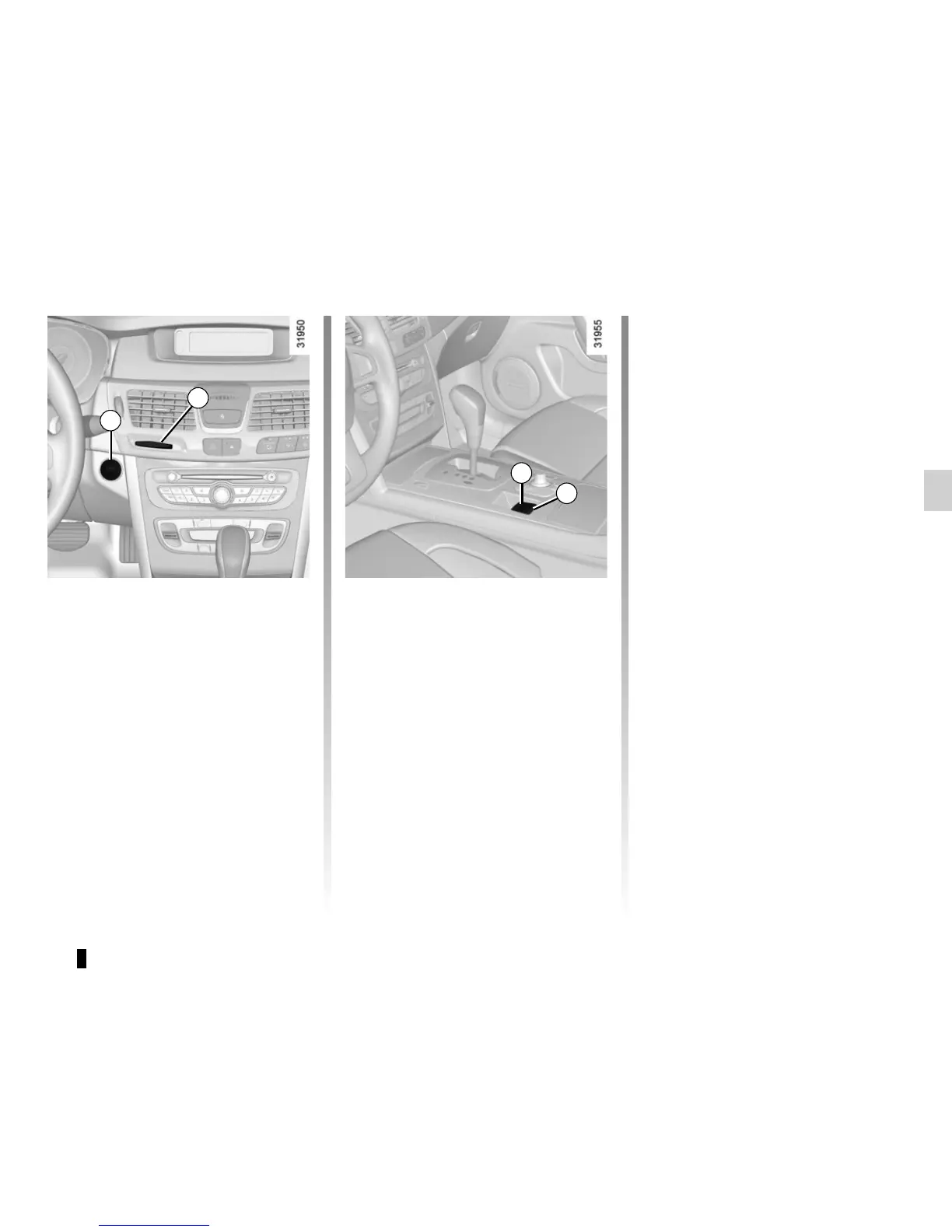
– with the engine running and the
RENAULT card in reader 4, switch
off the engine by pressing engine
Start/Stop button 1;
– select a gear (manual gearbox) or
position P (automatic gearbox);
– depress the brake pedal and press
switch 3 at the same time;
– remove the RENAULT card from the
card reader.
When the driver’s door is opened, the
message “Apply parking brake” is dis-
played on the instrument panel ac-
companied by a beep. The beep stops
when the door is closed.
1
4
Manual operation
Applying the assisted parking brake
Pull switch 3. To confirm that the as-
sisted parking brake is applied, the
message “Parking brake on” and in-
dicator light
} on the instrument
panel and indicator light 2 on the switch
light up.
Releasing the assisted parking
brake
With the ignition on, depress the brake
pedal then press switch 3: indicator
lights 2 and
} go out.
2
3






 To Next Page