2.14
Journey record
Once the engine is switched off, you
will see “Journey record” displayed on
the screen 4, enabling you to view in-
formation relating to your last journey.
This indicates:
– average fuel consumption;
– total consumption;
– number of miles/kilometres travelled;
– number of miles/kilometres saved.
An overall statement on your eco-driv-
ing performance is displayed, along
with three indices detailing: the results
for the gear changes, acceleration
management and the management of
your anticipation and braking.
ECO-DRIVING
Adjusting the settings
Press one of buttons 2 or 3 to select a
function to activate or deactivate the
system (Refer to the information on the
“Vehicle settings customisation menu”
in Section 1.“:
=: function activated
<: function deactivated
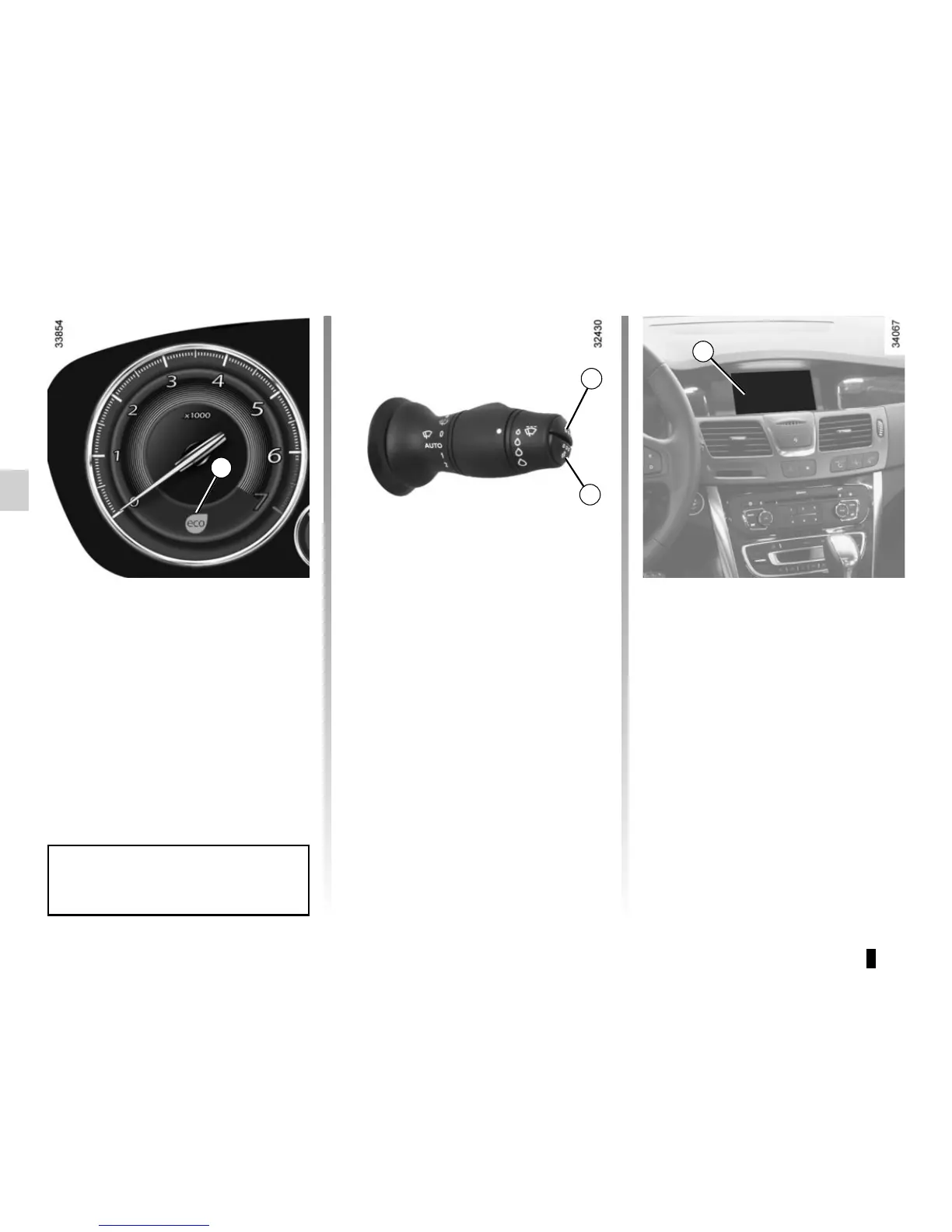
Indicator 1 light comes up according to
the driving ways or conditions and its
color is changing gradually from orange
to yellow or green when the fuel con-
sumtion becomes lower according to
your driving style.
If indicator 1 changes to green, it means
that you are driving the most environ-
ment friendly.
1
3
2
Indicator 1 does not come up under
6 mph (10 km/h).
4








 To Next Page