2.52
ENG_UD59997_2
aide au parking (X62 - Renault)
Deactivating the system
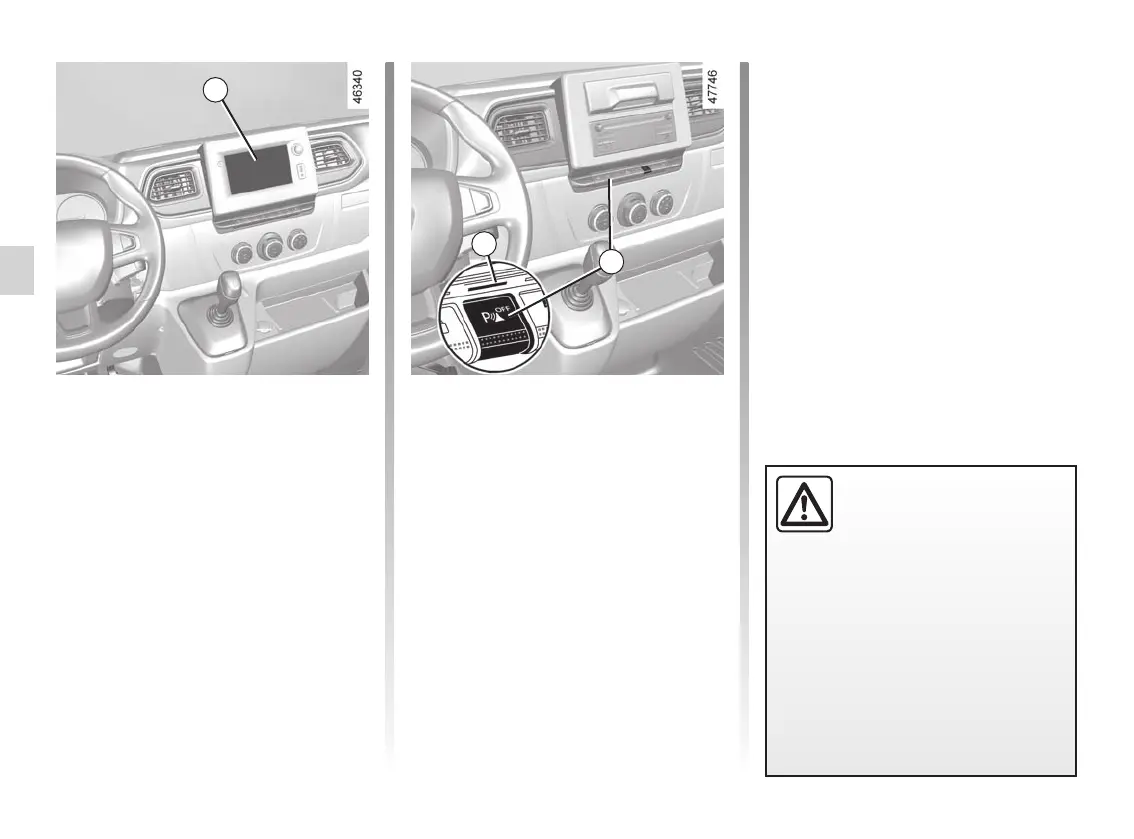
Vehicles fitted with a multimedia
system
On the multimedia screen 3, select
the “SETTINGS” menu followed by
“VEHICLE”, “Parking assistance” then
choose ON or OFF to activate or deac-
tivate Park Assist.
An impact to the under-
side of the vehicle while
manoeuvring (e.g.: strik-
ing a post, raised kerb or
other street furniture) may result in
damage to the vehicle (e.g.: defor-
mation of an axle).
To avoid any risk of accident, have
your vehicle checked by an ap-
proved Dealer.
PARKING DISTANCE CONTROL (3/4)
3
Vehicles not fitted with a multimedia
system
With the vehicle stopped, press the 5
button to deactivate the system.
Warning light 4 appears to indicate that
the system is deactivated.
Pressing the switch again will reacti-
vate the system and switch off the in-
dicator light.
5
4











 To Next Page