screen
fold-away screen ..................................
(current page)
head-up display .........................................
(current page)
1.79
ENG_UD60344_1
Tableau de bord : afficheurs et indicateurs (BFB - KFB - Renault)
DISPLAYS AND INDICATORS (8/9)
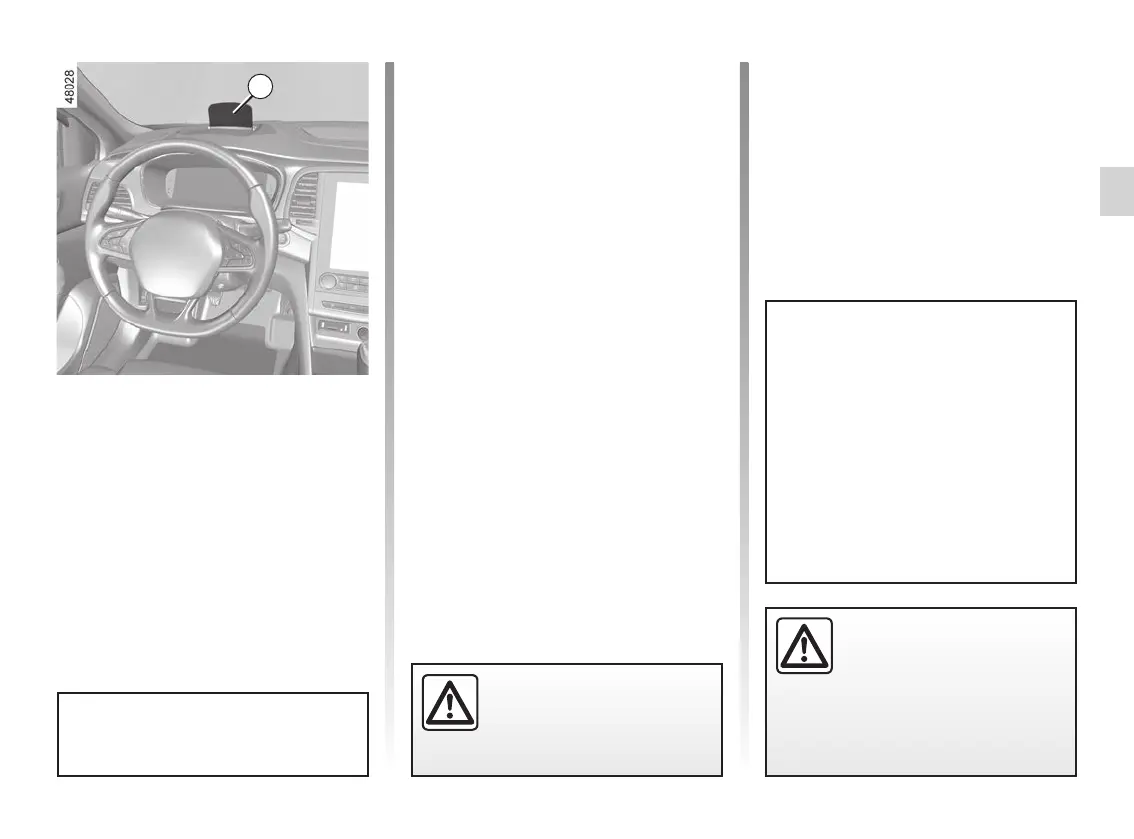
Head-up display 35
The display details driving and navi-
gation information from the instrument
panel and the multimedia screen.
If fitted to the vehicle, this comes on
when the engine is started and is re-
tracted when the engine is switched off.
35
You can adjust some settings from the
multimedia screen.
Refer to the multimedia instructions.
Adjusting the display information
height
Depending on your driving position,
you can raise or lower the information
on the display.
Adjusting the display brightness
You can adjust the brightness (day or
night mode):
– automatically: the brightness will
vary according to the exterior light
level;
– manually: the brightness automati-
cally switches with the activation/de-
activation of the lights.
In both cases, the day mode varies
based on the outdoor brightness.
Good information visibility can be af-
fected by:
– the seat position;
– the presence of an object placed
on the opened display;
– the polarisation of some spectacle
lenses;
– extreme weather conditions (rain,
snow, very strong sunlight, etc.).
In the event of contradictory
information between the
table and head-up display/
multimedia screen. Refer to
the information displayed on the in-
strument panel.
Do not manually force the opening/
closure of the head-up display.
For safety reasons, carry
out any adjustments when
the vehicle is stationary.










 To Next Page