NU739_4_G2-FRA.qxd 2/02/06 16:45 Page 2.37
NU739-4 - B73
C:\Documentum\Checkout\NU739_4_T2-ENG.win 17/3/2006 11:35
-page37
2.37
PARKING PROXIMITY SENSOR (continued)
Vehicles fitted with parking
proximity sensor
Operation
The rear parking proximity sensor is
only activated when reverse is
selected.
Deactivating the system
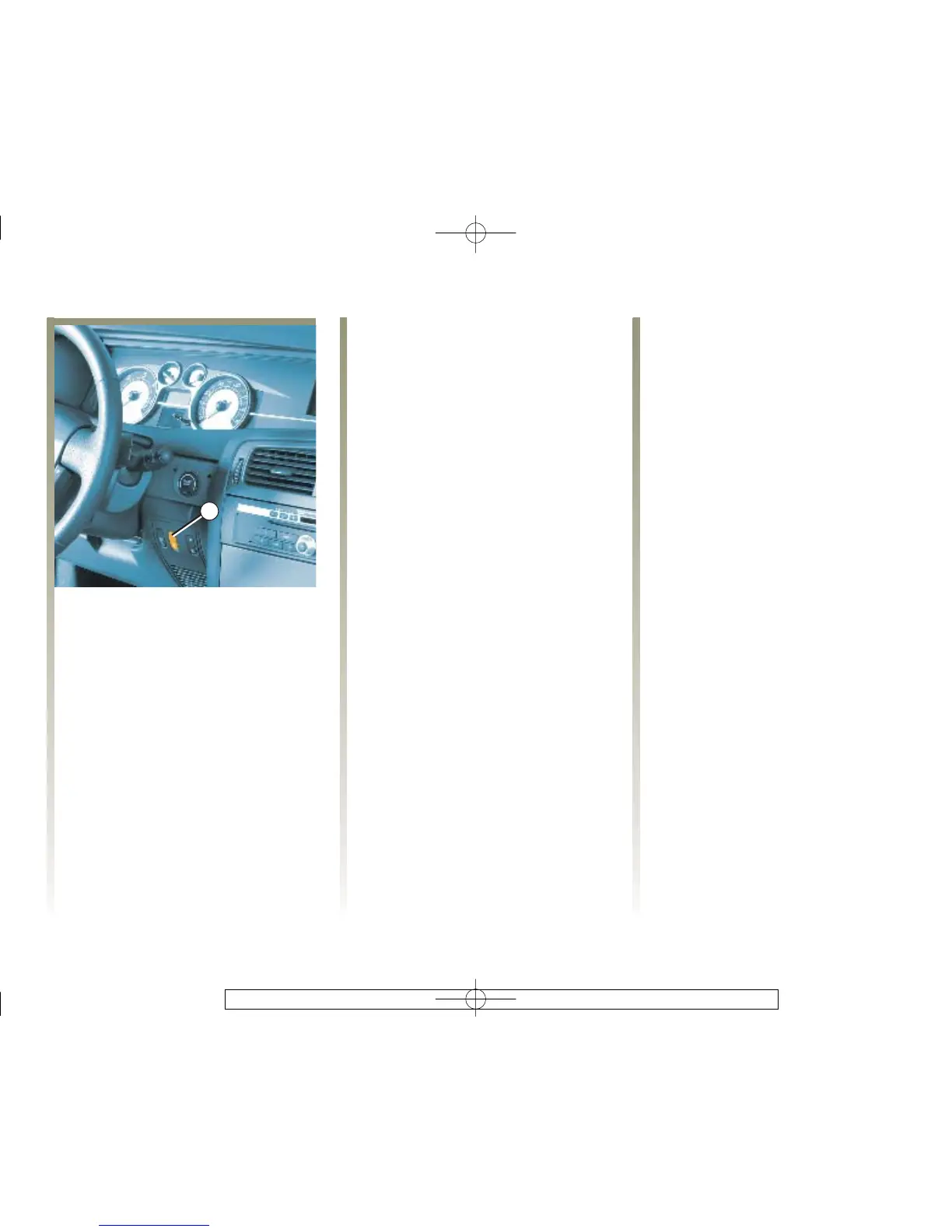
Press switch 1 to deactivate the
system.
The warning light in the switch
comes on to remind you that the
system has been deactivated: the
Parking Proximity Sensor
Deactivated message appears on the
instrument panel for around
10 seconds.
You can reactivate the system by
pressing the switch again: the
warning light will go out and
Parking Proximity Sensor Activated
message will be displayed on the
instrument panel for approximately
10 seconds.
The system is automatically
reactivated after the ignition is
switched off and the engine
restarted.
You can deactivate the system
permanently by pressing the switch
for longer than approximately three
seconds.
The warning light in the switch
stays on and the Parking Proximity
Sensor Deactivated message
appears on the instrument panel for
approximately 10 seconds.
The system, once deactivated, can
be reactivated by pressing the
button again for longer than
approximately three seconds. The
warning light on the switch will go
out and the Parking Proximity
Sensor Activated message will be
displayed on the instrument panel
for approximately 10 seconds.



 To Next Page