50
i) DAB radio mode
For this mode, the antenna (1) must be extended completely. A network connection is not required for this
mode. If no stations can be received or only a few, reorient the antenna (1) and/or relocate the device.
Placing the device near a window enhances the reception quality.
1Scanning for DAB radio stations
1. Press the button (8) and select the menu item “DAB RADIO” using the rotary knob (11) or arrow buttons
and (9).
You can also access the menu item “DAB RADIO” directly by pressing the Mode button (3).
2. Presstherotaryknob(11)toconrmtheselection.
WhenthismodeiscalledupforthersttimeoraDABscanhasnotyetbeenperformed,thedeviceasks
whether it should start a station scan. Press the rotary knob (11) to start the search.
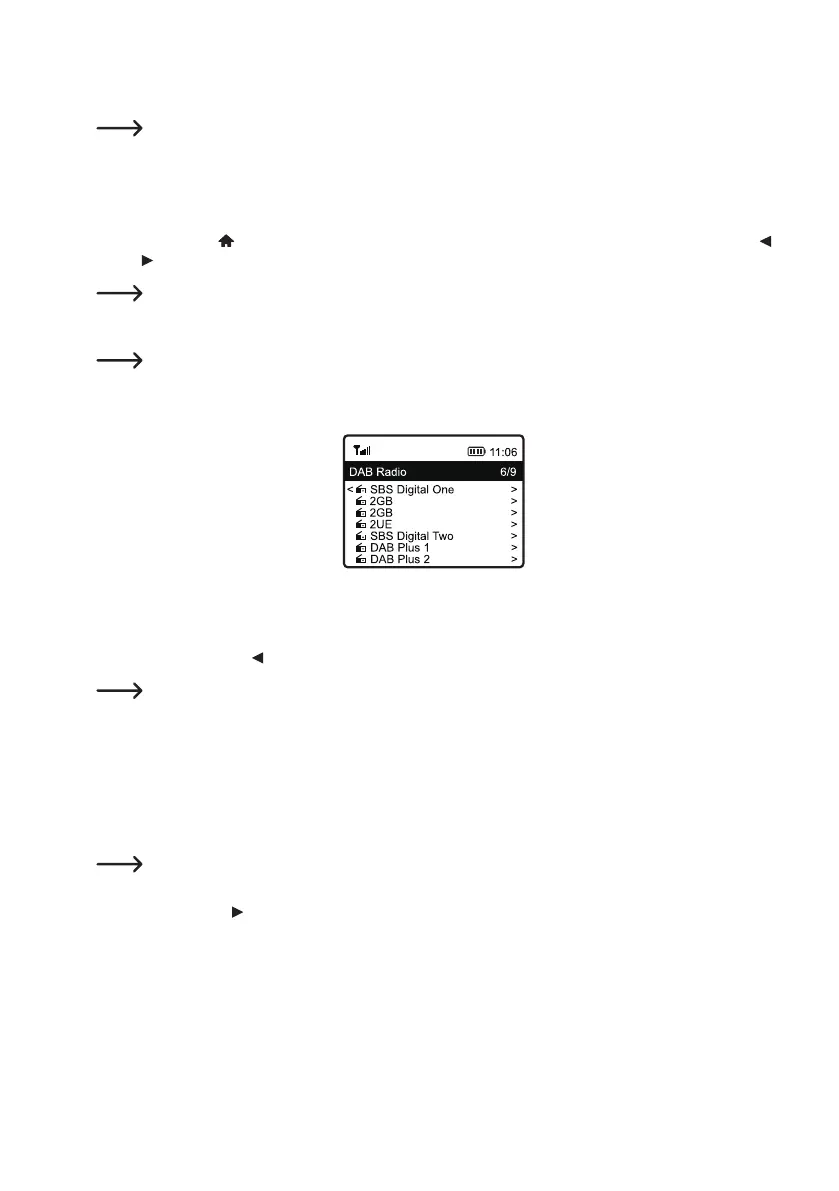
3. After the station scan has been performed, a list of receivable stations is displayed.
4. Select the desired station using the rotary knob (11).
5. Presstherotaryknob(11)toconrmtheselectionandreceivethestation.
6. Press the arrow button
(9) to return to the station list and select another station.
New stations are not automatically added to the station list. A new station scan must be performed for this
purpose.
7. To start a new station scan, activate the DAB station scan in the settings menu (see chapter “Settings”).
2Calling up station information
During playback of a station, you can call up further information about this station or the track currently being played
or the time and date.
The information available depends partly on the station's broadcast content. It may take some time for all
contents to become available.
Press the arrow button
(9) to display detailed information. Each press of the button switches to the next display.


 To Next Page