107
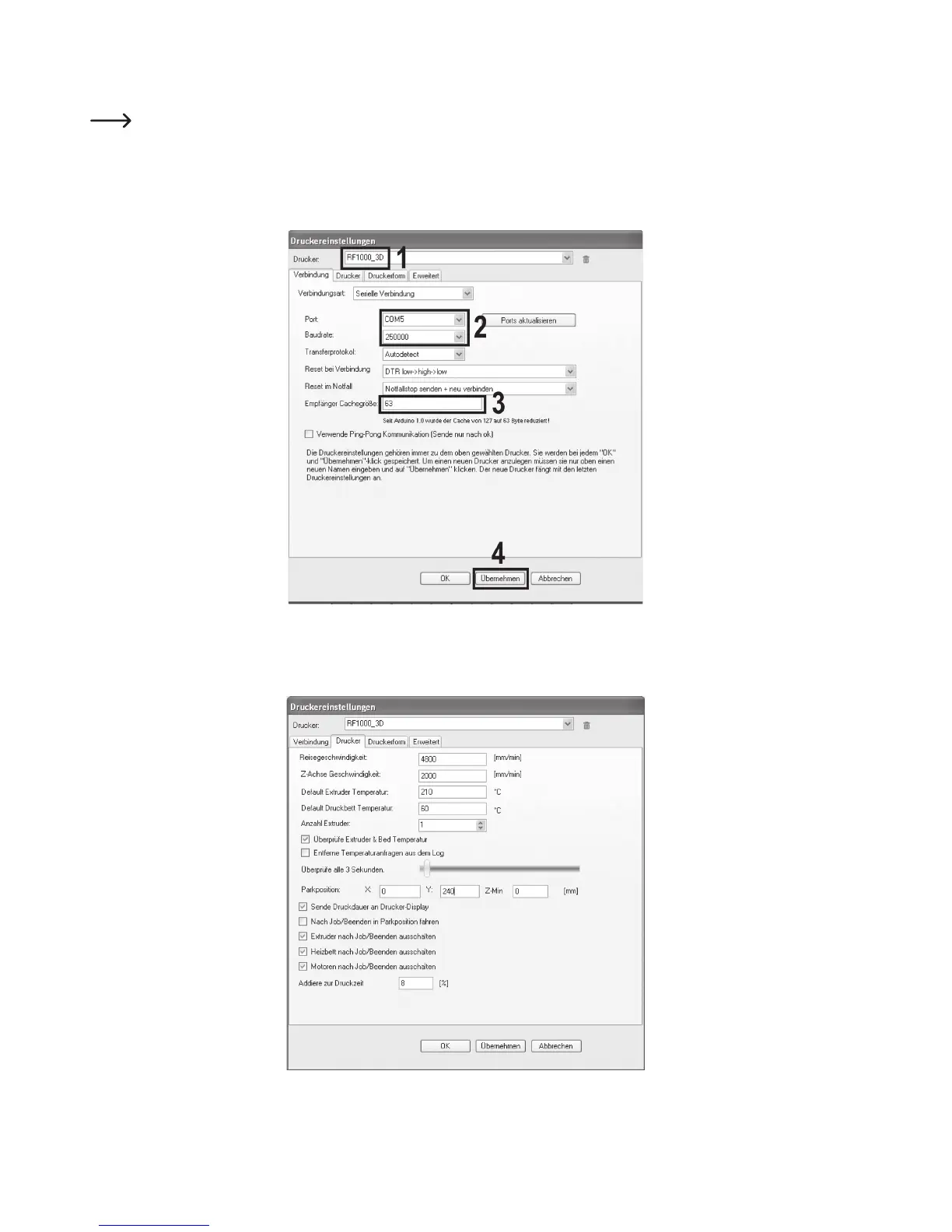
(1) Name your printer RF1000_3D in the following window in tab “Connection” or assign a name of your own.
(2) Set the port and baud rate as displayed.
The port number is system-dependent. You can find it in the device manager of the control panel, under connections
(COM and LPT).
(3) Set the receiver cache size as shown.
(4) Click “Accept”.
Click the tab “Printer”.
Transfer the settings 1:1 as shown in the following figure and click “Accept”.



 To Next Page