92
Starting print
At PLA printing of small objects with a small footprint, it is recommended to apply the heating plate with cleaning tape or
a slightly structured crepe tape before printing. This increases adhesion of the printed object on the base plate.
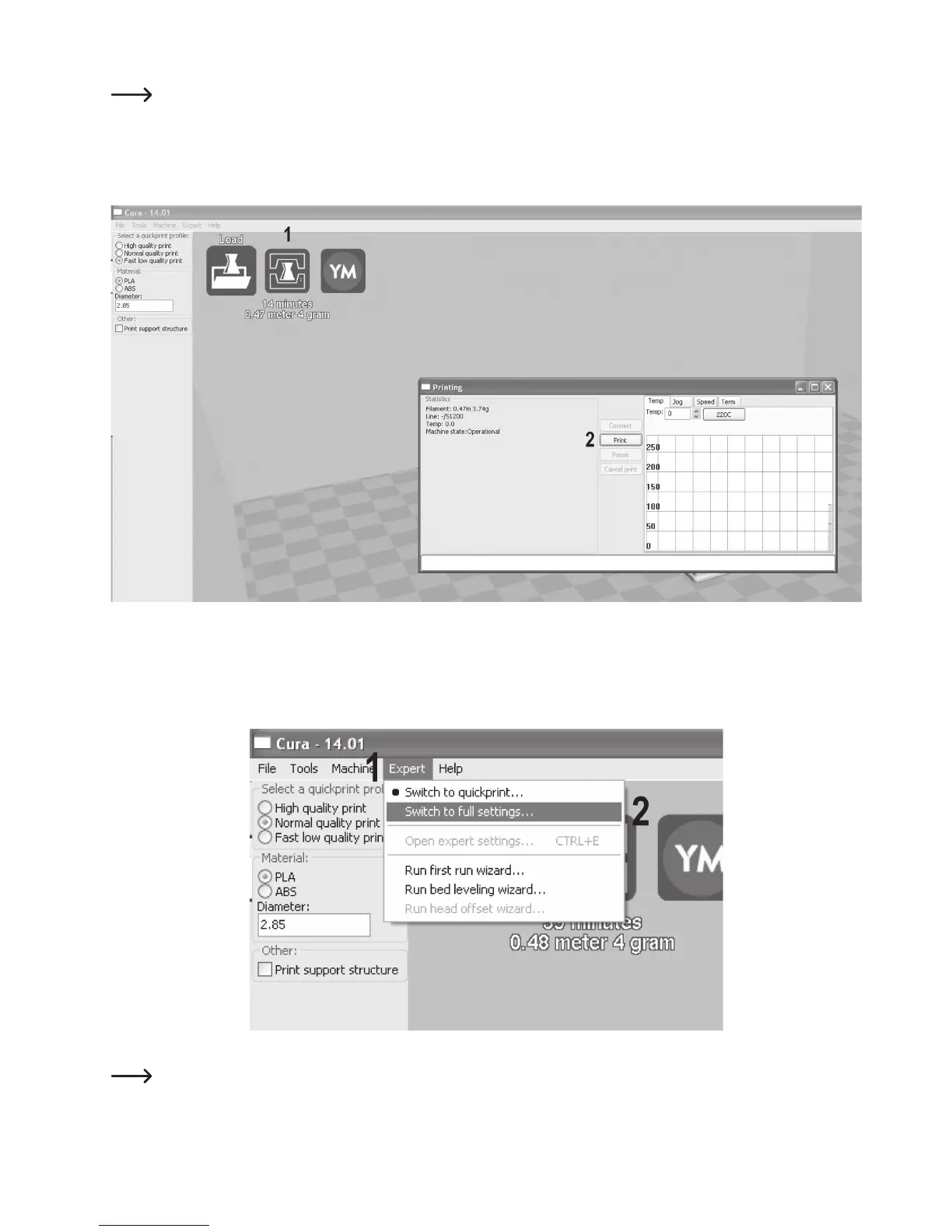
(1) Click the symbol for “Print”.
(2) In the next window, click “Print”.
e) Use of the Software in Expert Mode
(1) Click “Expert”.
(2) Select “Switch to full settings...”
The software interface now has a lot more setting options.
This mode should only be used by users with experience or advanced knowledge of 3D printing.



 To Next Page