81
Print Settings
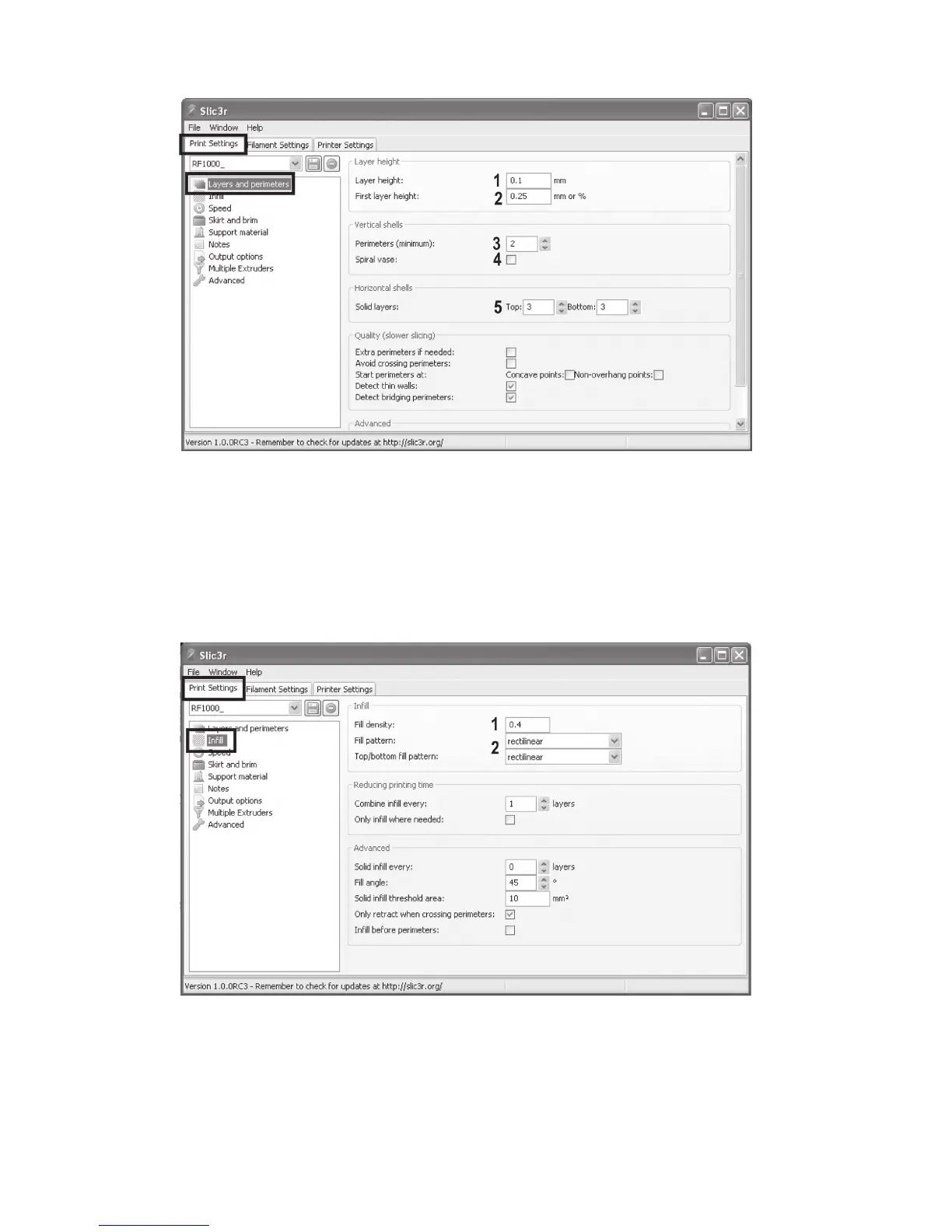
(1) Layer height (accuracy/resolution of the print object)
(2) Layer height of the first layer (influences the adjustment and adhesion on the printing plate; set the first layer a little thicker
than the following layers)
(3) Number of outer wall layers
(4) Activate for hollow bodies (e.g. vases)
(5) Filled layer number top/bottom
(1) Object filling (0-1 = 0-100%)
(2) Filling pattern of the object and the first and last layer



 To Next Page