90
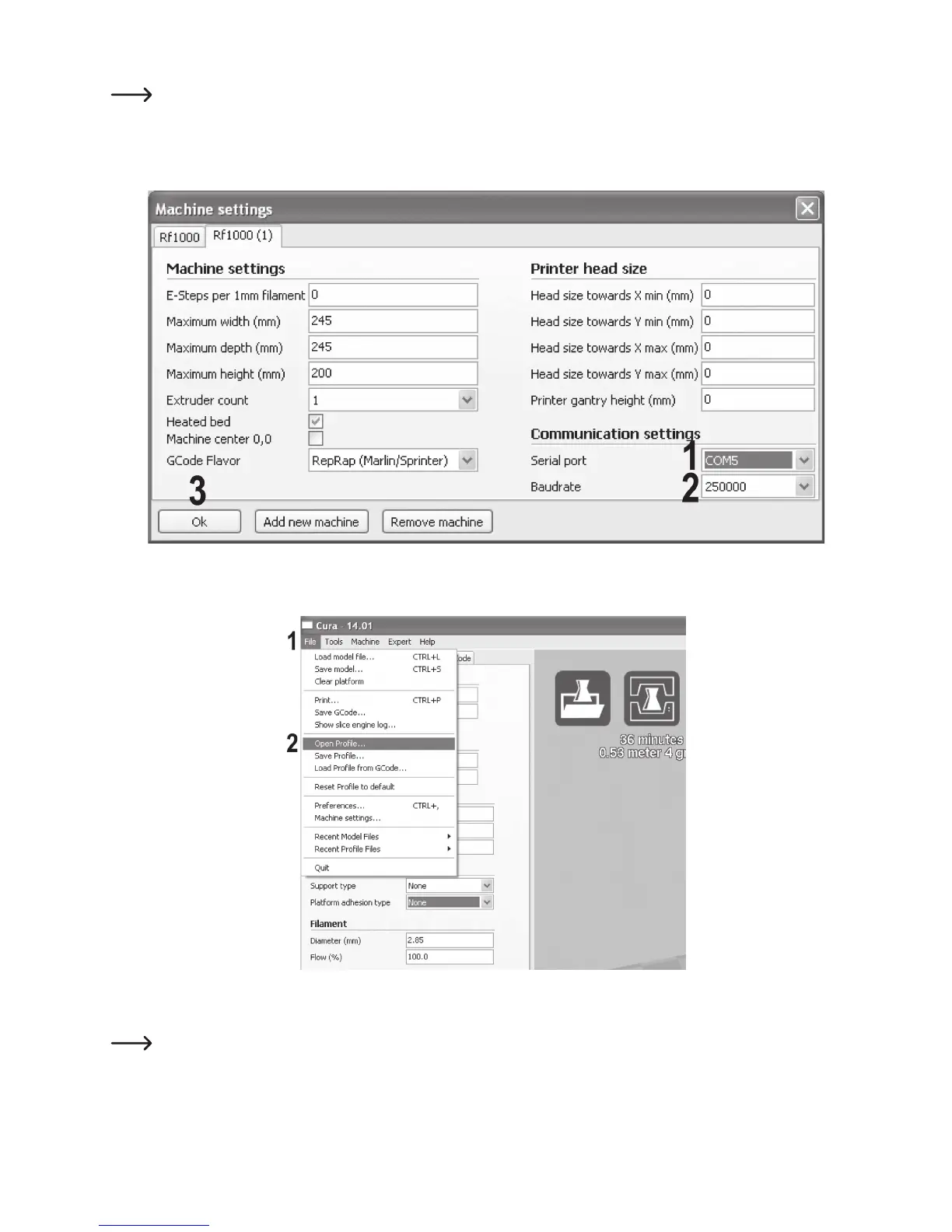
(1) Select the serial port to which your printer is connected.
The port number is system-dependent. You can find it in the device manager of the control panel, under connections
(COM and LPT).
(2) Set the baud rate as shown.
(3) Click “OK” to save the changes.
(1) Click “File”.
(2) Select “Open Profile”.
Select a filament configuration file for the filament used by you in the selection window and confirm your selection.
You can find the configuration file “Settings.ini” on the enclosed SD card in the folder “Cura”. Alternatively, you can skip
this step. The software then uses its own basic settings that are sucient for the first print.



 To Next Page