66
b) Normal mode
If no button is pushed, the basis station is always in normal mode. If the basis station is in another mode, you can
brieypushthe"HISTORY"(7)buttontoreturntonormalmode.Alternatively,waitfor30secondswithoutpushinga
button.
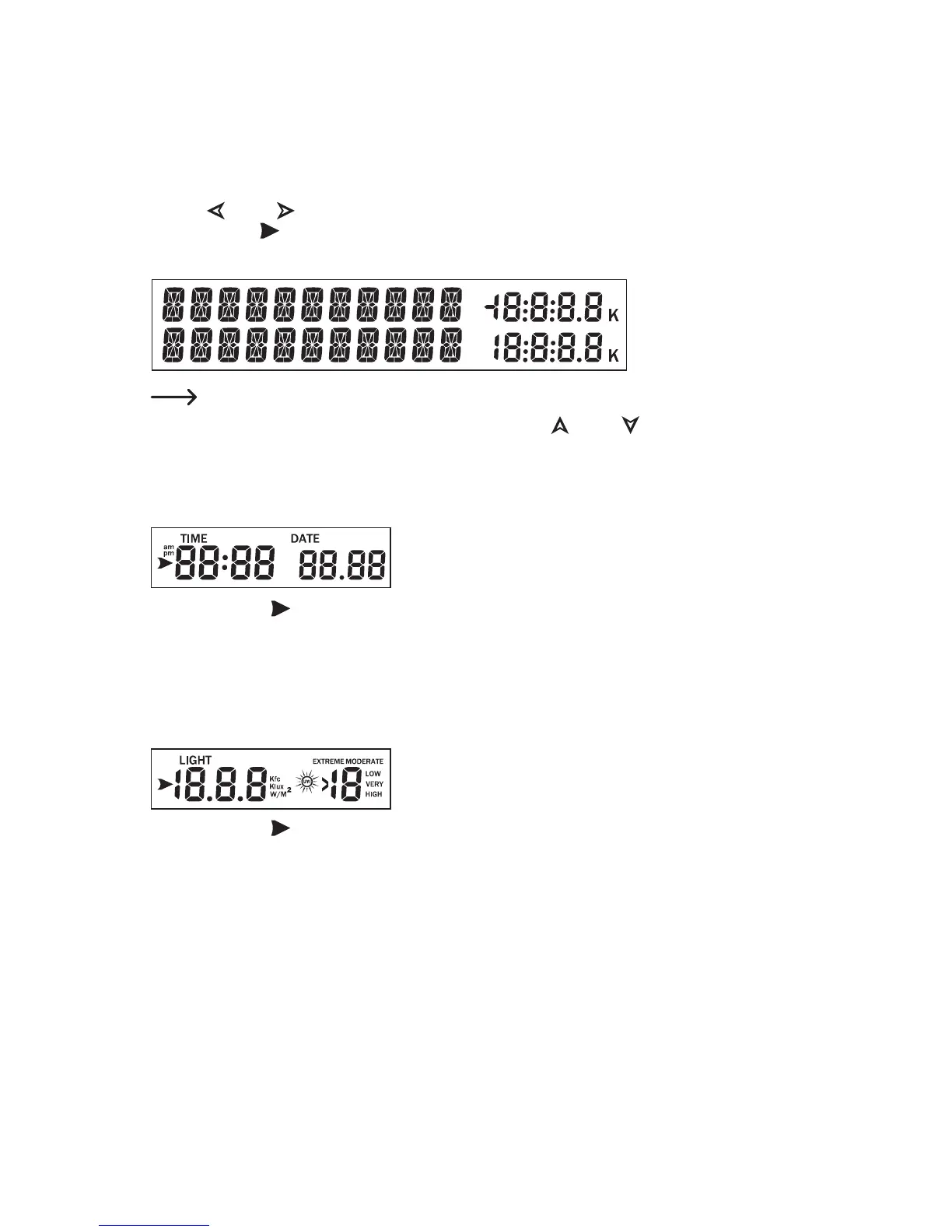
Use the "
" (3) or " " (4) button to select a display range. The respective chosen display range is marked with
the arrow symbol " ".
The two lower lines of each display range show the corresponding information.
The11digitsontheleftsideareusedtodisplaytext;therightsidecandisplaygures.
The display will automatically switch after a few seconds. Use the "
" (1) or " " (2) buttons to manually switch
the display.
The following information will appear in the corresponding display ranges:
Display range for time/date
If the arrow symbol "
" is in this display range, the lower lines will show the following information:
• Year, weekday
• Alarm time and status of the alarm time (on/off)
• Name of the moon phase
Display range for light radiation/UV-index
If the arrow symbol "
" is in this display range, the lower lines will show the following information:
• Max. lighting strength of the current day (incl. time at which the maximum occurred)
• Max. lighting strength since the last reset (incl. date/time at which the maximum occurred)
• Max. UV-index of the current day (incl. time at which the maximum occurred)
• Max. UV-index since the last reset (incl. date/time at which the maximum occurred)



 To Next Page