81
g) Trend Display
For indoor temperature, outdoor temperature, indoor humidity, outdoor humidity, arrow symbols that indicate a trend
for in which direction the measured values are changing are displayed.
Icon Meaning Temperature Humidity
Rising Temperature increase
>= 1 °C within 30 minutes
Humidity increase
>= 10% within 30 minutes
Consistent Temperature increase/drop
>= 1 °C within 30 minutes
Humidity increase/drop
< 10% within 30 minutes
Dropping Temperature drop >= 1 °C within 30
minutes
Humidity drop
>= 10% within 30 minutes
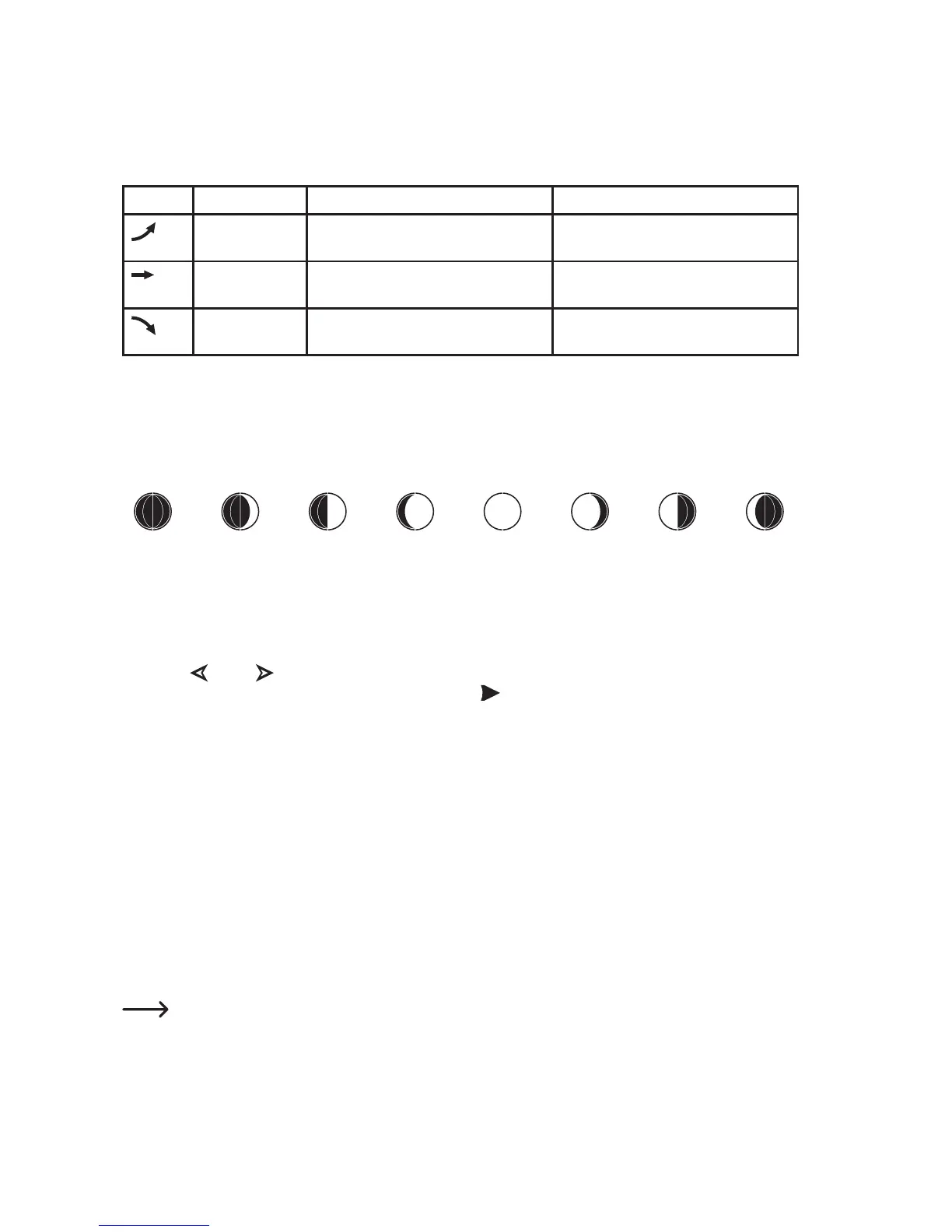
h) Moon phase display
The lower right of the display shows the current moon phase graphically, depending on date. The display depends on
the settings for the northern/southern hemisphere of the Earth (see chapter 10. c), setting "TIME SETTING", subfunc-
tion "NORTH/SOUTH").
New moon Full moon
i) Display of absolute and relative barometric pressure
• The basis station must be in normal mode.
• Use the "
" (3) or " " (4) buttons to select the display range for barometric pressure (see chapter 7. b), item 15),
so that the display range is marked with the arrow symbol " ".
• Brieypushthe"SET"(5)button.Thedisplaywillswitchbetweentherelativebarometricpressure(display"REL")
and absolute barometric pressure (display "ABS").
j) Setting the Relative Barometric Pressure
The barometric pressure measured by the basis station is the actual barometric pressure (= absolute barometric
pressure) at the site of setup of the basis station. Since the barometric pressure will drop with increasing altitude, the
measured data cannot be compared to those of other weather stations on different altitudes for functional reasons.
This is what the relative barometric pressure is used for. The actually measured barometric pressure (= absolute
barometric pressure) is converted to sea level depending on altitude.
However, you cannot enter the actual altitude at the site of setup in the basis station. Instead, you can set the relative
barometric pressure for your area using the calibration (see chapter 10. c), Setting function "CALIBRATION SET-
TING"; set value "REL BARO OFFSET").
Youcanndtherequiredbarometricpressurevalue,e.g.onlineonvariouswebsites.Sometimes,thecur-
rent barometric pressure is also displayed on your municipality's website.



 To Next Page