Operating the machine
29
The LED over the button lights up. The set speed is shown in the display if it is not
larger than 4000 rpm.
• Press the START button.
Grinding now takes places in the interval mode.
• To end interval grinding press the interval button (E11) once again.
The LED above the interval button goes out and the speed maintains the value of
4000 rpm. The device is in continuous mode again .
Pos: 8.50 /00005 Ü berschriften/ 1.1 Überschrifte n/1.1 Überschrift en BDA/11 Revers e - Verm ahlung @ 3\m od_12797177236 14_9.doc @ 2 1493 @ @ 1
5.14 Reverse grinding
Pos: 8.51 /00010 Bedienungsa nleitungen Kapitels ammlungen/GM 200 (2010)/001 5 GM200N B edienung/1580 GM 200_2010 Mo dul Revers e - Vermahlung @ 3\mod_12 79722273044_9 .doc @ 21676 @ @ 1
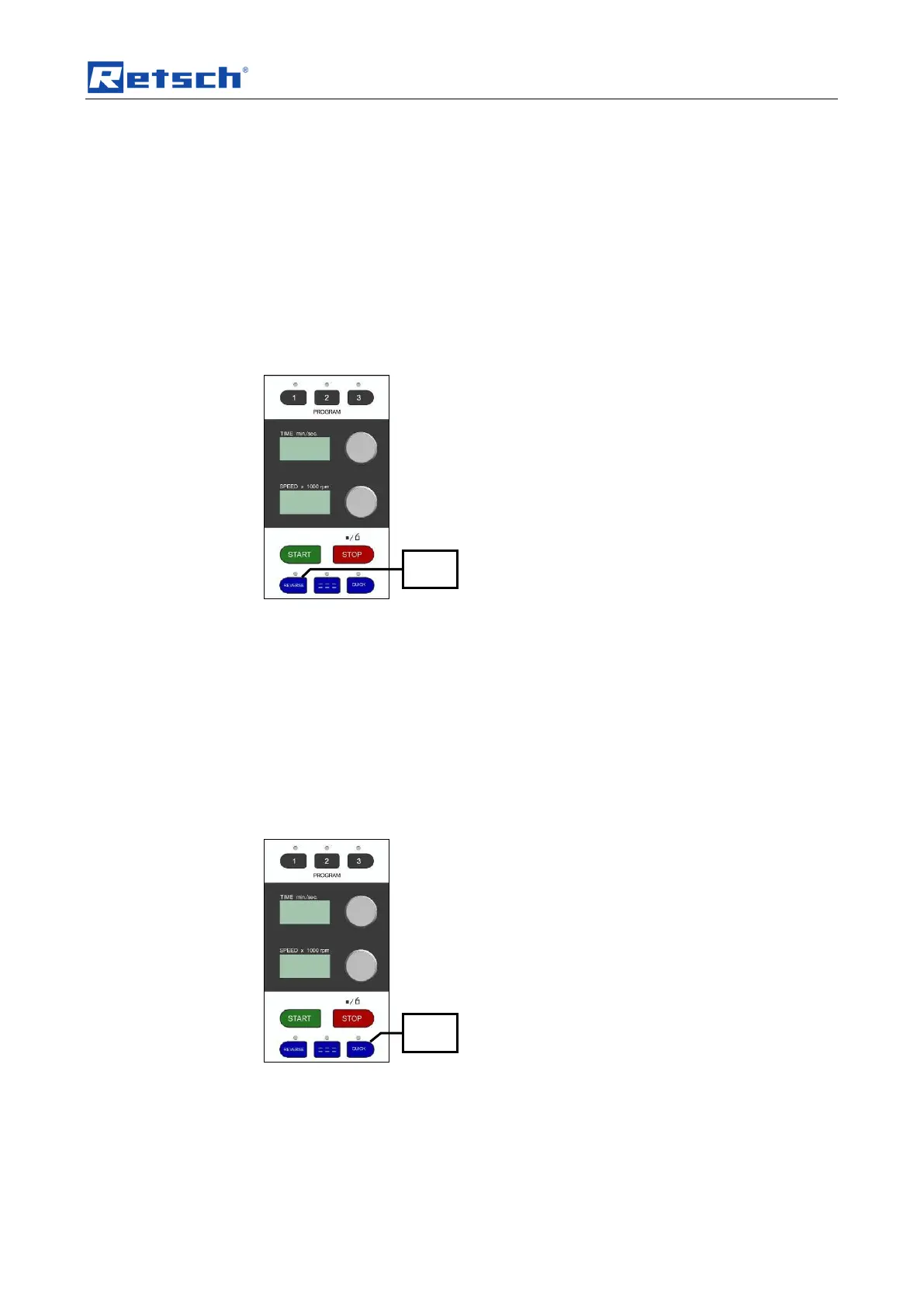
• Press the REVERSE button (E10).
Fig. 11: Switching on interval operation
The LED above the REVERSE button lights up.
• Press the START button.
Grinding takes place in reverse mode and the motor runs against the cutting
direction. Grinding takes place by impact unlike normal mode (cutting).
• Press the REVERSE button (E11) to leave the reverse mode again.
The LED above the REVERSE button lights up. The device is in normal mode once
again – grinding by cutting .
Pos: 8.52 /00005 Ü berschriften/ 1.1 Überschrifte n/1.1 Überschrift en BDA/11 Quic k Start - Tas tenfunktion @ 1\mod_12403 13233592_9.doc @ 8229 @ 2 @ 1
Pos: 8.53 /00010 Bedienungsa nleitungen Kapitels ammlungen/GM 200 (2010)/001 5 GM200N B edienung/1585 GM 200_2010 Mo dul Quick St art - Tastenf unktion @ 3\mod _1279722273 888_9.doc @ 21685 @ @ 1
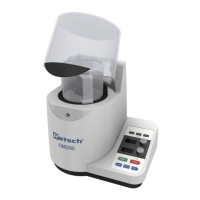
• Press the QUICK button (E12).
Fig. 12: QUICK grinding
The LED above the button lights up and grinding starts immediately.
• Release the QUICK button, grinding is ended immediately and the LED
above the button goes out.
Pos: 8.54 /00005 Ü berschriften/ 1.1 Überschrifte n/1.1 Überschrift en BDA/11 Sp eicher – Funktio nen @ 3\mod_12 79718043115_9.d oc @ 21517 @ @ 1


 To Next Page