01.12.2016 Retsch GmbH 18
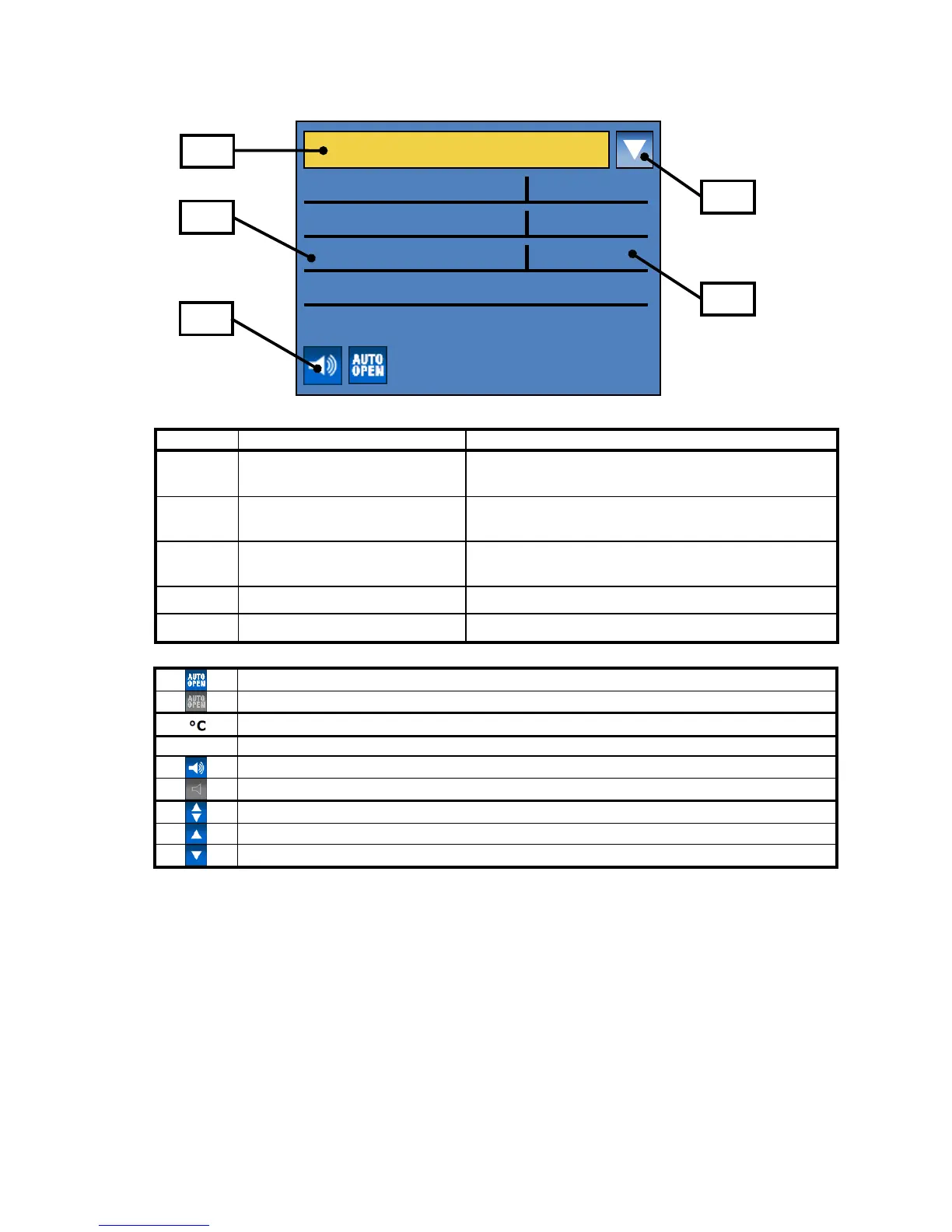
Display and operation
Symbols in the display unit
Switching between manual operating mode and
basic settings
Specification of grinding
parameters
Displaying and setting grinding parameters
Icons for device functions
Displaying the functional statuses of sound and
automatic opening
Icon for scrolling direction
Displays the possible scrolling directions
Automatic opening switched on
Automatic opening switched off
Motor or frequency converter too hot
Acoustic warning signal on
Acoustic warning signal off
Scrolling upwards or downwards possible
Only scrolling upwards possible
Only scrolling downwards possible


 To Next Page