21
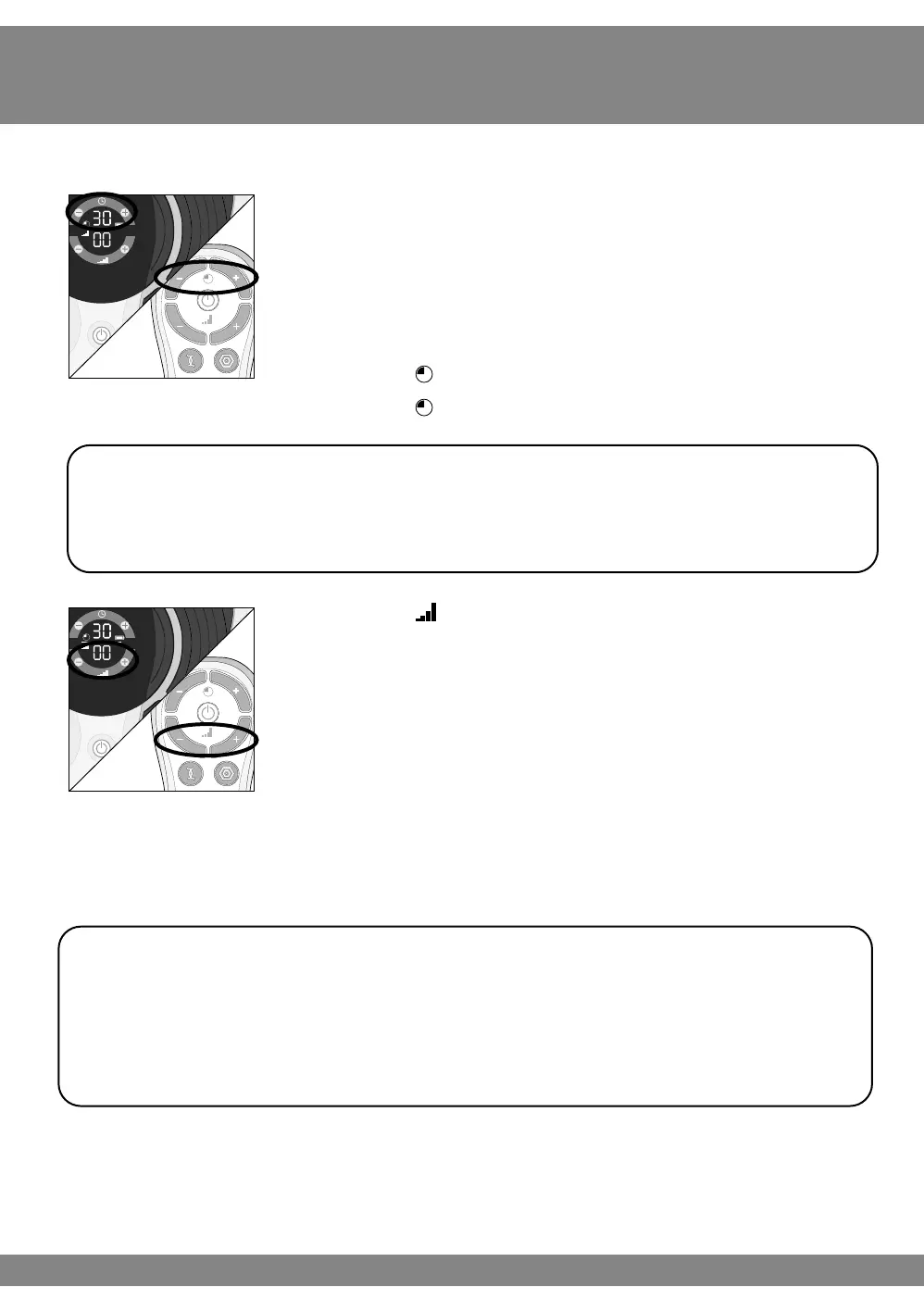
f Set the time for Revitive. The default time is 30
minutes. You can set the timer for up to 60 minutes.
If you do not want to use the default time of 30 minutes,
set the time for the number of minutes you want.
You can use the controls on the control panel or on the
remote control.
Press the (+) Time Control to increase the time.
Press the (–) Time Control to decrease the time.
g Press the (+) Intensity Control once to
start stimulation.
Continue to increase the intensity until you can feel or
see the muscles in your calves contract and relax. You
can set the intensity between 1-99.
You can use the buttons on the device or
remote control.
Press the (+) button to increase the level.
Press the (–) button to decrease the level.
It is recommended to the Foot-Pads for 30-60 minutes per day.
Do not use the Foot-Pads more than 6 sessions of 30 minutes (or the equivalent) per
day. This may result in muscle fatigue.
Begin at the lowest intensity setting. Place feet on the device and gradually begin to
increase the intensity.
Do not remove feet during treatment or place feet on the device aer the intensity
has been increased.



 To Next Page