POP 2 3D Scanner User Manual
COPYRIGHT ©2022 REVOPOINT 3D ALL RIGHTS RESERVED 10
the scanning process.
Dark:
Designed to scan objects with darker surfaces, such as black or dark gray clothes, black boxes, etc. However,
not all dark objects can be successfully scanned. One example would be black leather shoes because leather
absorbs light (or they are so shiny that they reflect too much light). The exposure and gain are set accordingly
(no Automatic exposure adjustment).
Face:
Designed to scan the human face. The exposure and gain are set according to typical skin reflectivity (no
Automatic exposure adjustment).
Head:
Designed to scan hair (including dark hair) along with the face.
Body:
Designed to scan a human body or larger objects from a greater distance than is used for the other modes. The
exposure and gain are set accordingly (no Automatic exposure adjustment).
Texture: No Color and Colorful
No color: The scanned model has no color information; only the shape information is captured.
Colorful: The object to be scanned has both color and shape information in the scanned 3D model (Revo Scan can only
export color objects in the .PLY & .OBJ file formats).
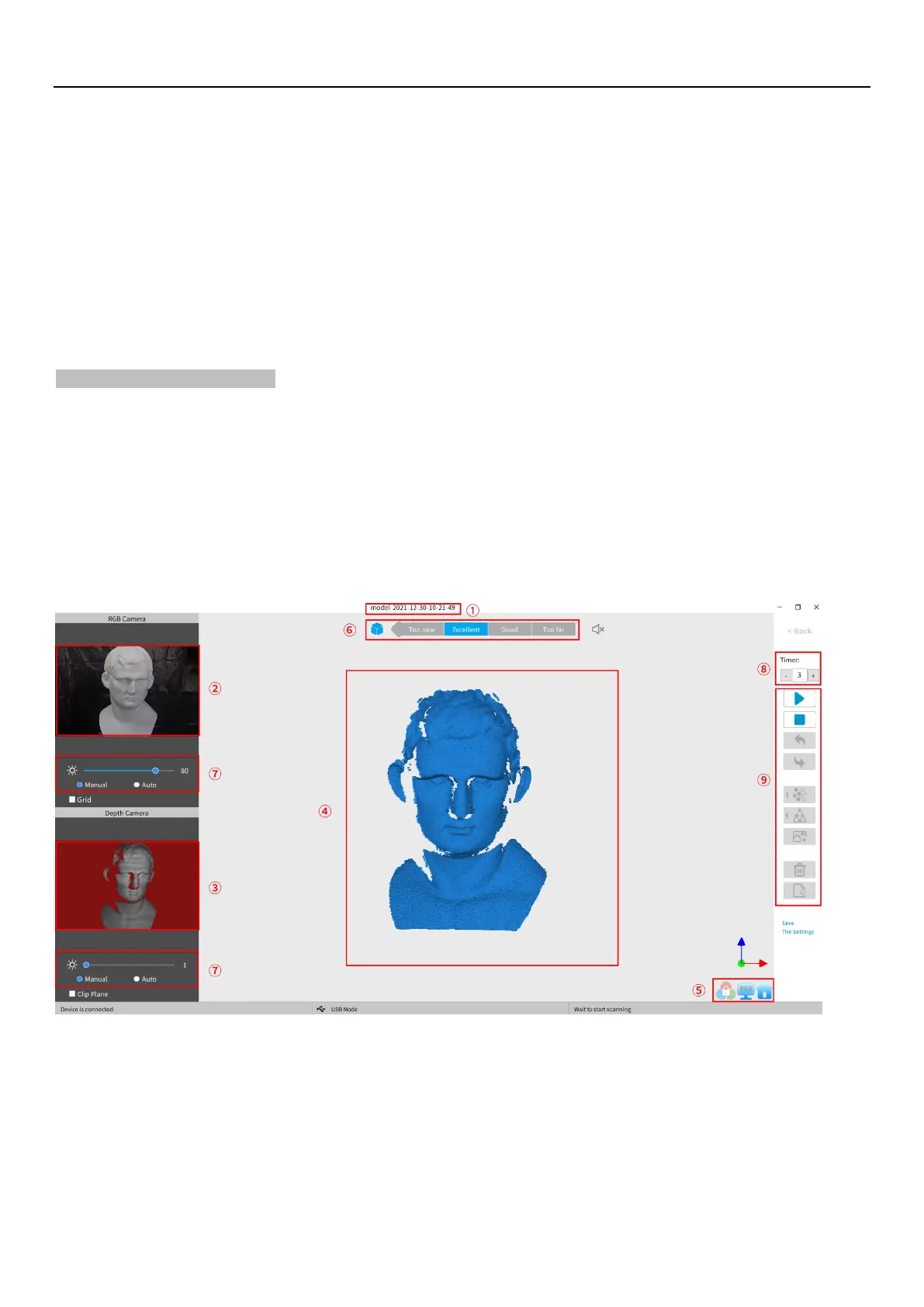
3. Scanning UI
After clicking “OK” on the New Scan popup, the real scan UI shows:
①
Name:
Displays the Name specified in the New Scan configuration popup.
②
RGB Camera:
Displays the image captured by the RGB Texture camera.
Note: The Grid option aids in positioning the object to be scanned so that the cameras can see it.
③
Depth Camera:
Displays the 3D point cloud data that can be captured with the current Exposure setting.
Note: The Clip Plane option is designed to remove unwanted planes in the scene such as the
turntable, desktop or floor. Objects with significant flat areas can fool this tool, so it may be



 To Next Page