REVV | D25
7
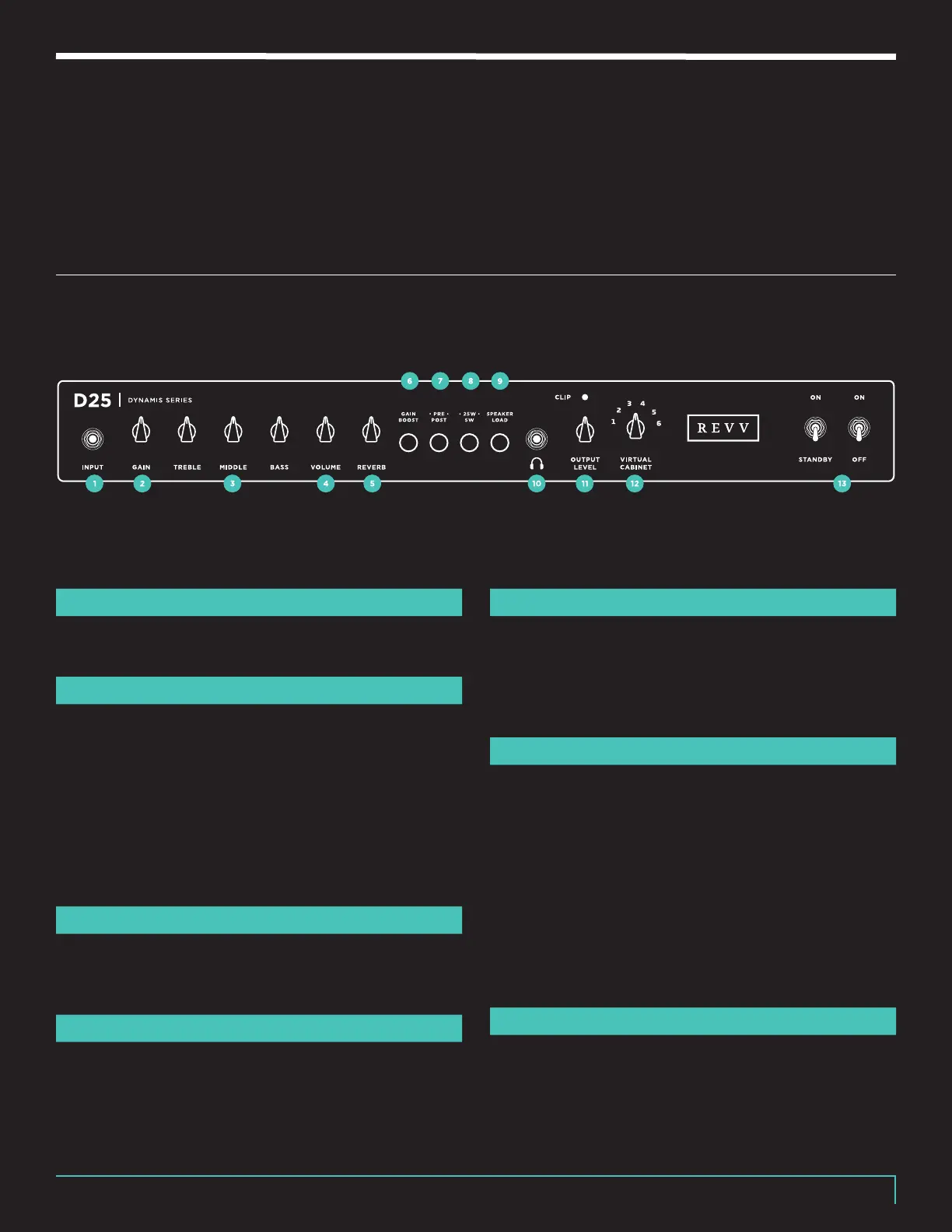
FRONT PANEL
INPUT
1
1⁄4” Instrument cable input.
GAIN CONTROL
2
The Gain Control will add body and drive to your signal.
D25 is capable of a wide variety of tones from crystal
clean to quite overdriven.
Note: Experiment with your guitar’s controls, pick attack,
and pedals to find your favorite settings for dierent
applications. This control is quite interactive with the
EQ, Volume Control, and Wattage Mode.
3 BAND EQ
3
Passive treble, middle, & bass controls with a wide
range. Small turns equal large tonal changes.
VOLUME CONTROL
4
The Volume Control drives the power amplifier & sets
overall output level. This also controls the level of signal
being sent to the FX Loop and Two-notes Torpedo-
embedded (when the Pre/Post control is set to Post).
REVERB CONTROL
5
The Reverb control increases the intensity of the
D25’s on-board digital Reverb. Turn the knob fully
counterclockwise to disable the eect. The Reverb can
also be turned on and o using the Revv footswitch.
GAIN BOOST SWITCH
6
The Gain Boost push button (in) engages a more
overdriven sound. Do not let its name deceive you!
While you can certainly use Gain Boost on and o as
“channels” to achieve dierent gain levels on the fly
with the included Revv Foot Switch, the Gain Boost also
changes the overall voicing of the amp. As such, we
suggest choosing your favorite sounding Gain Boost
position and dialing your overall tone from there
because a wide variety of clean & overdriven tones are
available in both modes.
PRE/POST SWITCH
7
Because the embedded Two-notes technology can
provide virtual power amp simulation, you can now
choose dierent virtual power tube types, such as
EL34s or 6L6s, for your power amp sound when



 To Next Page