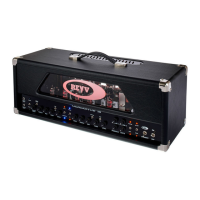
Revv Generator 100w2.5
2.6
Master Volume Control
The Generator is equipped with 2 MIDI
and foot switchable/programmable
master volume controls. These controls
come right after the effects loop and
also work as the FX loop return control.
These controls adjust the global volume
of the amplifier and feed the preamp
signal into the power amplifier and can
be toggled from one to the other for
complete volume control and boosts.
The master volume #1 control is in
use when the red “masters” LED is off.
And master volume #2 control is in use
when the red “masters” LED is on. The
controls can be toggled via the front
panel “masters” toggle switch, the foot
switch button #4 (or programmed bank)
or a MIDI device. The “masters” function
is also foot switch preset programmable
and can be toggled via CC commands.
Depth & Presence
The Depth control is a bass control
and will add some incredible low end to
the output. Using the control sparingly
is recommended to keep the bass re-
sponse tight, as higher setting will give
you a looser bass tone.
Note: Lowering the bass control on the
four channels and increasing the depth
control is also another means of experi-
menting with the voice of the Generator
and the bass response.
The Presence control from the off po-
sition to the 2 o’clock position will give
you a subtle increase in treble, and ev-
erything past that point will then provide
a greater increase for a sharper cut.
Note: These are controls of the power
amp section of the amplifier and are
global controls which affect all channels.
Because they work well with the EQ of
each channel, experimentation will pro-
vide added tone and definition.
2.7
Function Controls
The accessory functions are activated by
the momentary toggle switches. These
switches are assigned 2 functions each
and control the functions when the
switch is pushed in the direction of the
functions label. The LED associated with
each function will then react according
to the state of the function.
A - Masters Switch
The master volume toggle switch is
a momentary switch that needs to be
pushed up in order to toggle between
the 2 master volume controls. The Red
LED is illuminated when master #2 is
in use and off when master #1 is in use.
(See 2.6)
B - Mute Switch
The mute function allows for the amp to
be silenced. This function requires the
front panel momentary toggle switch to
be pushed down to be turned on and off.
The Red LED will flash when the ampli-
fier is in mute.


 To Next Page